How to Build an MVP for a Startup: A 25-Year Design Studio Perspective
From the first idea to MVP scope, user flows, wireframes, clickable prototypes, UI/UX design, development, launch, and the roadmap that comes next.
How Do You Build an MVP for a Startup?
You build an MVP by first defining the problem and primary user, then deciding what absolutely belongs in Version 1. From there, map the critical user flows, create wireframes, prototype important interactions, prepare the approved UI/UX for development, launch, gather real-world feedback, and iterate.
An MVP is not simply the cheapest or smallest product you can build. It should be the smallest viable version that delivers the product’s core value and gives you something meaningful to learn from.
Starting a Company Can Be Daunting. I Did It.
The first version of a digital product does not need to contain every idea you have for it. I am constantly reminding founders of this. They often take a “the more, the merrier” approach when they should be embracing “less is more.” Every feature added to Version 1 has to be defined, designed, refined, coded, connected to the rest of the product, tested, corrected, and tested again. A feature that sounds small in a conversation can create multiple screens, states, permissions, edge cases, notifications, responsive layouts, and development dependencies. It can also push a release back by weeks, months, or longer, depending on the complexity.
The Skins Factory has designed applications for startups and growing companies since the beginning. The industries have varied widely: media players, fintech, digital banking, cryptocurrency, healthcare, cybersecurity, SaaS, enterprise software, communications, real estate technology, gaming, entertainment, education, AI-driven products, and consumer applications among them. But one principle keeps showing up in successful product work: the best first release is not the one with the most features. It is the one that establishes the product clearly enough to launch, learn, and improve. Software has always been about iteration, and the strongest products are built with that in mind.
From One Founder to Another
Let’s be honest for a minute. Starting a company can be daunting. I did it. Back in December 2000, I started The Skins Factory with $6,000 in the bank and a credit card. That first year was rough. It was 16-hour days, every day, and I loved every single minute of it. I even lost a girlfriend over it, but I have zero regrets. Almost 26 years later, I’m still just as passionate about what I do.
So I know firsthand that a startup founder can spend months thinking about a digital product before a designer or developer ever sees an RFP or scope of work. By that point, the product may already exist in the founder’s head as a complete ecosystem: accounts, dashboards, messaging, payments, integrations, reporting, automation, AI features, mobile functionality, admin tools, multiple user types, and a list of future ideas that keeps getting longer. That vision is useful. It’s also where many startup products begin to get into trouble.
You Have an App Idea. What Happens Next?
If you are at the “I have an app idea, now what?” stage, the next move is not to make the screen list longer. It is to define the product clearly enough that design and development have something coherent to execute right out of the gate. You should be able to give a convincing elevator pitch and explain the product, who it is for, what problem it solves, and why someone would want to use it.
You only get one shot at a first impression. Make it count.
Talk to the people you expect to use or buy the product or service. Look at what they use now, what they complain about, what they have already tried, and whether the problem matters enough for them to change their behavior or pay for a better solution. This is part of the discovery phase of software UX design. Learn the goals and pain points people experience with competing products, then take a good, hard look at those products yourself. Learn what your competitors do well and where they fall short. There is no reason to repeat mistakes that someone else has already made. You may not have any direct competition. Unlikely, but possible. In that case, look at products that solve a similar problem, serve the same audience, or require users to complete comparable tasks. You can still learn a great deal from how those products approach onboarding, navigation, pricing, feature organization, trust, and the overall user experience. Even when the idea itself is new, the people using it are bringing expectations with them from every other digital product they already use.
If You Have an App Idea, Don’t Start With a Giant Screen List
A common starting point for founders is a list of screens. Login. Dashboard. Profile. Settings. Reports. Messages. Search. Admin. Billing. That feels concrete, but it skips the most important question: what’s the user actually trying to accomplish? Establish that before building your screen wishlist.
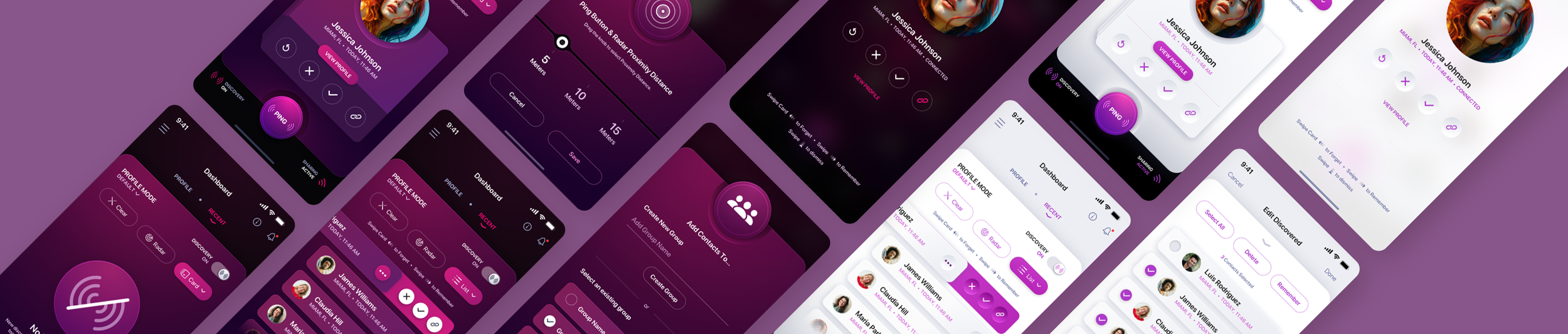
We designed a mobile social discovery app that began with a single sentence from the founder. Before we thought about screens, we defined the product’s core features and the goals we were trying to help users accomplish. Only then did we start mapping out the screens needed to support those goals. That sequence is important. Goals and functionality first. Screens second. Otherwise, you risk designing a pile of interfaces before you have clearly defined what the product actually needs to do.
More Than Just Screens.
An application is not just a collection of screens. It is a sequence of decisions, actions, responses, and outcomes. The interface exists to help people move through that sequence with as little confusion as possible. Before worrying about whether a dashboard needs six cards or eight, define the core problem the product solves and the primary action the user needs to complete. If the central value of the product can’t be explained simply, adding more screens won’t make it clearer. And if you’re designing a SaaS or enterprise application, different users may need entirely different views of the product based on their roles, permissions, and responsibilities.
This is also the point where founders should separate business vision from launch scope. You may already know that the product will eventually support enterprise accounts, advanced analytics, additional integrations, team permissions, automated workflows, or a second marketplace. Great. Capture those ideas. They belong in the product strategy and roadmap. They don’t automatically belong in the first build. The useful question is not, “Could this feature be valuable?” The useful question is, “Does the first release need this feature to deliver the product’s core value?” Those are very different standards. A disciplined answer can remove weeks or months of design and development without weakening the product. In fact, it often makes the first release stronger because the team is forced to focus on the experience that matters most.
What Should Be in Version 1? Start With the MVP
Minimum Viable Product is one of the most overused phrases in software, and it is often misunderstood as “the cheapest possible version.” That’s not how we think about it. An MVP should be the smallest version of the product that can meaningfully solve the core problem, demonstrate the concept, and give the company something real to learn from. “Minimum” describes scope, not quality.
A focused MVP can and should look professional. Remember what I said before? You only get one shot at a first impression, so make it count. That absolutely applies to an MVP release. The MVP should have thoughtful onboarding, clear navigation, good interaction design, appropriate security, and a polished visual design language. You’re not releasing something that looks like a set of wireframes. What it does not need is every feature the company can imagine for the next three years.
This is where prioritization becomes product strategy. Suppose a startup is designing a financial application. The founder may eventually want multiple account types, peer-to-peer payments, financial goals, AI recommendations, transaction categorization, family accounts, advanced reporting, budgeting, rewards, and integrations with outside services. The first release may need only a subset of those capabilities to prove the primary use case. The same is true in healthcare, SaaS, cybersecurity, communications, real estate, gaming, and almost every other category we work in. A product can have a large future without requiring a large first release.
The MVP conversation should answer practical questions:
- What’s the one problem the product must solve well?
- Who’s the primary user at launch?
- What does that user need to accomplish from start to finish?
- Which features are essential to that journey?
- Which features would be useful but can wait?
- What can we validate with a prototype before spending heavily on development?
Answering those questions early is not a limitation on the founder’s vision. It is a way to protect it. A startup with a finite budget and a limited runway benefits from getting the most important part of the product into users’ hands sooner. Real behavior is more valuable than another month of internal speculation.
Put the Rest on a Product Roadmap
“Not in Version 1” does not mean “never.” That is what the roadmap is for. Capture your great ideas and save them for later. A roadmap gives the team a place to put valuable ideas without forcing all of them into the initial release. It lets the company think in stages: what must exist now, what should come next, what becomes important after adoption, and what is only worth building once the product has enough users, data, revenue, or customer demand to justify it.
This matters because software is iterative by nature. Products are launched, observed, changed, expanded, simplified, and sometimes rethought completely. The roadmap should reflect that reality. And here’s something that doesn’t get mentioned enough: it’s good to have sub-releases. They show users that you care about the product and that you’re actively improving it. For a subscription-based app or service, I think that can also help reduce churn because customers can see that the product is continuing to evolve.
Founders sometimes resist postponing features because they are afraid the first release will feel incomplete. In practice, the greater risk is often the opposite: the product becomes so broad that the team cannot get the central experience right. Every additional feature also creates a schedule consequence. The feature must be designed. Its relationship to existing workflows has to be resolved. New screens and states may be required. Development has to implement it. QA has to test it. Bugs have to be fixed. Other parts of the application may need to change because the new feature affects them. Ten “small” additions can become a major delay. A roadmap protects the launch date by giving future ideas a legitimate home. It says, “Yes, we see this. Yes, it may be important. No, we do not have to build it today.”
Map the User Flow Before You Design the Interface
Once the first-release scope is clear, the next step is understanding how users move through it. User flow maps are one of the most useful tools in application design because they expose the product’s logic before visual design starts hiding that logic under attractive screens.
Take onboarding as an example. A founder may describe it as a single feature: “Users create an account and answer a few questions.” In a real product, that can quickly turn into a series of decisions that need to be figured out:
- Does the user create an account before or after seeing value?
- Is email verification required?
- Is multi-factor authentication required?
- Can the user leave and come back?
- Are there different onboarding paths for different user types?
- Does the information entered during onboarding change the dashboard?
- Can steps be skipped?
- What happens if verification fails?
- What happens if the user is not eligible?
- What happens after onboarding is complete?
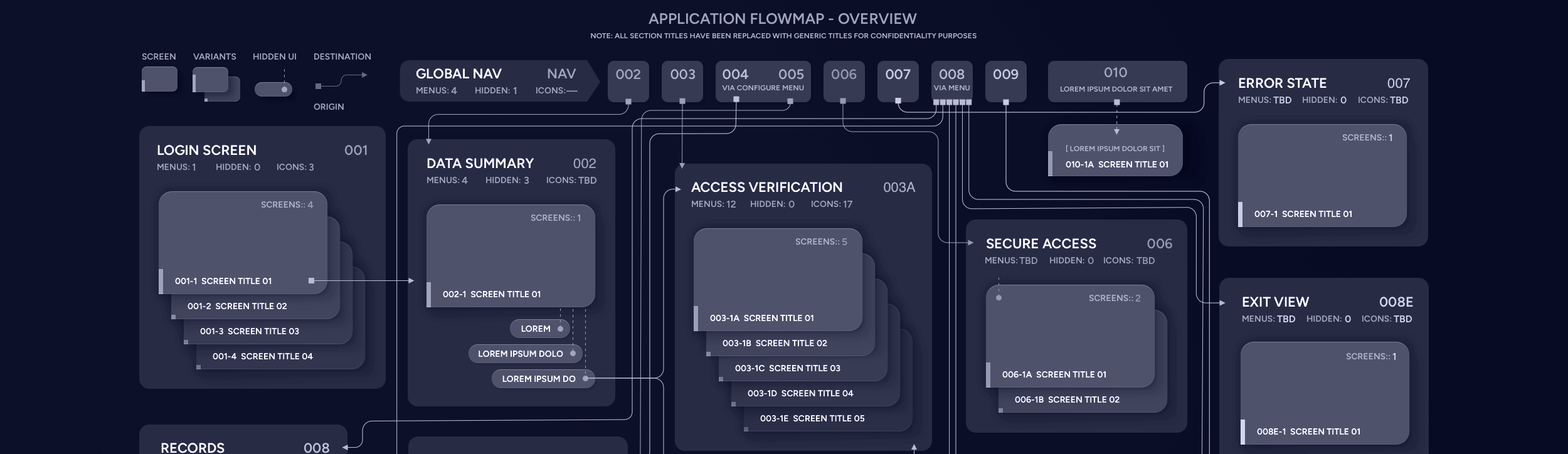
In regulated products, the complexity can increase dramatically. KYC, identity verification, financial disclosures, healthcare privacy requirements, permissions, and security rules can turn a simple-looking flow into a major part of the product. Mapping those paths before high-fidelity design makes the complexity visible and can actually speed up the entire design process. You don’t want the UI designer figuring these things out while they’re applying the final coat of paint to your application. You want them focused on creating something memorable.
It also makes gaps visible. A flow can reveal a dead end nobody considered, what we call an “oops” moment, as well as a duplicated step, a missing confirmation, or a decision that needs to happen much earlier in the experience. For founders, this is one of the best moments to challenge the product. Do users really need to provide all of this information before they see the dashboard? Can two steps become one? Can something happen later instead of now? Are we asking the user to make a decision before they have enough information to make it?
The earlier those questions are answered, the cheaper they are to fix. The last thing you want is to be fixing them when the developers are already in the picture.
Add the User Journey to the Flow
A user flow shows how someone moves through the product. But knowing where they go is only part of the story. We also want to understand what they’re trying to accomplish, what they know at each point, where they may hesitate, and what could cause them to abandon the process. We typically think about those things while mapping the user flow rather than treating the user journey as a completely separate exercise. They become another layer of information that helps us understand the experience from the user’s point of view.
That distinction is especially important for founders because the team already understands the product. Users do not. The founder knows what an acronym means. The user may not. And it’s not just founders. Throughout my career, I’ve had to stop designers and tell them, “You understand this because you designed it, but it’s not intuitive enough.” Then I make them go back and fix it.
That’s an easy trap to fall into when you’re too close to the product. The team knows how everything works because they’ve been living with it. The user is seeing it for the first time. The founder knows why a particular verification step exists. The user may see it as friction. The founder knows there are powerful features three screens away. The user may leave before discovering them.
Adding that context to the flow can influence onboarding, content, feature order, navigation, calls to action, empty states, help text, trust signals, error handling, and when you ask users for personal information. This is especially important when you have a lengthy onboarding experience. That’s why we often add some sort of progress indicator so users can see the finish line, or give them the ability to save their progress and come back later. For a startup, that is not just a UX exercise. It can affect conversion, activation, retention, and whether users ever reach the value the product was built to deliver.
Wireframe the Product Before Everyone Falls in Love With the Visual Design
Wireframes are useful because they remove one of the biggest distractions in product discussions: polish. A beautiful screen can make a weak idea feel finished. A wireframe does the opposite. It exposes structure.
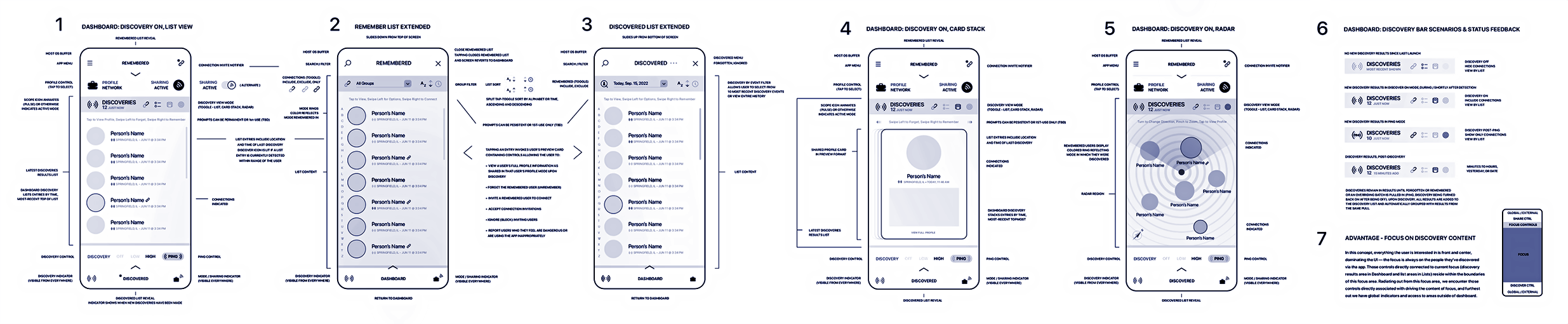
At the wireframe stage, the important questions are about hierarchy, content, navigation, functionality, and workflow. What belongs on this screen? What is the primary action? What information is necessary here? Is the page doing too much? Should this be a separate screen, a drawer, a modal, or an inline interaction? What happens when there is no data? What happens when there is too much data? These decisions are easier to make when nobody is debating a gradient, illustration, icon, or brand color.
Wireframing is also a good point to test whether the MVP scope still makes sense. Sometimes a feature that seemed simple during planning becomes much larger once its states and dependencies are visible. That does not necessarily mean the feature should be removed, but it gives the founder better information before committing development resources.
Not every product needs the exact same amount of wireframing. Some projects arrive with mature requirements and established interaction patterns. Others begin as an idea and need substantial structural exploration. The process should fit the problem, not the other way around. But when the product is complex, wireframing can prevent expensive visual and technical work from being built on top of a weak foundation.
Build a Clickable Prototype Before You Commit to the Full Build
A prototype is where the product starts to feel real. Instead of reviewing isolated screens, founders can click through the experience, follow major workflows, test navigation, and experience key interactions in sequence. That changes the conversation.
A static dashboard may look excellent while the path that leads to it makes no sense. A prototype makes that obvious. A sign-up flow may look easy when viewed one screen at a time but feel exhausting when someone has to complete all twelve steps. A navigation structure may appear logical in a sitemap and become confusing the moment people start moving through it.
With that said, not every startup has the extra budget for a prototype. If we’ve done our job correctly with the user flow maps, the journey context, and the wireframes, it can be okay to skip this step when the budget is tight. When the budget allows, a strong prototype can also do more than validate usability.
Founders can use it to explain the product to investors, advisors, internal stakeholders, prospective customers, and development teams. A well-built interactive prototype can communicate a product vision far more effectively than a pitch deck full of feature descriptions. For non-technical founders, it can also become the bridge between the idea in their head and the team that will eventually build it.
Prototype vs. MVP
Founders sometimes use “prototype” and “MVP” interchangeably, but they’re not the same thing. A prototype demonstrates how the product should work without requiring production code or live data. An MVP is the functioning first release that real users can actually use.
A prototype helps you work out the product. The MVP puts that product into the real world.
Prototype the Important Flows, Not Necessarily Every Screen
A prototype does not have to simulate every possible corner of the final application to be useful. The highest-value prototype usually focuses on the flows that define the product: onboarding, the primary user task, the core transaction or workflow, and any interaction that is difficult to explain without experiencing it. This keeps the prototype useful without turning it into another oversized pre-launch project.
The same discipline used for the MVP should apply to prototyping. Prove the experience that matters most. Test the assumptions that carry the most risk. Make the hard parts tangible. If a low-risk settings screen follows a familiar pattern, it may not need the same level of prototyping as the workflow that determines whether users understand the product’s core value.
Build Consistency Into Version 1
Startup products change. The interface should be prepared for that. A bootstrapped startup does not necessarily need to spend money building a large, formal design system before launch. But the application should still be designed with consistency in mind.
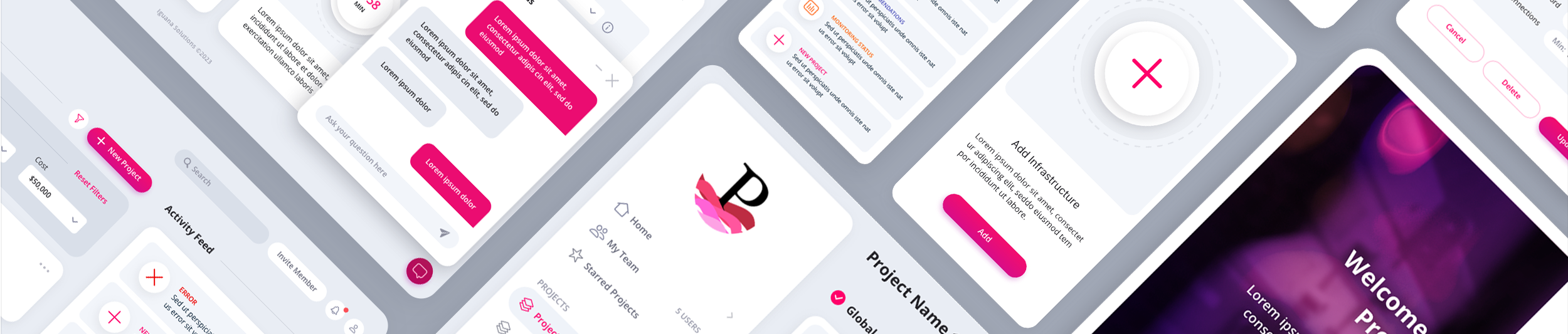
Buttons should behave the same way from screen to screen. Forms should follow the same patterns. Spacing, typography, colors, tables, cards, alerts, navigation, and other repeating elements should feel like they belong to the same product. As we design an application, we naturally create reusable components and establish rules that can carry forward into future releases. That gives Version 2 something solid to build on without requiring the startup to invest in a massive design system on day one.
Prepare the Design for Development, Not Just for Approval
There is a major difference between a design that looks good in a presentation and a design that is ready to build. Developers need clarity. What happens on hover, focus, loading, success, failure, and empty states? What happens when content is longer than expected? How does the interface adapt to different screen sizes? Which components repeat? What is editable? What is disabled? What is required? What happens after an action completes? What permissions affect what a user can see or do?
If those decisions are missing, the development team has to make them. Sometimes that is fine. Often it means product and UX decisions are being made inside the codebase by people who were never supposed to be defining the experience. From my experience, I’ve seen developers absolutely butcher our designs, and I’m not just talking about small companies. I’ve seen it happen on Fortune 100 projects.
Our goal is to hand development a product that has been thought through. That includes the screens, flows, states, components, responsive behavior, design system, and source files needed to translate the work accurately into production.
How App Design and Development Should Work Together
For startups, app design and development work best when they are planned as connected phases of the same product rather than two unrelated jobs. Once the MVP has been defined and designed, development should not begin with engineers reverse-engineering intent from a handful of polished screens. They should have the user flows, interaction states, component rules, responsive behavior, source files, and product decisions needed to understand how the application is supposed to work.
If we’re not brought in to consult during development, then it becomes your team’s responsibility to hand off the work properly, explain the decisions that were made, and make sure the developers understand how the product is supposed to behave.
Development is where the product moves from prototype to production. Front-end components are built, back-end services and APIs are connected, authentication and permissions are implemented, data states are handled, integrations are wired up, and the application is tested under real conditions. That does not mean design disappears once coding starts. Questions surface during development. Edge cases appear. Technical constraints sometimes require an interaction to change. Keeping the design side involved during the build helps prevent dozens of small implementation decisions from slowly changing the experience that was approved.
The Skins Factory leads the product strategy and UI/UX design work. When a startup also needs development, we can bring in a trusted development partner we have worked with for years. They understand how we structure the work and how to translate our designs into working software with a high degree of fidelity. If a startup already has its own CTO, engineering team, freelancers, or development company, we can work with them instead. Either way, the objective is the same: move from idea to MVP without creating a gap between what was designed and what ultimately gets built.
Should You Hire a Designer or Developer First?
Founders often assume they need to hire a developer first because the end goal is working software. In many cases, that reverses the most efficient order.
If development begins while the product is still being defined, developers can spend expensive engineering time solving questions that are faster and cheaper to solve in design. Requirements change while features are already being built. Screens get redesigned after implementation. Navigation is reworked. Workflows are discovered rather than planned. Designing the product first gives developers a much clearer target and reduces the number of expensive decisions that have to be made once coding is already underway.
Launch Is the Beginning of the Product, Not the End of the Project
Software does not become “finished” because it reaches the App Store, goes live on the web, or gets handed to the first customers. Launch creates information you could not have before launch.
Users will misunderstand things the team thought were obvious. They will ignore features everyone considered important. They will ask for capabilities nobody predicted. They will find edge cases. They will use workflows in unexpected ways. Some assumptions will be validated and others will not. That is completely normal. The best product teams learn from that behavior and iterate.
This is why we are careful about trying to perfect every hypothetical future before the first release. You cannot fully design around information you do not have yet. A strong launch gives you a product worth learning from.
Then the roadmap becomes more informed. Version 2 is based less on imagination and more on evidence. Features can be reprioritized. Friction can be reduced. Successful workflows can be expanded. Weak assumptions can be corrected before they consume another year of development. That iterative loop is not a sign that the first version was incomplete. It is how good software evolves.
What We Have Learned Designing Products for Startups
Our startup work has taken many forms. Some founders come to us with little more than a concept. Others have wireframes, a rough prototype, or a partially built application. Some need an MVP designed from the ground up. Some need to make an existing product credible enough for customers, investors, or a larger market. Others have reached the point where the software works, but the experience no longer matches the quality of the underlying product.
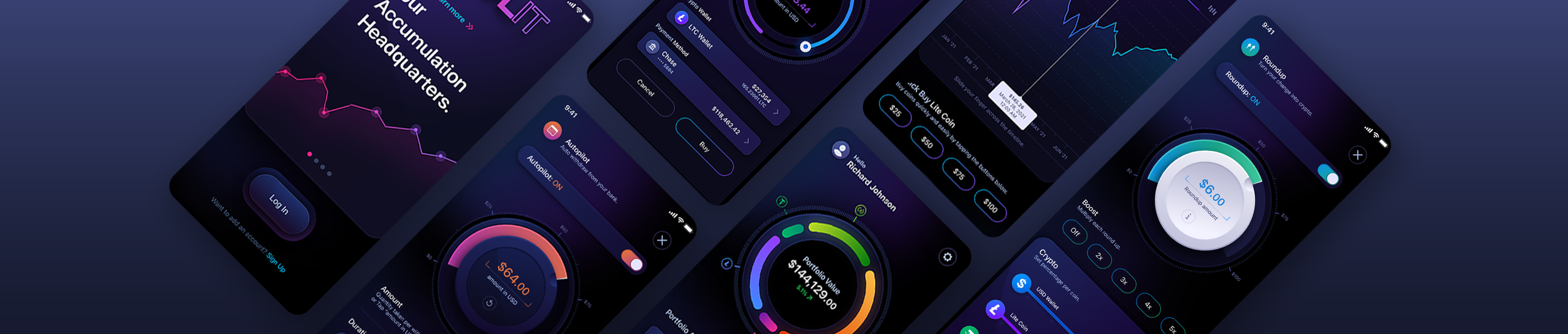
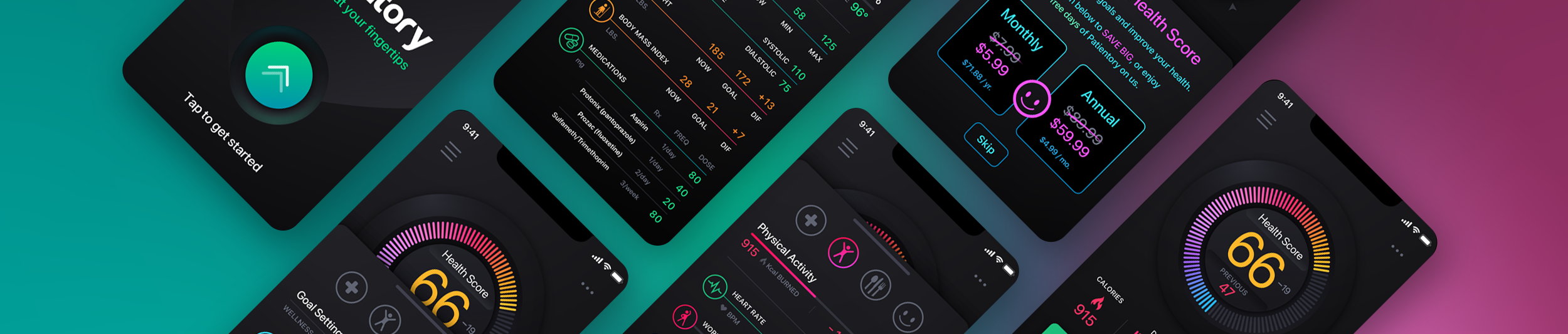
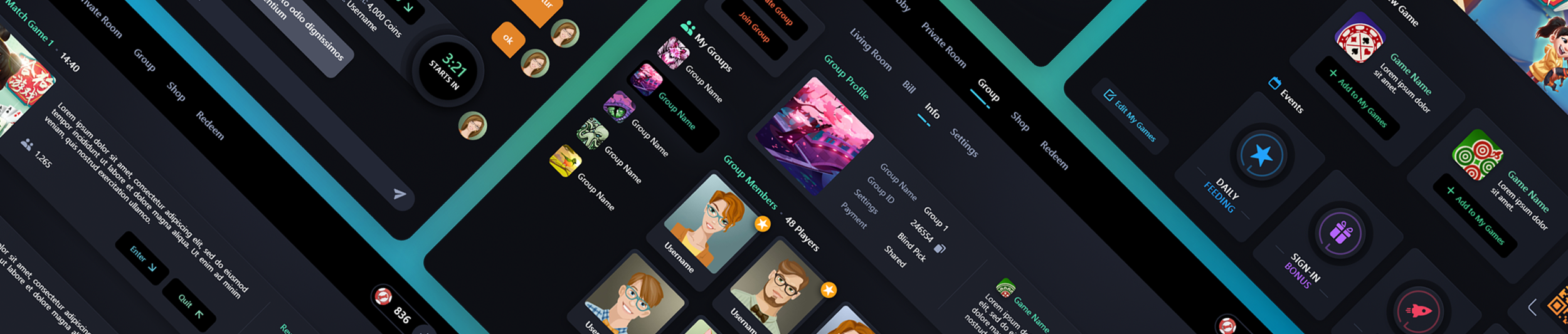
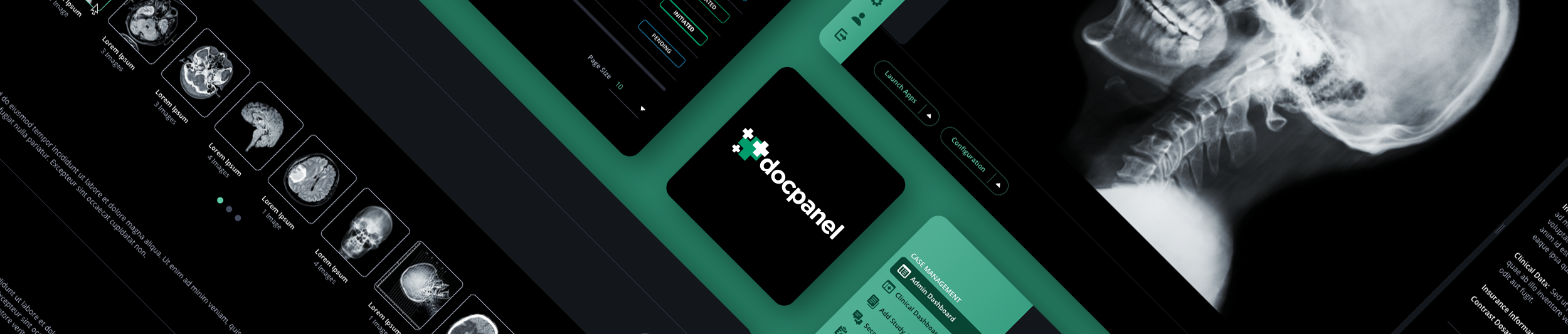
We have designed products across fintech, cryptocurrency, healthcare, cybersecurity, SaaS, communications, real estate technology, entertainment, gaming, education, AI, and consumer applications. Projects such as Hodlit, Patientory, Recognize Me, and GameIn represent different product types and different stages of startup development, but the process always comes back to the same fundamental work: understand what needs to be built, simplify the experience, define the flows, design the interface, prove the important interactions, and give development something coherent to execute. Working with startups has also reinforced something our larger enterprise projects taught us years ago: complexity is easy to add and difficult to remove.
Founders do not need a design team that simply says yes to every feature request. They need people willing to ask whether the feature belongs there, whether the flow can be simpler, whether the user really needs another step, and whether something can wait until the next release. Sometimes the most valuable design decision is what we choose not to put on the screen yet. There’s a quote I absolutely love that sums this up:
Perfection is achieved, not when there is nothing more to add, but when there is nothing left to take away.
A Practical Order of Operations for a Startup App
There is no single process that fits every application, but founders can save themselves a great deal of rework by solving problems in the right order.
Define the Product
Identify the problem, the primary user, and what that user needs to accomplish.
Set the MVP Boundary
Decide what belongs in Version 1 and what moves onto the roadmap.
Map the Experience
Work through the critical user flows and journey context before designing the interface.
Wireframe the Structure
Resolve layout, hierarchy, navigation, and functionality before applying the visual design.
Prototype What Matters
If the budget allows, prototype the workflows where interaction and usability need to be proven.
Prepare for Development
Make sure developers have the screens, states, responsive behavior, components, and source files they need.
Launch, Learn, Iterate
Get the product into users’ hands, see what actually happens, and use what you learn to shape the next release.
The important part is not treating each of those as a ceremonial deliverable. The value is in the decisions they force the team to make before those decisions become expensive.
When Should a Startup Bring in a UI/UX Design Team?
Earlier than many founders think. You do not need to have every requirement solved before talking to a product design team. In fact, if everything has already been decided, one of the most valuable parts of the engagement may have been lost. Experienced UI/UX designers should help define the product, not simply decorate it.
A good time to bring us in is when the idea is strong enough to discuss seriously but the product experience is not yet locked. That may be before development begins, while an MVP is being scoped, after a rough prototype has been created, or when an existing application needs to be rethought before the company invests in the next stage. The earlier we can identify a bad flow, unnecessary feature, missing state, or oversized first release, the less expensive that decision usually is to correct.
Something to note, and I’ve seen this many times throughout my career: startups will hire freelancers or junior-level designers, realize it was a mistake, and then contact us. Be open to the fact that we’ll keep what’s worthwhile and trash the rest. If the freelancer or design studio dropped the ball, there’s a reason you came to us afterward. So let us work our magic.
Design Studio vs. Freelancers and Freelance Networks
When you hire The Skins Factory, you are hiring an established UI/UX design studio with more than 25 years of experience designing software products. You can see our work, our clients, our history, and the depth of experience behind the people working on your product. There is a lot less guessing involved.
We have explored some of the large freelance networks over the years, including Toptal, Fiverr, and Upwork, just to see what the experience was like. On one of them, I saw freelancers bidding on fixed-cost projects without being given a clear scope of work first. I still do not understand how you accurately estimate the cost of designing a software product when you do not know what the deliverables are.
We also had a prospective client ask to meet us in person because they wanted to make sure we were real. They had already tried one of the freelance networking sites, and apparently their experience was less than stellar. Think about that for a second. Before they were willing to hire another design company, they wanted proof that the people on the other side of the conversation actually existed.
I also remember seeing a Google ad for Toptal that said, “Choose from over 20K highly qualified experts.” I don’t know about you, but I have enough trouble deciding which speakers to buy on Amazon when I’m given too many choices. I certainly don’t consider sorting through thousands of people to find someone to help design my software product a benefit.
More choices do not eliminate the unknowns. Will they show up? Are they reliable? Do they have the experience to handle the project properly? Will the quality remain consistent throughout the engagement? Will they still be there when you need them six months from now?
With The Skins Factory, those questions have already been answered. We’ve been here since 2000. You can review our portfolio, our client history, and the range of software products we have designed. If you are investing serious money into building a software company, knowing exactly who is responsible for designing the product has real value.
Design Services, Specialties, and Related Reading
UI/UX Services
View Specialty Pages
Common Questions About Hiring a Startup UI/UX Design Agency
What should I look for in a UI/UX design agency for a startup?
Look for a studio that can show real software product work, not just marketing websites or attractive concept screens. The team should understand user flows, complex application states, responsive behavior, prototypes, design systems, developer handoff, and the realities of defining a focused Version 1. If your product is in fintech, healthcare, cybersecurity, SaaS, or another complex category, relevant industry experience can also shorten the learning curve.
How much does it cost to design an app or software MVP?
The cost depends on the scope of Version 1, the number and complexity of user flows, the platforms being designed, the amount of research required, whether wireframes or a clickable prototype are needed, and how extensive the final UI and design system must be. A useful estimate starts with defining what the product actually needs to do at launch. Quoting a large application from a screen count alone usually misses the states, permissions, edge cases, and interactions that drive the real workload. For startups that need ongoing design support rather than a traditional fixed-cost engagement, we also offer fractional UI/UX design services.
How long does it take to design a startup app or MVP?
A focused MVP can move quickly, while a complex SaaS, fintech, healthcare, or enterprise platform may require a much longer design cycle. Timeline is driven by scope, number of user types, workflow complexity, feedback speed, and how many features are being pushed into Version 1. One of the best ways to shorten the schedule is to separate what must launch now from what belongs on the roadmap.
Should I hire a UI/UX design studio before hiring developers?
If the product, user flows, feature priorities, and interface have not been clearly defined, design should usually begin before heavy development. It is much less expensive to find a broken workflow in a flow map, wireframe, or prototype than after it has been coded across dozens of screens. If you already have an engineering team, the designers and developers can work closely together so technical constraints are considered early.
Can a UI/UX design agency help define the MVP and Version 1 scope?
Yes. That is often one of the most valuable parts of an early startup engagement. A product design team can help separate the features required to deliver the core value from ideas that are useful but can wait. The goal is not to shrink the long-term vision. It is to establish a Version 1 that is focused enough to design, build, test, launch, and learn from without burying the startup under unnecessary scope.
Do I need a clickable prototype before app development begins?
Not every project needs every screen prototyped, but a clickable prototype is extremely useful for validating important user journeys, reviewing interactions, demonstrating the product to investors or stakeholders, and finding usability problems before development. A prototype is not the same thing as an MVP. The prototype simulates the experience. The MVP is the first working release of the actual product.
What should a startup receive from a software UI/UX design studio?
Deliverables depend on the engagement, but a complete product design project may include discovery findings, user flows or journey maps, wireframes, high-fidelity interface designs, responsive layouts, key states and edge cases, a clickable prototype, a design system or UI kit, and organized development-ready source files. Your engineering team should not have to guess how the product is supposed to behave.
Can The Skins Factory work with my existing development team?
Yes. We regularly design products that are built by a client’s existing engineering team. We focus on the product strategy, user experience, interface design, prototypes, design systems, and development-ready source files, then collaborate with the developers during handoff and implementation. If you do not have a development team, we can also bring in our trusted development partner to carry the approved design into production.
Can a UI/UX studio redesign an MVP or partially built application?
Absolutely. A startup does not need to be starting from a blank page. An existing MVP can be evaluated for navigation problems, confusing workflows, inconsistent interface patterns, missing states, visual design issues, and features that have outgrown the original structure. The redesign can preserve what is working, fix what is not, and create a stronger foundation for the next release.
Should a startup hire a UI/UX design studio or use a freelance network?
Hiring an established UI/UX design studio removes many of the unknowns that come with large freelance networks. With The Skins Factory, you know who you are hiring, can review more than 25 years of real software design work, and have an experienced studio accountable for the product from beginning to end. For a startup investing serious time and money into its core product, experience, continuity, reliability, and accountability matter.
Do I need a complete specification before contacting a startup UI/UX design agency?
No. Some founders come to us with a detailed product requirements document. Others have sketches, an early prototype, an existing application, or simply a well-developed idea. What matters most is being able to explain the problem you are solving, who the product is for, what you believe the first release needs to accomplish, and any important budget or timing constraints. The discovery process can help organize the rest.
Does industry experience matter when choosing a startup product design studio?
It can matter a great deal when the software involves regulated workflows, financial data, healthcare information, cybersecurity, complex dashboards, multiple permission levels, or other specialized requirements. A studio with relevant experience is more likely to recognize common usability, trust, workflow, and information-density problems early. Industry experience should support the design process, not replace research into your specific users and product.
Need Help Turning Your App Idea Into a Real Product?
The Skins Factory helps startups define and design digital products from early-stage concepts through MVPs, prototypes, complete application interfaces, design systems, and development-ready source files. When clients need the product built, we can bring in our trusted development partner to carry the work into production. We can also work directly with your existing engineering team.
If you have the vision but need help turning it into a real product, whether you are starting with a sentence, sketches, a rough prototype, or a partially built application, that is exactly the kind of problem we can help solve.
Have an app idea? Let's talk.
Thank you for reaching out.
We will be in touch within one business day.
About Jeff Schader
Jeff Schader is the founder and CEO of The Skins Factory, a UI/UX design studio he started in 2000, based in the Miami/Fort Lauderdale area. He has designed software for some of the biggest names in tech and entertainment, including Microsoft, Disney, the NFL, Bank of America, and Intel, along with SaaS, fintech, healthcare, cybersecurity, and enterprise platforms. Jeff runs The Skins Factory lean and stays hands-on across client work, strategy, and design. He writes about UI/UX, AI interfaces, and what actually makes software usable.
Have a project in mind? Schedule a 30-minute call with Jeff. Jeff also publishes The Product Design Insider on Substack.