When we redesigned the provider portal for InnovaMD, an Anthem
company, we did not open a design tool on day one. We spent the
first two weeks interviewing the people who actually used it,
including physicians, clinic administrators, and office staff.
We had also designed the previous version of the portal, so the
research was less about fixing a fundamentally broken user
experience. The interviews were more valuable for uncovering the
features users wanted, any pain points they were experiencing, the
information they needed faster, and the ways their day-to-day
workflows had evolved since the original platform was designed.
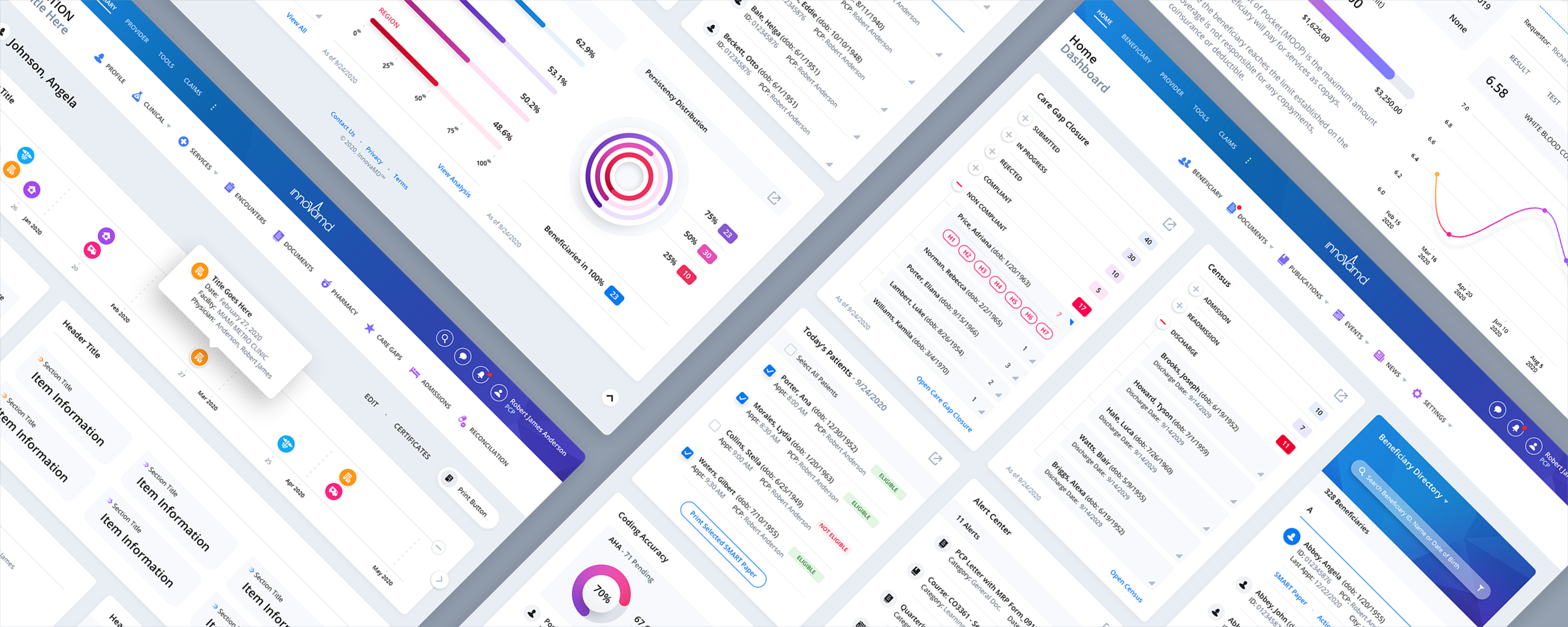
The dashboard was a complete rebuild.
It brings genuinely dense information together in one place,
including care-gap closure, patient census data with admissions
and discharges, coding accuracy, persistency distribution, and a
beneficiary directory containing hundreds of records.
Then we did something a standard dashboard does not do. We created
a modular layout in which any individual module can expand into a
slide-out panel, letting a user open a full, detailed view without
leaving the dashboard or losing sight of the surrounding data. It
adds a layer of depth to the interface without forcing a healthcare
professional to navigate to another screen every time they need a
closer look.
That was not a styling choice. It was a new way to use a dashboard
module, a pattern we invented specifically for InnovaMD that makes
the interface do more than a conventional dashboard can. It is one
we have carried into other complex, data-heavy platforms since.
This is what separates a redesign from a reskin. We did not
rearrange the widgets and pick new colors. We changed what a
dashboard module was capable of, so healthcare professionals
could spend more time caring for patients and less time fighting
the software. That is the kind of result you can only design
toward after speaking with the people who use it.