We Design Extraordinary Things
The+Healthcare+UI+UX+Design+Guide+Banner+Image.webp

The Definitive Healthcare UI/UX Design Guide

The definitive healthcare UI/UX design guide covering clinical workflows, EHR/EMR, patient portals, HIPAA, accessibility, and real healthtech design projects.

The Skins Factory  ·  The Definitive Guide

The Healthcare UI/UX Design Guide: Designing Healthcare Products People Trust With Their Health

Written by Jeff Schader, Founder, The Skins Factory. 25+ years designing trust-critical software for healthcare, fintech, cybersecurity, and enterprise SaaS. Clients include DocPanel, Patientory, and InnovaMD. A practitioner guide, not a theory piece. Everything here comes from designing real healthcare marketplaces, patient-data platforms, pharmacy systems, and clinical applications that shipped.

The Healthcare UI/UX Design Guide banner image

A Working Guide Built From Real Projects

Designing Healthcare Products People Trust With Their Health

Most digital health products underperform because the experience breaks down at the moment it matters: a patient opens a lab result at 11 p.m. and cannot tell whether the number is dangerous, or a clinician eleven hours into a shift faces one more screen that fights the workflow. In health software, confusion can cost understanding, adherence, access, and sometimes outcomes.

That is what makes healthcare UX different from ordinary product design. Most consumer software assumes a user who is alert, comfortable, and mildly focused. Health products routinely serve people who are sick, scared, medicated, exhausted, older, or managing care for someone else. They also serve clinicians whose attention is among the scarcest resources in the system. All of this happens under unusually high privacy expectations and inside regulatory boundaries that can shape what the interface says, shows, and records.

In healthcare, the interface is not a layer on top of the product. It's where a person decides whether they understand, whether they trust, and whether they will return for the care they need.

This guide covers how to design healthcare products that earn trust across that span, from patient-facing healthtech and fitness applications to clinician tools, pharmacy systems, remote monitoring, and regulated software. It examines intake and consent, privacy and identity, telehealth, clinical workflow, medical data and interoperability, patient results, scheduling and cost, medication and pharmacy UX, notifications, accessibility, behavior change, difficult moments, compliance, AI, multi-sided platforms, and the design systems that hold everything together. It is written for heads of product, CTOs, clinical leaders, founders, and design leads building or rebuilding digital health products. If you're looking for a team to design or redesign a healthcare or healthtech product, see how our healthcare UI/UX design agency approaches clinical dashboards, patient and provider experiences, medication management workflows, and data-heavy application design.

Guide Overview

What This Guide Covers

01 Why Healthcare UX Is Different The constraints that separate health products from ordinary software. 02 Patient Onboarding, Intake, and Consent Turning the paperwork problem into a trust moment. 03 Privacy, Identity, HIPAA, and Sensitive Data Designing control around the most personal information in software. 04 Telehealth and Virtual Care Making remote care feel like one continuous encounter. 05 Clinician-Facing UX Designing for time-starved expert users and interrupted workflows. 06 Medical Data, Interoperability, Charts, and Records Organizing dense, fragmented health information without hiding uncertainty. 07 Presenting Health Data to Patients Showing results a layperson can understand without unnecessary panic. 08 Scheduling, Insurance, Cost, and Access Designing the flows that determine whether care happens at all. 09 Medication, Pharmacy, and Adherence UX Designing the daily interface between people and treatment. 10 Health Notifications and the Right to Interrupt Earning interruptions about someone's body and care. 11 Accessibility for Sick, Stressed, and Older Users Designing for the actual condition of the actual user. 12 Fitness, Wellness, Remote Monitoring, and Behavior Change Supporting durable health without manipulation or continuous anxiety. 13 Errors, Bad News, and Emotional Design Designing what the product does in the hardest moments. 14 Compliance and Regulated Product UX Working within healthcare rules without punishing users. 15 AI in Healthcare Interfaces Designing automated judgment where confident errors have consequences. 16 Marketplaces, Portals, and Multi-Sided Health Platforms Building trust and visible handoffs between people and organizations. 17 Design Systems for Healthcare Products Keeping semantics, accessibility, and safety coherent at scale.
Also Included Ship-ready checklists for every section, an extended FAQ, and a glossary of healthcare UX terms.

When Health Is on the Line

01. Why Healthcare UX Is Different

Healthcare UX demands a different design approach because the stakes are only the beginning. The user's condition, the consequences of misunderstanding, the divide between patient and professional needs, privacy expectations, and regulatory boundaries all shape the interface before visual design begins.

The User Is Rarely at Their Best

Most product design quietly assumes a healthy, rested, focused user. Healthcare often gets the opposite: people in pain reading discharge instructions, parents managing a sick child at 2 a.m., older adults navigating a portal for the first time, and patients whose medication affects the concentration the interface demands. Designing for this population is not an accessibility edge case; it is the core use case. Cognitive load that might be tolerated elsewhere can become a barrier to care here.

Misunderstanding Has Medical Consequences

In most software, a misread screen produces a simple mistake or a support ticket. In health software, a misunderstood dosage, result, or instruction can cause harm. That changes the priority order: clarity beats cleverness, plain language beats precision-sounding jargon, and deliberate redundancy becomes a safety feature rather than a style flaw. The interface is part of the care, and it can prevent error or create it.

Two Audiences, and They Seriously Could Not Be More Different

Many health products serve both patients and professionals, and the two audiences often need opposite things. Patients need plain language, reassurance, and one clear next step. Clinicians need density, speed, and an expert-tool experience with no condescension. Products fail in both directions: patient interfaces written in clinical shorthand, and clinician tools padded with consumer hand-holding that wastes the scarcest minutes in healthcare.

Privacy Is Emotional, Not Just Legal

Health data is among the most personal information software touches: diagnoses, medications, mental health, fertility, and genetics. Where HIPAA applies, it sets part of the legal floor, but the user's standard is emotional: will this be seen by my employer, insurer, family, or anyone else I did not choose? A health product has to signal continuously that it treats the information with the gravity the user feels. An over-broad permission request or careless sharing default reads as betrayal, not as a minor bug.

Regulation Shapes the Interface Itself

Healthcare products operate inside rules that can reach into the interface itself: what claims may be made, which disclosures and consent steps are required, what must be recorded, and whether a software function falls within medical-device oversight. Good healthcare design brings regulatory and legal partners into the work early, then integrates the constraints into the flow instead of pasting legal wallpaper over the experience at the end.

The Core Principle

Health products are built to function. The best ones are built so that a frightened, tired, or hurting person can still understand, act, and trust. Every technique in this guide serves that single goal.

The job is not to make healthcare look friendly. It is to make a complex, intimate, regulated experience feel clear, humane, and safe enough that people will trust it with the most personal information they have.

Protecting What Matters Most

03. Privacy, Identity, HIPAA, and Sensitive Data

Health-data privacy is where legal obligations and user experience meet under unusually high emotional stakes. HIPAA applies to covered entities, business associates, and particular uses of protected health information; other health products may fall under different privacy, security, contractual, and consumer-protection rules. Design decides whether people can understand the protection, feel it in the product's behavior, and exercise meaningful control. A product can meet its legal requirements and still feel careless, and users act on that feeling.

Show the Protection, Do Not Just Claim It

Privacy assurance is often reduced to a lock icon and a policy link. Credible privacy is demonstrated through behavior: collecting the minimum, explaining every request, choosing protective defaults, and making data movement visible in the interface. A clear privacy view that shows what information exists, who can see it, and what has been shared does more for trust than a badge because it treats the patient as an active participant rather than the subject of a record.

Design the Audience of Every Screen

Health apps are used in public: on trains, in open offices, and in living rooms with family nearby. A push notification that names a medication, a lock-screen preview that mentions a diagnosis, or a bold condition label visible across a room can disclose information the patient never chose to share. Design for the over-the-shoulder reality with discreet notification options, maskable values, and defaults that assume the screen may be seen. The privacy threat model includes the people nearby, not only anonymous attackers.

Sharing Needs the Same Care as Protecting

Health data becomes useful when it can be shared with a specialist, caregiver, or family member managing another person's care. Sharing deserves first-class design rather than an all-or-nothing switch: granular scopes in plain language, a visible duration, a live view of active access, and revocation that is as easy as granting. Caregiver and proxy access should be a defined role with appropriate limits, not a shared password users adopt because the product ignored how families actually manage care.

Secure Access Must Not Become a Barrier to Care

Authentication, identity matching, account recovery, and proxy access are both privacy features and access features. Use strong security without assuming a single device, permanent phone number, perfect memory, or one person managing only their own care. Make the current patient and role unmistakable, support recovery without a call-center maze, and give caregivers, parents, and authorized proxies defined access instead of forcing families to share credentials.

What This Looks Like in Practice

When The Skins Factory designed the interface for Patientory's blockchain-based health-data application, the premise was patient ownership: individuals holding and controlling their health information rather than leaving it scattered across institutions. The design challenge was to make that ownership tangible on screen, organize data around the person rather than the provider, and present access controls plainly enough that a non-technical patient could use them with confidence. The architecture was novel; the trust still came from familiar principles: visible control, clear state, and understandable choices.

Common Question

How Do You Design a Health App That Feels Private?

Behave privately, and make that behavior visible. Ask for the minimum and explain every request. Use protective defaults, including discreet notifications and maskable sensitive values. Give patients a legible view of what data exists, who can access it, and every active share, with revocation as easy as granting. Compliance is a baseline. The felt experience of control is what users judge every day.

Designing the Entire Care Experience

04. Telehealth and Virtual Care

Telehealth turns a deeply human interaction, one person seeking care from another, into a product-mediated experience. The visit may happen by video, but the experience includes everything around it: scheduling, preparation, waiting, technical failure, communication, and follow-through. Designing telehealth means designing the whole encounter, not only the call.

The Visit Begins Before the Video Does

Patients often arrive at telehealth visits anxious about both their health and the technology. Pre-visit design should absorb the second anxiety: a clear confirmation of when and how the visit will happen, a one-tap check of camera, microphone, and connection, plain instructions for what to prepare, and honest guidance on what the visit can and cannot address. When patients know the setup works and understand what to expect, they can give their attention to their health.

Some doctors and nurse practitioners will also ask patients to take and record certain measurements at home before a virtual visit. That might mean checking blood pressure, recording their current weight, or, if they're diabetic like I am, checking their glucose. Ideally, the pre-visit interface should allow patients to enter these readings directly, including when they were taken, so the clinician has that information available before the appointment begins. If connected medical devices are supported, even better. The goal is to collect relevant information ahead of time without making the process unnecessarily complicated or rushed.

Design the Waiting Room, Because There Will Be Waiting

Clinicians run late in every medium. In a physical waiting room, the patient can usually tell they have not been forgotten. In a virtual one, silence looks like malfunction. The virtual waiting room should confirm that the patient is checked in and visible to the practice, communicate delays as they develop, and let the patient leave the tab or app without losing their place.

Plan for the Dropped Connection, Mid-Sentence

Connections fail, and in telehealth they fail during conversations that matter. Reconnection design is care continuity: automatic return to the same visit without new links or codes, a fallback channel established before the visit begins, and interface language that keeps a technical failure from feeling like abandonment. A dropped call handled gracefully is a brief interruption. Handled badly, it can end the patient's willingness to use virtual care.

The Visit Is Not Over When the Video Ends

The moments after a telehealth call determine whether its value lands or evaporates. At home, the patient may have no printed discharge sheet and may remember only a fraction of what was said. The post-visit experience should provide a plain-language summary of what was discussed, what was decided, and what happens next, alongside prescriptions, referrals, and follow-ups with the appropriate action attached. For the patient, the summary is the visit in a form they can use.

Hybrid Care Needs One Thread

Telehealth is not a separate form of care; it is one channel of the same care. Patients notice every seam: the virtual visit the front desk cannot see, the in-person follow-up that requires the story to be told again, or a medication plan that differs between views. The product should present one continuous thread of history, medications, messages, and next steps regardless of the channel used for any encounter.

Messaging Needs Clear Expectations

Virtual care also happens asynchronously through portal messages, photo uploads, questionnaires, and follow-up threads. State who will read the message, what the expected response time is, what the channel is not appropriate for, and where urgent concerns should go instead. A message box labeled "contact your care team" without service expectations creates false reassurance and avoidable escalation.

Common Question

What Does Telehealth UX Get Wrong Most Often?

Designing the call while neglecting the encounter. Success is decided by everything around the video: the pre-visit technology check, the waiting room that proves the patient has not been forgotten, reconnection when the call drops, clear messaging expectations, and the plain-language summary that turns the conversation into action. Products that design the whole encounter support continuity of care. Products that design only the video support only the video.

Designing for Clinical Workflows

05. Clinician-Facing UX

Clinicians are among the most time-starved expert users in software, and many work inside systems that add documentation and navigation to already demanding days. Any product entering a clinician's workflow inherits deep skepticism and very little tolerance for friction. It also earns unusual loyalty when it genuinely gives time and attention back.

Respect the Workflow You Are Entering

Clinical work has rhythms: pre-charting before the visit, documentation after it, orders in between, and inbox triage in the gaps. Software either fits those rhythms or fights them. Understanding the workflow starts with observing real clinicians doing real work, not only interviewing them in conference rooms. Surface the right information at the moment of the task, place actions where the work occurs, and avoid detours through the product team's imagined version of clinical practice.

Count the Clicks, Because Clinicians Do

Every interaction in a clinician tool is multiplied by patient volume. One extra click on a common task becomes minutes a day and hours a month for every clinician using the system. Shorten frequent paths aggressively, use defaults that reflect what is usually true, assist documentation rather than demanding it from scratch, and support keyboard-driven work. Administrators may buy the product, but clinicians decide whether it becomes part of care or another obstacle around it.

From the Work

Redesigning the InnovaMD Provider Portal

View InnovaMD Project

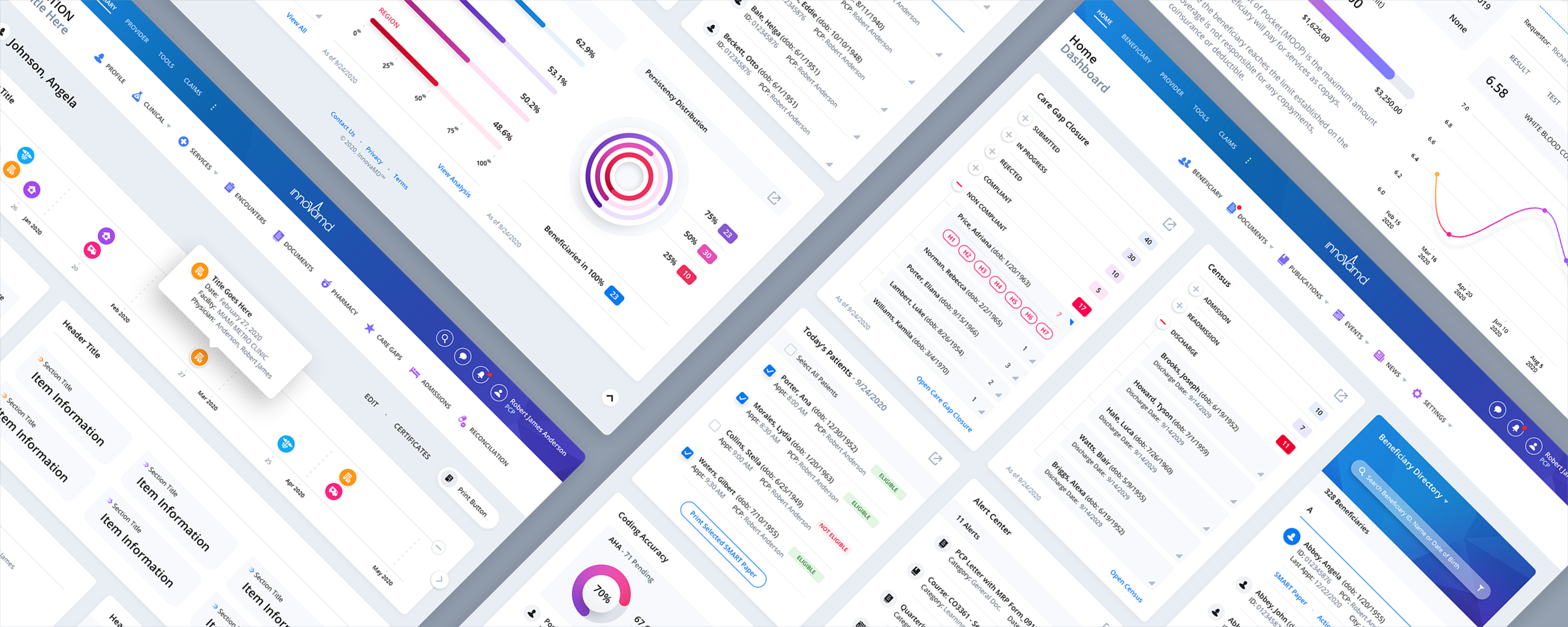
When InnovaMD returned to The Skins Factory for a second provider portal engagement, we spent the first two weeks interviewing physicians, clinic administrators, and office staff. We wanted to understand their daily workflows, where the existing portal was slowing them down, and which information was hardest to find.

Those interviews shaped the redesign, particularly the Dashboard. Instead of forcing clinicians to leave the Dashboard to see more information, we created expandable modules that open in slide-out panels. That gave users access to more detail while keeping their place and preserving the overall layout. We also made the Beneficiary Directory more robust and streamlined navigation around the tasks healthcare teams performed most frequently.

For longer tasks such as creating a service, we introduced a fixed vertical progress sidebar with checkmarks that show which sections have been completed. Users can scroll through the form without losing track of where they are or what remains. These were practical design decisions aimed at helping healthcare professionals spend less time navigating software and more time caring for patients.

InnovaMD provider portal UI/UX design, featuring healthcare dashboard and clinical workflow interfaces

Density, Organized, Is a Gift

Clinicians often need more information per screen, not less, as long as it is organized. The patient summary is the canonical test: problems, medications, allergies, recent results, and the reason for today should be legible in one scan. The consumer-design instinct to add space and hide detail can waste the clinician's scarcest resource. Engineered density, strict alignment, consistent placement, and clear typographic hierarchy are what respect for expert users looks like in interface form.

Alerts Must Be Worth Their Interruption

Clinical decision support has an alert-fatigue problem: warnings fire so often, and so often without enough relevance, that clinicians begin dismissing them reflexively, including the ones that matter. Every alert should clear a high bar, explain its reasoning, and support an override reason when overriding is legitimate. The interruption budget is finite and shared; every low-value alert spends the credibility of the critical one that follows.

Design for Interruption as the Normal Case

A clinician's attention is fragmented by the job: paged mid-order, called away mid-note, interrupted mid-review. Software built for uninterrupted sessions punishes that reality with lost work and lost context. Persist every in-progress state and return the clinician to the exact point they left, with enough visible context to reorient in seconds. A product that handles interruption gracefully matches how the work actually feels.

Common Question

How Do You Design Health Software for Both Patients and Clinicians?

Treat them as two first-class products sharing one source of truth. Patients get plain language, guidance, one clear next step, and calibrated emotional design. Clinicians get engineered density, interaction economy, workflow fit, and no condescension. The design system defines both language registers as parallel voices, while shared state keeps the views consistent. Averaging the two audiences into one compromised interface serves neither.

Making Complex Records Understandable

06. Medical Data, Interoperability, Charts, and Records

Health records contain some of the densest information in software: years of encounters, hundreds of results, medication histories, imaging, and notes from many specialties and systems. The design problem is to organize that mass so clinicians and patients can find what matters now without losing the shape of the whole. This section covers the record and its data; the next covers the distinct craft of presenting health information to patients.

The Record Is an Answer Machine, Not an Archive

Nobody reads a medical record front to back. People arrive with questions: what happened at the last visit, whether a value is trending in the wrong direction, or what changed after a medication started. Build the record around answering those questions, with chronology as the default spine, strong filters by type, specialty, and time, and search that works across notes, results, and documents. An archive stores everything. A useful record helps the user find the answer.

Results Live in Context or They Mislead

A lab value in isolation is barely information. The same value with its reference range, trend, source, and relationship to a recent treatment change becomes meaning. Result displays should default to context: trends beside current values, ranges visible without a lookup, and flags that distinguish slightly outside range from clinically urgent. A table of numbers with H and L markers is not enough for a modern health product.

Time Is the Organizing Dimension of Health

Nearly every clinical question has a temporal shape: since when, how quickly, before or after the medication change. Make time navigable with zoomable timelines of encounters and results, and place procedures, prescriptions, and other relevant events on the same axis as the values they may explain. Health unfolds over time; a record that cannot show change cannot show the whole story.

Reconcile the Record's Disagreements Honestly

Real records contradict themselves: medication lists differ between sources, allergies appear in one system but not another, and diagnoses are coded inconsistently. Hiding those conflicts creates false confidence. Show provenance, including where each item came from and when it was last updated, surface disagreement rather than silently choosing a winner, and support the reconciliation workflows by which people resolve it. An honest record admits what it does not know.

Interoperability Must Expose Source, Freshness, and Gaps

Standards can move records between systems, but the interface still has to explain what arrived. Show source, timestamp, completeness, duplicates, and failed or partial transfers. When patient matching is uncertain, stop and ask rather than attaching information to the wrong person. Interoperability that hides provenance may create a more connected record and a less trustworthy one.

Imaging and Documents Are Data, Not Attachments

Records also contain non-tabular truth: imaging studies, scanned documents, and outside PDFs. Treating them as opaque attachments buries relevant information behind download links. Make them viewable in place, label them by type, source, and date, position them on the same timeline as the rest of the record, and keep the original document one tap away whenever structured information has been extracted from it.

Common Question

How Should Healthcare Software Handle Conflicting or Incomplete Medical Records?

Show the source, date, and completeness of the information rather than presenting a falsely unified record. When medication lists, allergies, or diagnoses disagree, make the conflict visible and support reconciliation. Imported data should identify stale values, partial transfers, duplicates, and unresolved patient-matching issues. The goal is a record that makes uncertainty understandable rather than quietly hiding it.

Making Medical Results Understandable

07. Presenting Health Data to Patients

Patients increasingly receive results electronically, sometimes before a clinician has reviewed them. A lab value can arrive in a portal at 11 p.m. with no one available to interpret it. Presenting medical data to laypeople is a design discipline of its own, separate from clinical data display. The screen is standing in for part of a conversation, and it has to carry some of that conversation's care.

Answer the Question the Patient Is Actually Asking

A patient opening a result is usually asking one question: is this bad? Answer it first with honest, calibrated context before presenting the raw numbers. Say plainly when a value is within range. When it is slightly outside range, explain what that commonly means and what happens next instead of leaving a red flag to radiate menace. When it is genuinely concerning, pair the finding immediately with a path to a human. Numbers without meaning are not neutral; they outsource interpretation to a worried person and a search engine.

Plain Language Is a Clinical Feature

Health literacy varies widely, and patient-facing content should be written for stressed reading: short sentences, common words, jargon translated at first use, and critical instructions stated in more than one way when safety requires it. This is not dumbing down. It is matching the language to the audience and the moment. Fear does not improve reading comprehension.

From the Work

CareCentrix: Patient Discharge Information Across Print and Tablet

View CareCentrix Project

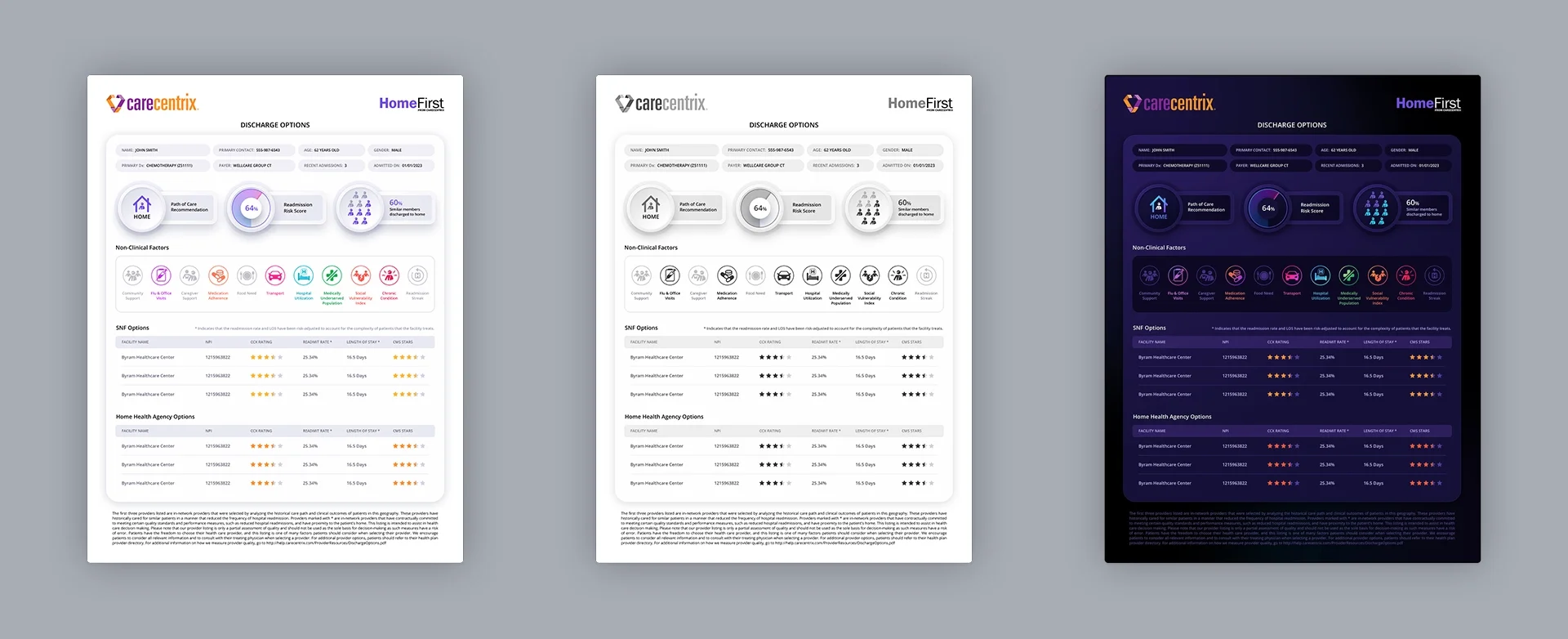
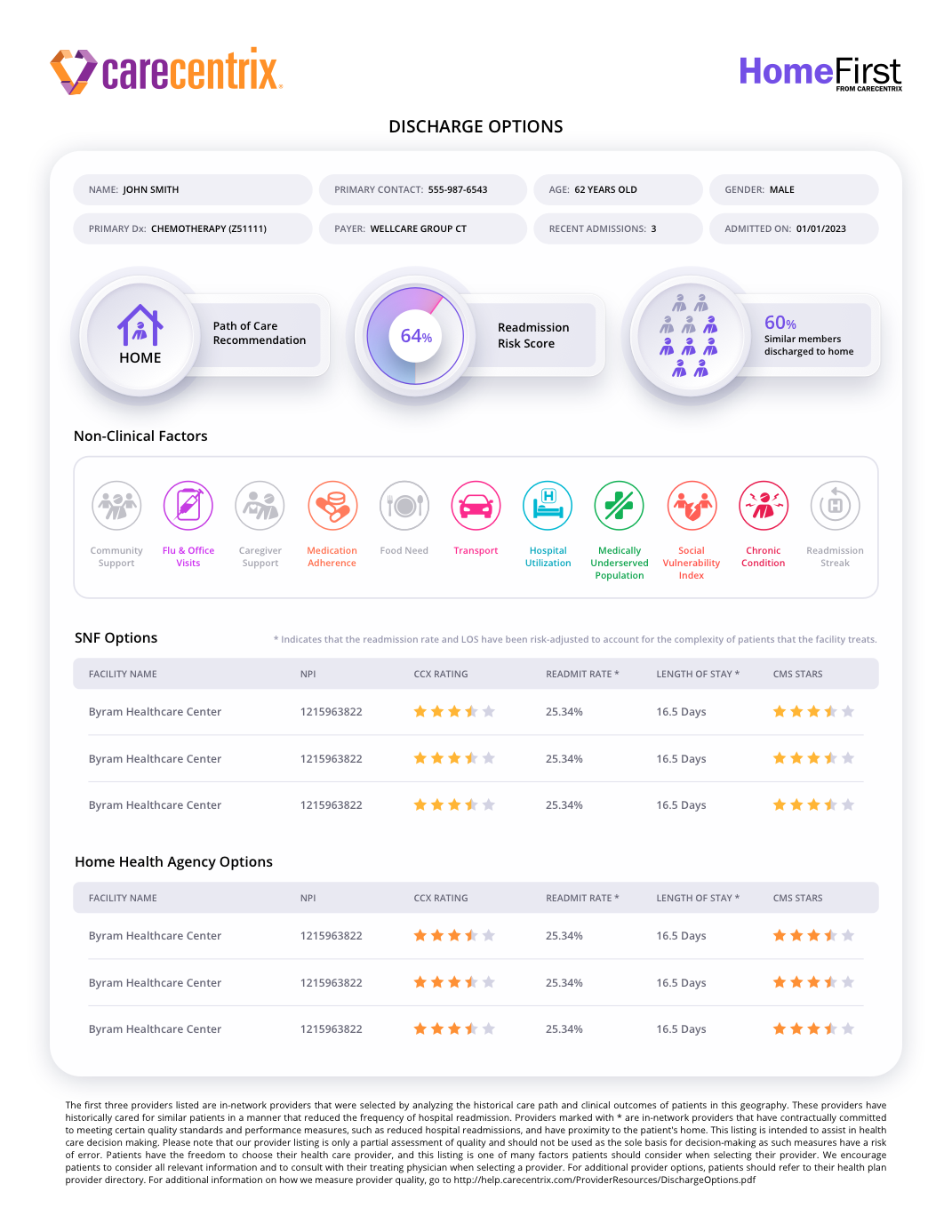
We originally designed HomeFirst for CareCentrix, an iPad application used by hospital nurses to review patient information, assess provider recommendations, and help determine an appropriate discharge path. Two years later, CareCentrix brought us back to extend that design language into discharge documents patients could take home and a companion version nurses could review on a tablet.

We designed three treatments: a color printable, a black-and-white printable, and a dark tablet version. Each had to communicate the same important information, but the format changed how we handled hierarchy, contrast, and emphasis. For color printing, we used color selectively to avoid unnecessary ink consumption. For black and white, we ran print tests to refine contrast and legibility. The tablet version carried forward the original HomeFirst interface's deep-purple design language.

In every version, the objective was straightforward: present discharge recommendations and supporting information in a way that was easy to scan, understand, and refer back to after the patient left the hospital.

CareCentrix discharge document designs in color, black and white, and tablet dark mode

From the Work

Adapting Iconography for Three Different Formats

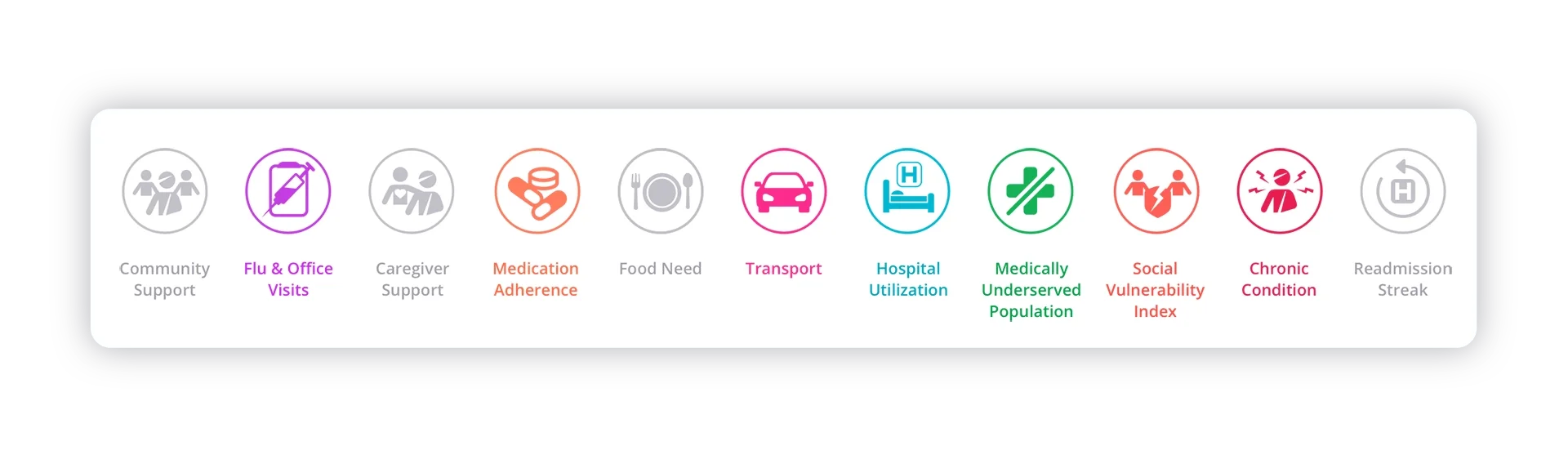
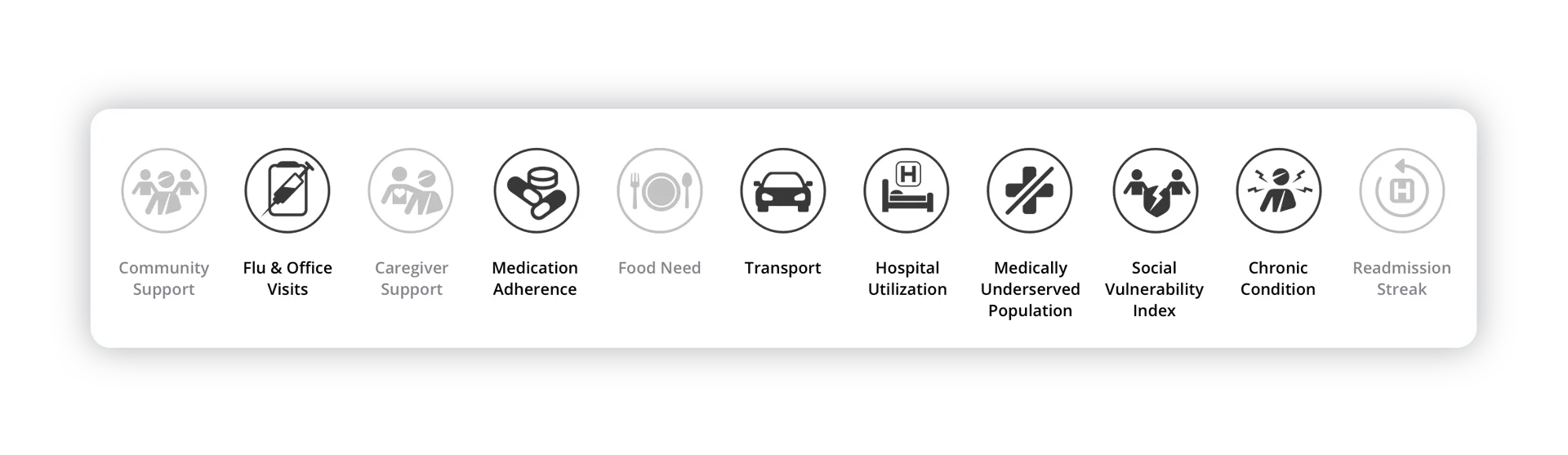
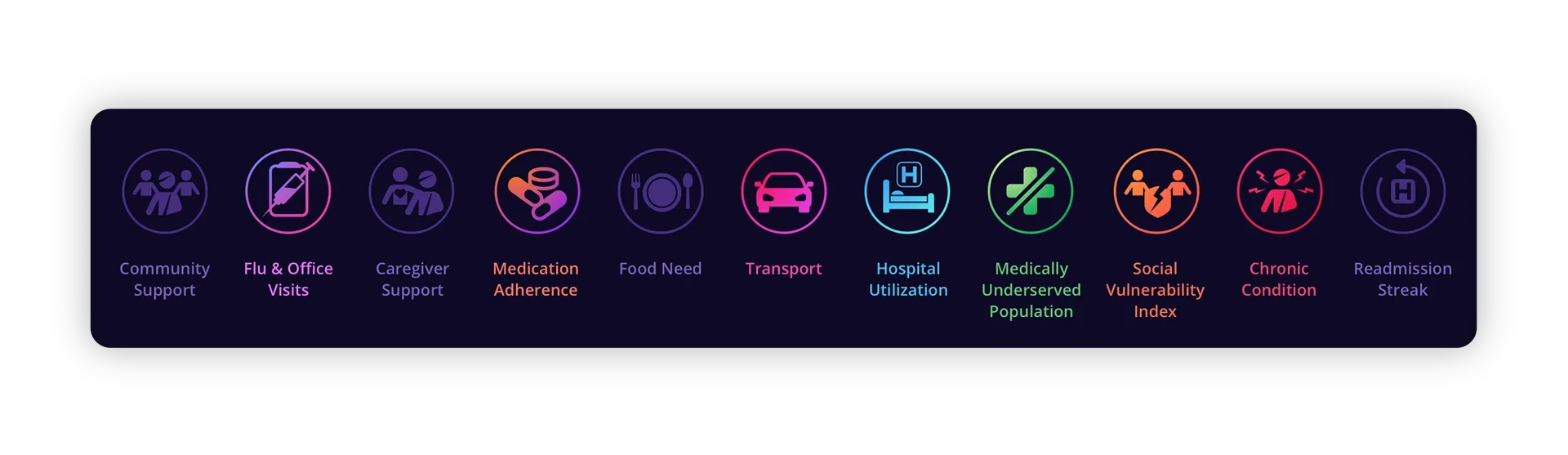
We also extended the non-clinical factors icon system from the original HomeFirst app, designing four additional icons and adapting the full set for the new documents. That included distinguishing factors that applied to a patient from those that did not, without forcing someone to read every label.

In the color print version, active icons use a consistent, vibrant color while inactive icons are muted. For black-and-white printing, active icons become solid black and inactive icons remain grey. The tablet version returns to the richer gradients and subdued deep-purple inactive states used in the original iPad experience. The visual treatments change, but the meaning stays consistent.

Color Print Iconography

01 / 03
Color print iconography
Black and white print iconography
Tablet dark mode iconography

Show the Trend, Not Just the Dot

A single value can terrify or falsely reassure. A trend informs: cholesterol moving down after treatment, A1C remaining stable, or blood pressure rising only in certain settings. Patient-facing data should lead with trajectory wherever history exists, using simple visualizations with clear direction and plain annotations of relevant events. Trends can also carry one of the most motivating messages a health product can send: what you are doing is working.

Calibrate Reassurance Carefully

Patient-facing design can be tempted to soothe. Overly reassuring language on ambiguous results, cheerful tones on serious topics, or softening that becomes inaccurate can destroy trust. The standard is honest calm: accurate, plain, humane, and explicit about uncertainty. Whenever the truthful answer is "it depends," provide a clear path to a human who can explain what it depends on.

Every Result Needs a Next Step

Health information without a path forward becomes anxiety. Every result should end with what happens next, even when the answer is "nothing; this is routine." Out-of-range values should carry their follow-up: a message to the care team, an appointment to book, or a retest timeline. The measure of a patient-facing result screen is not comprehension alone; it is whether the patient knows what to do when they close it.

Common Question

How Should a Health App Show Lab Results to Patients?

Meaning first, numbers second. Answer "is this bad?" honestly at the top in language written for a stressed reader, then show the value with its range, source, and trend wherever history exists. Use honest calm rather than forced reassurance, and end with an explicit next step, including "no action needed" when that is the correct answer. A result screen is standing in for part of a clinician conversation, and it should carry itself accordingly.

Did You Know?

We’re a small studio that does big things. Always have.

The Skins Factory’s work has been installed on more than two billion PCs worldwide, having shipped on over one billion PCs across Windows Vista and Windows 7. We also designed Intel’s Graphics and Media Control Panel, which was installed on over one billion PCs worldwide.

In healthcare, we’ve designed digital experiences for companies including DocPanel, Patientory, and InnovaMD, covering everything from radiology marketplaces and patient health data to clinical applications and complex healthcare workflows.

That same experience goes into the healthcare and healthtech products we design today, from patient portals and clinical dashboards to pharmacy systems, medical data interfaces, and complete application redesigns. If you’re building a new healthcare product or modernizing an existing one, let’s talk.

The Front Door of Care

08. Scheduling, Insurance, Cost, and Access

Scheduling is healthcare's front door, and it is where a great deal of care quietly fails to happen. Every point of friction between "I should see someone" and a confirmed, affordable appointment sheds patients, especially the sick, busy, and overwhelmed people the system exists to serve. Access design is health-outcome design wearing logistical and financial clothing.

Design From the Patient's Starting Point

Patients do not arrive knowing which subspecialty they need. They arrive with a symptom, a referral they partly understand, or a name from a friend. The front door should accept those starting points and provide plain-language routes from need to the appropriate appointment without requiring the patient to know the organization's taxonomy. Every screen that assumes knowledge the patient does not have is a screen where care leaks out.

Show Real Availability, Honestly

A classic scheduling failure is the mirage: a booking flow that ends with "someone will call you," or a slot that turns out not to exist. Real, current availability that can be booked to confirmation in one sitting is a major access differentiator. Where genuine constraints exist, such as referral requirements, identity checks, or eligibility verification, surface them early rather than after the patient has invested ten minutes and their hope.

Coverage and Cost Belong Before Commitment

Patients should not discover after booking that a clinician is out of network, eligibility is unresolved, prior authorization is required, or the likely cost is far higher than expected. Surface what is known before commitment, label estimates honestly, explain what still needs verification, and show who is responsible for the next step. Financial uncertainty is part of access, not a billing problem that begins after care.

Treat the Wait as Part of the Product

Weeks-long waits for specialists are a system reality no interface can erase, but the experience of waiting is designable: a confirmed place in line, automatic offers of earlier openings, honest expectations about timing, and useful preparation while the patient waits. A patient inside a visible process is more likely to stay engaged. A patient waiting in silence may call elsewhere or give up.

Make Rescheduling Easier Than Abandoning

Life collides with appointments constantly. Products that make rescheduling one tap keep care on the calendar; products that require a phone call during business hours produce avoidable no-shows. Every confirmation and reminder should carry its own reschedule and cancel actions, and changes should be as straightforward as the original booking.

Referrals Should Not Be a Scavenger Hunt

Referrals are where patients often disappear between providers: a name on a printout, a fax sent into the void, and a follow-up that was everyone's responsibility and nobody's task. Wherever the product touches a referral, make its state visible: received, records requested, under review, action required, or ready to schedule. Turn the next step into an action rather than a research project. The patient should not have to become the integration layer between providers.

Common Question

What Should Patients Know Before Booking a Healthcare Appointment?

Patients should be able to see real appointment availability, whether the provider is in network, what eligibility or referral requirements apply, and what their care may cost before committing. Anything still unverified should be identified clearly, with an explanation of who is responsible for resolving it. Booking should end with an actual confirmation and an easy way to reschedule. Every unanswered question at this stage is another opportunity for patients to give up on getting care.

Designing for Treatment Continuity

09. Medication, Pharmacy, and Adherence UX

Medication is where healthcare touches daily life most often, and where interface failure can be both routine and consequential: prescriptions partly understood, refills that lapse, and regimens abandoned quietly. On the professional side, pharmacy operations run on compliance-bound, data-dense workflows. Patient medication experiences and pharmacy systems are different design disciplines, and both deserve more attention than they usually receive.

Dosing Clarity Is a Safety Surface

Every medication display, patient-facing or professional, is a potential source of dosing error. Strength and dose must never be conflated, units must be explicit and consistent, frequency should appear in human language alongside clinical shorthand, and instructions must be difficult to misread when someone is tired or distracted. Look-alike and sound-alike drug names deserve deliberate typographic treatment. In medication UX, ambiguity is the failure mode the display exists to prevent.

Design for the Regimen, Not the Prescription

Patients do not experience medications one prescription at a time. They experience a regimen: multiple medications, several prescribers, different pharmacies, and a daily question of what to take when. The patient view should be organized around that reality, with today's schedule as the primary surface, a complete list that explains the purpose of each medication, and changes highlighted whenever something is added, stopped, or adjusted. A list of bottle labels is inventory. A regimen view is care.

From the Work

340B Contract Pharmacy Management Application

View 340B Project

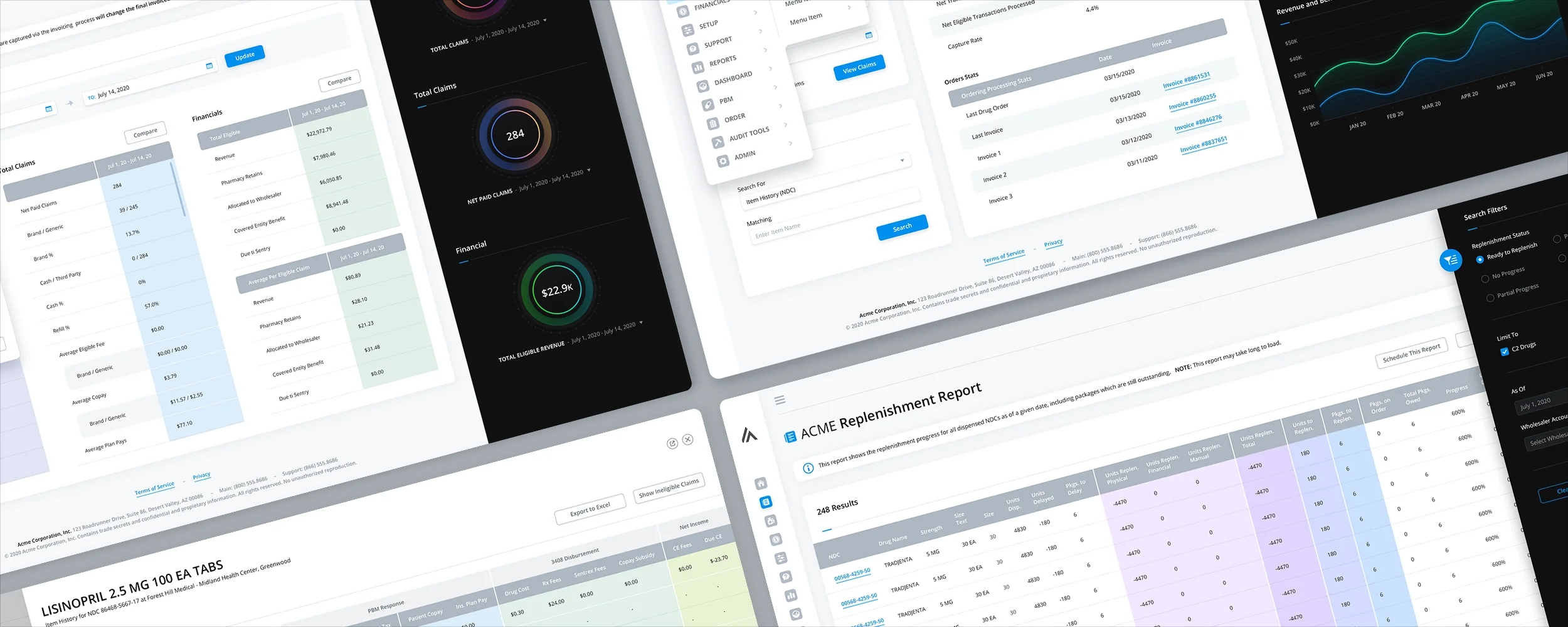
We redesigned a responsive 340B contract pharmacy management application for a confidential client. The system included dashboards, replenishment and claims reports, financials, blacklisted drugs, and patient and provider tools. These are highly detailed operational workflows where people need to work with extensive data without losing track of what they're doing.

Some of the tables were exceptionally wide, so we designed views at 3840 pixels, organized columns into visually distinct groups, and introduced column editing that let users choose and reposition the information they needed. Search filters moved into collapsed sidebars, and related workflows opened in responsive slide-in panels instead of separate pages or conventional modals.

The goal was to make complex pharmacy operations easier to navigate while preserving the detail hospital and pharmacy teams depend on. It is a different problem from patient medication adherence, but the same need for clarity, context, and accurate information applies.

340B contract pharmacy management responsive web application UI and UX design

Adherence Support Is Respect, Not Surveillance

Most non-adherence is not defiance. It is friction: complexity, forgetting, side effects no one asked about, or cost no one surfaced. Adherence UX should target those barriers with reminders shaped to the person's routine, refills offered before the lapse, and an easy path to report side effects or cost problems to someone who can act. It should never become surveillance or shame. A patient who feels judged by an app is unlikely to keep using it.

Refills and Renewals Should Be Boring

Refill gaps are among the most preventable failures in medication UX: the bottle runs out on a weekend, a renewal needs the prescriber, or the pharmacy queue adds days. The product should see the gap coming, estimate days remaining, offer the refill early, route renewals with visible status, and make pharmacy transfers a flow rather than a phone campaign. Medication continuity is a logistics problem the interface can often make almost invisible.

Cost and Coverage Are Adherence Features

A prescription the patient cannot obtain or afford is not a completed flow. When the data is available, show coverage or formulary status, likely out-of-pocket cost, prior-authorization state, and clinically approved lower-cost alternatives. Route exceptions to the prescriber, pharmacy, or support team with visible status instead of leaving the patient to coordinate several disconnected phone calls.

What This Looks Like in Practice

The Skins Factory has also designed the professional side of this world, including pharmacy analytics platforms and a 340B pharmacy inventory-management system. The design problem is compliance-bound data density: inventory separated by program eligibility, purchasing and dispensing data that must reconcile, and audit exposure tied to the accuracy of every state. The same principles apply here as in clinical tools: engineered density, honest status, and hierarchy that surfaces exceptions before they become compliance findings.

Common Question

How Do You Design a Medication Experience Patients Actually Stick With?

Organize around the regimen and the day, not the prescription list: today's schedule first, plain-language purpose for each medication, and changes made visible. Remove the friction that actually drives non-adherence with routine-aware reminders, refills before the lapse, visible renewal and transfer status, and easy paths to report side effects and cost problems. Keep shame out of the design. Support sustains regimens; surveillance undermines them.

Earning the Right to Interrupt

10. Health Notifications and the Right to Interrupt

A health product's notifications reach people about their bodies, which makes every interruption heavier than its consumer equivalent. A result is ready. A medication is due. A value may require attention. Done well, health notifications can be among the most useful messages on a person's phone. Done carelessly, they become anxiety delivered on a schedule, and the channel is muted precisely when it matters.

Earn Each Interruption on Its Own Merits

The bar for a health push notification should be simple: this matters to this person's health or care logistics now. Results, medication timing, appointment changes, and genuine safety issues can clear it. Engagement bait dressed in wellness language, streak nudges, "we miss you," or content marketing in a caring tone does not. Those messages teach users that the same channel that may one day carry something important is mostly noise. In healthcare, notification discipline is triage.

Sensitive Content Stays Off the Lock Screen

Notifications can be read by whoever is holding or near the phone. A preview that names a medication, diagnosis, or clinic type can disclose deeply private information to a partner, colleague, or family member. Defaults should be discreet, such as "a result is available," with specifics one authenticated tap away. Users should be able to choose how much detail appears. Notifications volunteer themselves, so the over-the-shoulder threat model applies here at its sharpest.

Urgency in the Message Must Match Urgency in Fact

Health notifications carry emotional weight, and miscalibration cuts both ways: an alarming tone on a routine result creates panic, while a casual tone on something urgent risks being ignored. Create a consistent severity language for communications, with visual and verbal patterns that distinguish routine, important, and act-now states. Users calibrate against the product's track record; one crying-wolf incident changes how they read the next message.

Critical Values Need a Designed Path, Not Just a Louder Ping

Some health information cannot wait, including results that need same-day attention or safety recalls affecting a current medication. When the product is responsible for delivering that information, design an escalation path rather than simply a louder notification: receipt confirmation where appropriate, follow-through when the message is not acknowledged, and a landing experience that pairs the finding with immediate access to help. Sending a frightening fact into the void is not a complete communication strategy.

Let People Tune Everything Else

Beyond the critical tier, preferences vary. One patient wants every data point; another wants a weekly summary. Settings should be granular by category and channel, previewable, and written plainly. Digest options can deliver awareness without constant interruption. The goal is a channel the user has shaped to fit their life, because that is the channel most likely to remain enabled.

Common Question

How Should Health Apps Decide Which Notifications to Send?

Start with whether the information matters to the patient's health or care logistics right now. Medication timing, appointment changes, results, and genuine safety concerns may justify an interruption. Match the message's tone to its clinical urgency, keep sensitive details off the lock screen by default, and give genuinely critical messages a designed escalation path. Everything else should respect the patient's preferences, including the option to receive a digest instead of individual alerts.

Designing for the Actual User

11. Accessibility for Sick, Stressed, and Older Users

Accessibility in healthcare is not a checklist appended to the real design. It is the real design, because the audience includes people dealing with illness, age, pain, medication effects, stress, disability, and temporary impairment. A health product designed for a mythical healthy, focused user fails the population it was built to serve.

Design for the User's Actual Condition

The person using a health product may be nauseated, in pain, sedated, sleep-deprived, or in the fog created by illness and fear. That is not an edge case; it is the context. Use larger targets and type where patients need them, strong contrast, one dominant action on critical flows, redundant communication when safety requires it, and forgiving interactions with easy undo. Do not let a timeout destroy work or make a precision gesture the only path. Stress creates temporary cognitive impairment, so cognitive accessibility serves nearly everyone in this category.

Older Adults Are a Core Audience, Not an Afterthought

Healthcare's heaviest users often skew older, and treating older adults as a retrofit reverses the priorities. Use type that respects common changes in vision without requiring settings archaeology, targets sized for reduced dexterity, patterns that favor recognition over recall, and pacing that never punishes slower interaction. Do not assume gesture vocabulary learned from years of app use. Test with actual older adults; a young design team squinting at a prototype is not a substitute.

Health Literacy Is an Accessibility Dimension

Health literacy can fall short of what dense, jargon-heavy interfaces demand, especially when stress is high. Plain language is one half of the answer. Structure is the other: layer information from essential to detailed, pair numbers with meaning, break instructions into steps, and avoid making comprehension depend on a single format. Designing for limited health literacy improves the product for every user reading under pressure.

Language Access Is Part of Accessibility

Translation cannot be a last-minute machine pass over clinical content. Support the languages the audience actually uses, preserve medical meaning and reading level through qualified review, and localize dates, numbers, units, and instructions consistently. Make language-support pathways visible where a product cannot provide the full experience directly. A translated interface that changes the clinical meaning is not accessible.

Assistive Technology Must Work on the Paths That Matter Most

Screen readers, magnification, voice control, and switch access must work end to end on the journeys where failure is most costly: results, medications, scheduling, and messaging the care team. Use semantic structure, labeled controls, logical focus order, and announcements that make dynamic changes perceivable. Test the critical journeys with the actual technologies. A portal whose lab results are inaccessible to a blind patient has not partially succeeded.

Accessibility Is Also a Legal and Contractual Reality

Beyond its ethical core, accessibility may be a legal, regulatory, and procurement requirement. Enterprise healthcare customers increasingly ask for conformance evidence, and recognized accessibility standards provide a testable baseline for web and application experiences. The standard is still the floor. The people this industry serves are the reason to build above it on the paths that matter most.

Common Question

Why Does Healthcare Accessibility Require More Than Meeting a Technical Standard?

Because people may be sick, frightened, medicated, exhausted, or managing care while dealing with limited vision, dexterity, or health literacy. Technical conformance provides a baseline, but the experience also needs forgiving interactions, plain language, accessible critical information, and realistic pacing. Test with older adults and with people using assistive technologies on the actual care journeys. Meeting a standard matters, but the real measure is whether people can use the product when they need it most.

Supporting Health Without Manipulation

12. Fitness, Wellness, Remote Monitoring, and Behavior Change

Fitness and wellness products occupy healthcare's consumer edge, where the design problem shifts from delivering care to sustaining behavior. Remote monitoring adds another layer: turning continuous device data into useful signal without creating continuous anxiety. This is also where health design faces a sharp ethical line, because the same techniques that support lasting change can be tuned into compulsion. Behavior-change UX is powerful, which is exactly why it demands discipline.

Motivation Is Designed, and It Can Be Designed Wrong

Streaks, badges, rings, and leaderboards can change behavior. The question is what they are tuned for: the product's engagement metrics or the person's durable health. Engagement-tuned mechanics manufacture anxiety about breaking a chain and dread about opening the app after a missed week. Health-tuned mechanics celebrate consistency without catastrophizing lapses and treat rest as part of training rather than a failure state. The test is simple: does the mechanic still serve the user on their worst week? If not, it is serving someone else.

Design the Comeback, Because Lapses Are the Norm

Every real behavior-change journey includes gaps: illness, travel, injury, or a difficult month. Many fitness products handle the return badly with broken streaks, zeroed statistics, and guilt, turning a lapse into an exit. The comeback deserves deliberate design: a welcome rather than an audit, goals that rescale to where the person is now, and history framed as foundation rather than indictment. Products that make returning feel good can retain users across years instead of only across streaks.

From the Work

Patientory: Healthtech Dashboard, Wellness and Personal Progress

View Patientory Project

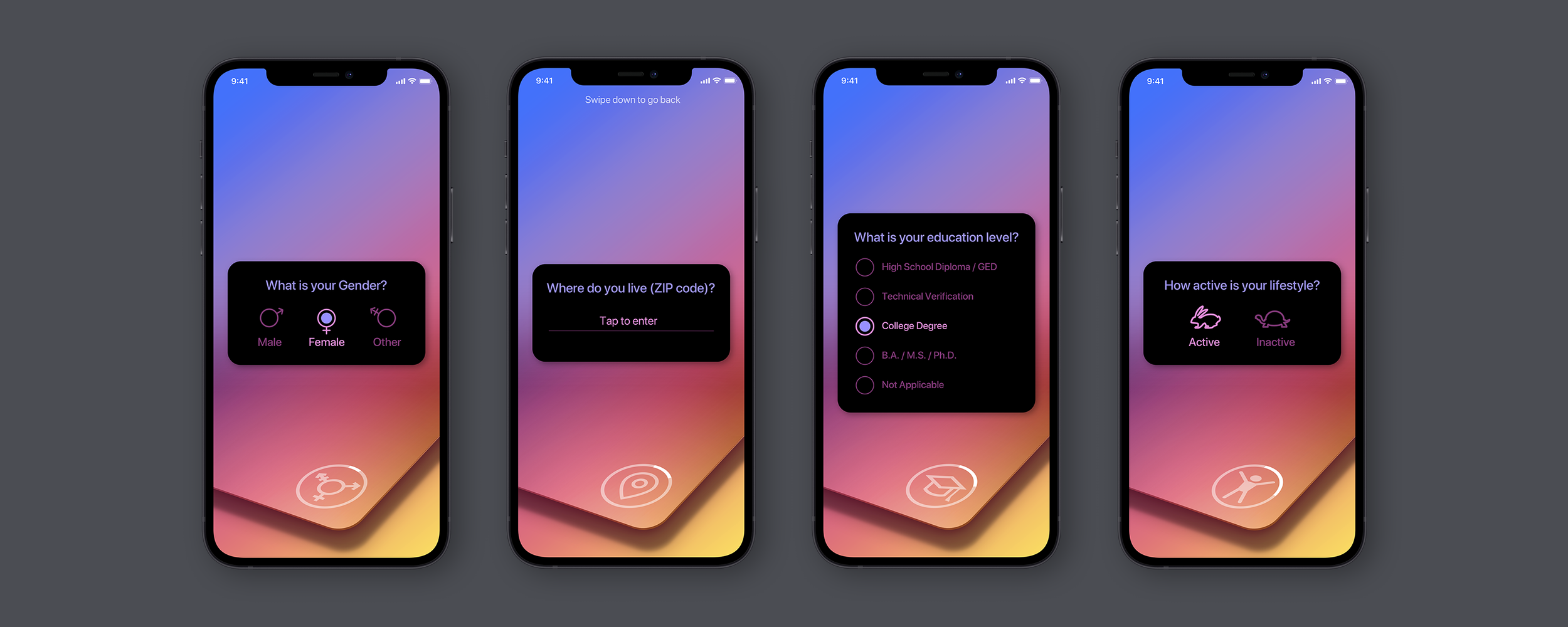
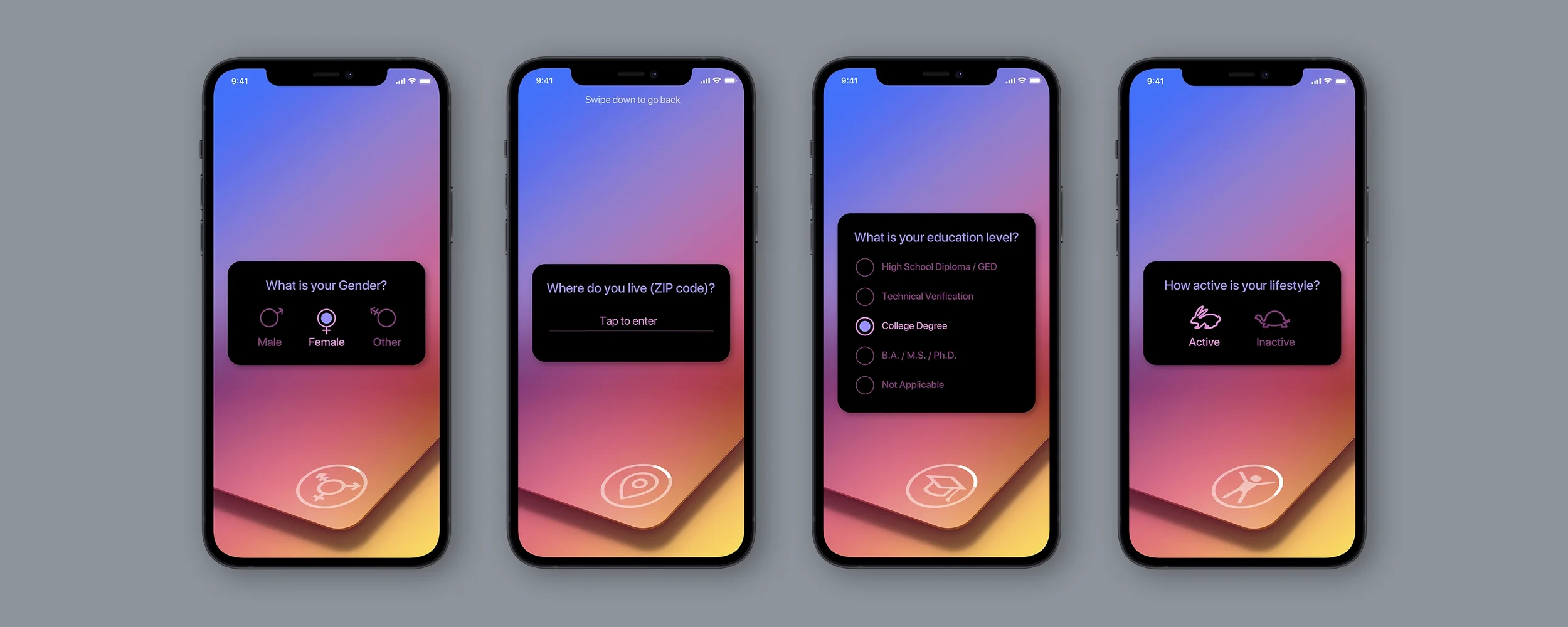
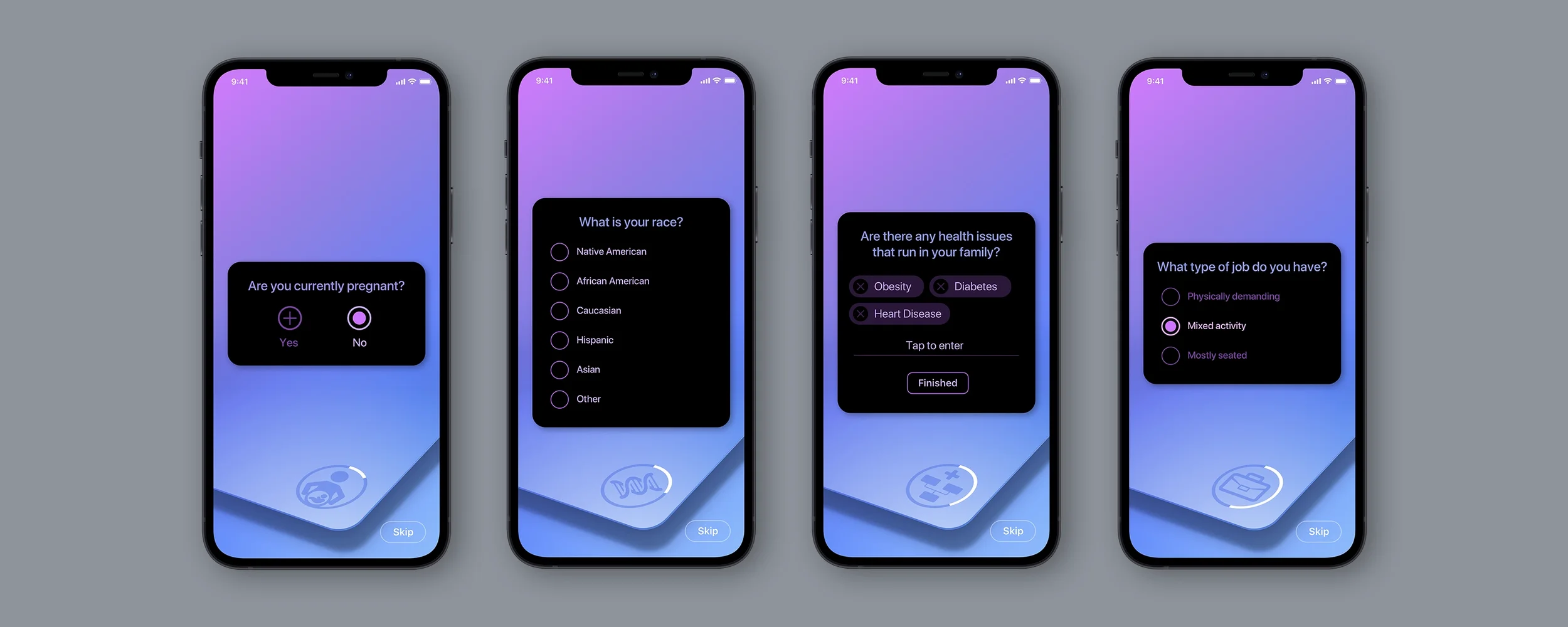
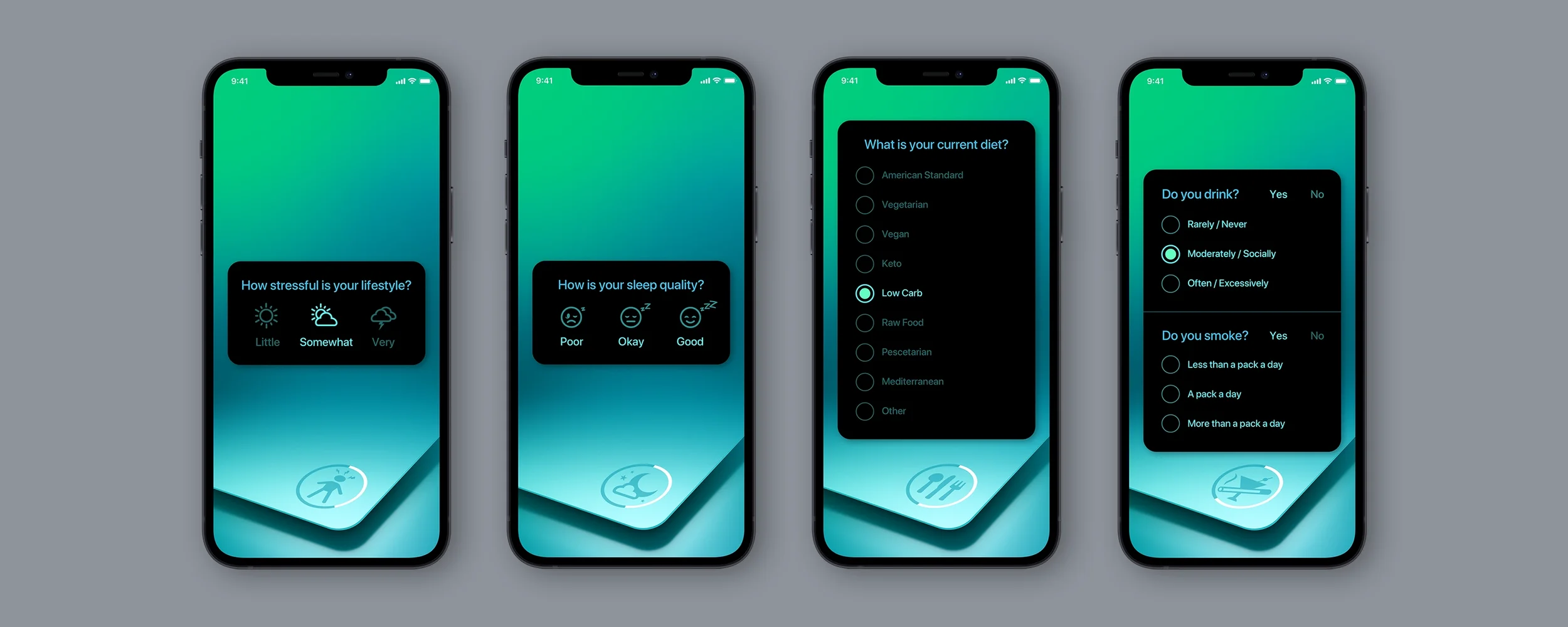
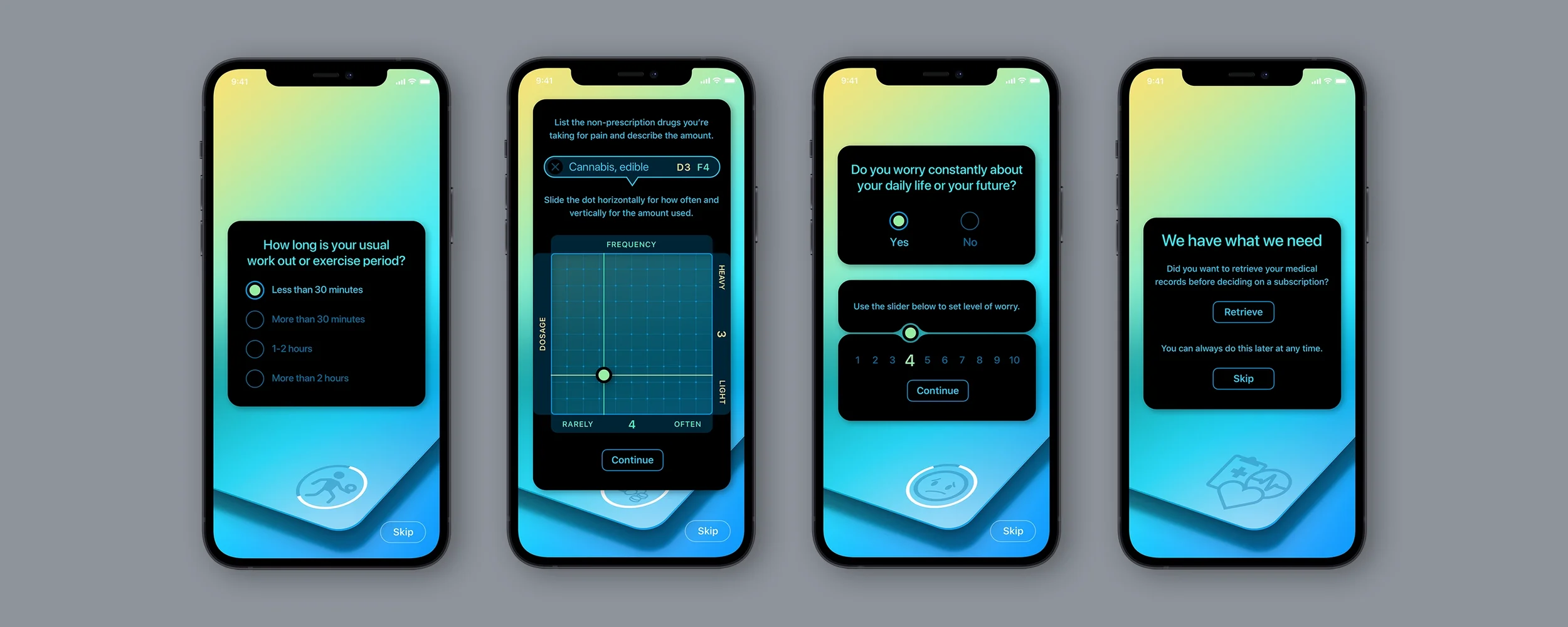
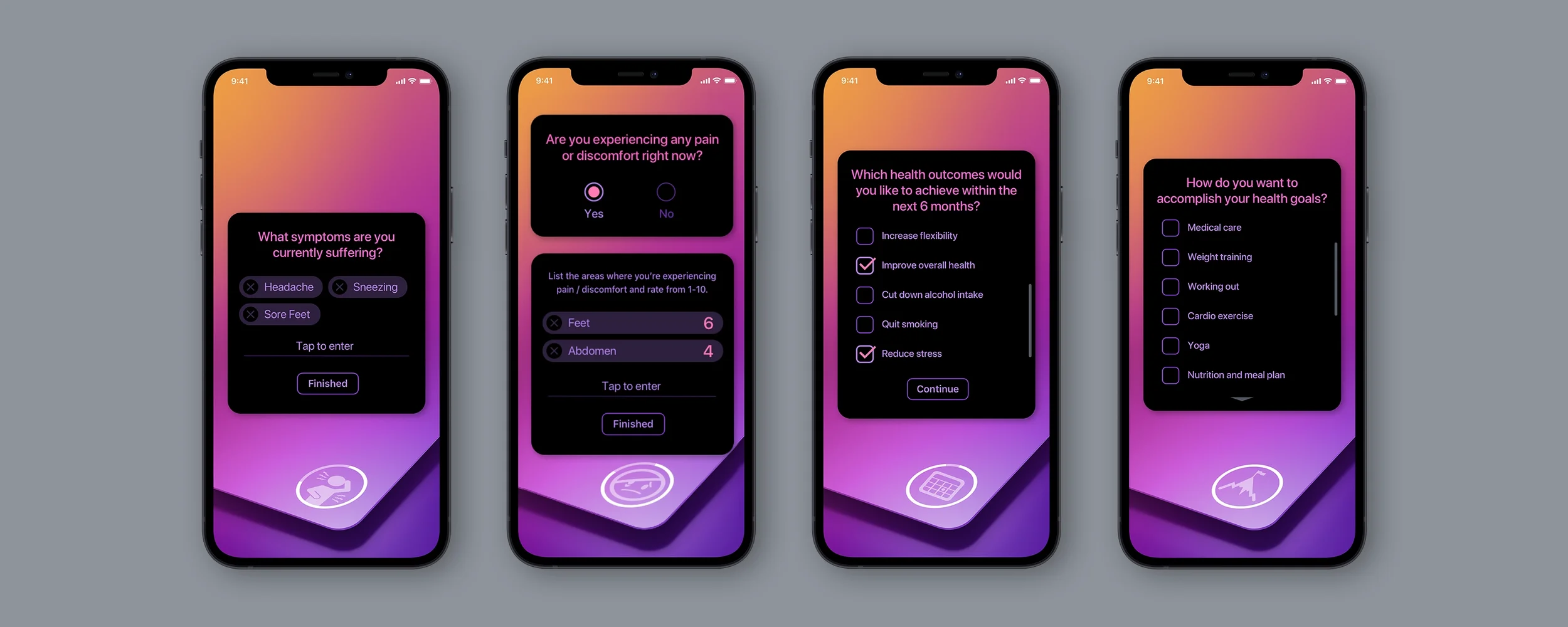
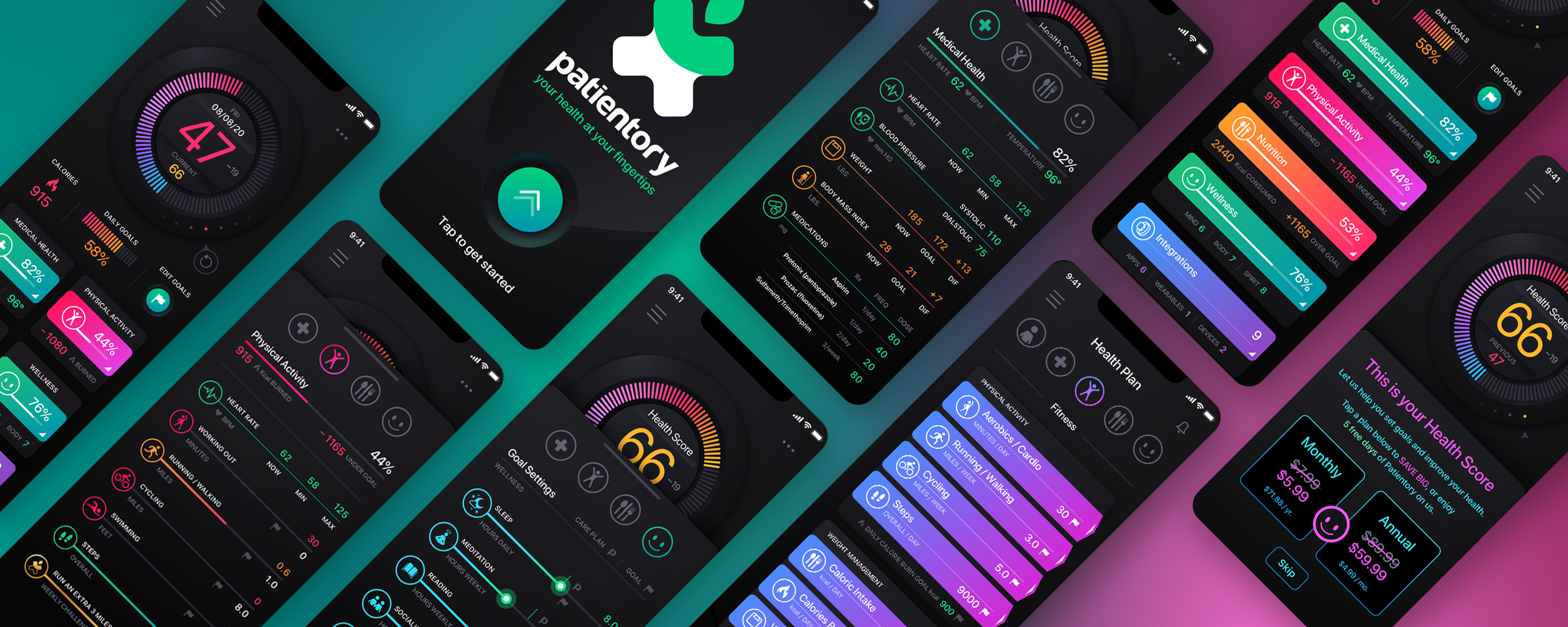
We designed more than 90 iOS screens for Patientory, a healthtech application that brings personal health information, connected apps and devices, wellness planning, and everyday health management into one mobile experience. Beyond the onboarding process, the real design challenge was making that information useful once someone reached the application.

The healthtech Dashboard became the visual center of the experience. We designed an interactive, neumorphic jog wheel that users could drag and rotate to explore previous Health Scores, along with grid and list views for reviewing health categories and their underlying details. Deep black backgrounds, saturated gradients, and distinct color treatments helped communicate progress while giving the application a more engaging visual personality than a conventional clinical dashboard.

We extended that experience into a personalized Health Plan with goals, recommendations, and progress tracking. Daily and Weekly Challenges introduced game-like interactions, with animations and positive feedback when challenges were completed, and quieter encouragement when they were missed. Connected devices and wearables were also part of the broader experience. The objective was to make personal health information easier to understand and give people meaningful reasons to return to the app.

Patientory healthtech mobile application UI UX design showing the wellness dashboard, personal health tracking and mobile app interfaces

Progress Is More Than One Number Going Down

Fitness products often default to a narrow scoreboard, such as weight, pace, or calories, that can misrepresent health and harm some users. Progress should be plural: strength, endurance, consistency, sleep, energy, and function, with the user able to choose what the product emphasizes. Take disordered patterns seriously. Avoid mechanics that reward restriction or over-exercise, provide ways to hide metrics a user finds harmful, and never celebrate data that may indicate a person is in trouble.

Honest Guidance Beats Theatrical Precision

Wellness products contain numbers with widely varying reliability. Presenting estimates with false precision, calorie burn to the digit or readiness to the decimal, borrows authority the data cannot support. Use calibrated honesty instead: ranges where ranges are the truth, trends over noisy daily readings, and claims that stay inside what the product can actually know. Credibility compounds, and theatrical precision spends it.

Connect the Consumer Edge to Real Care, Carefully

Fitness data can be useful when it adds context to real care and misleading when an app begins to play doctor. Make sharing with clinicians easy and patient-controlled, present wellness insights as observations rather than diagnoses, and route medical-looking patterns toward qualified care rather than toward more engagement. Knowing what the product is not qualified to say is a core design competency.

Connected Devices Need Signal, Not Continuous Alarm

Remote monitoring begins with pairing, permissions, and the confidence that the device is actually sending data. Show connection state and data freshness clearly, distinguish missing readings from normal readings, explain thresholds in plain language, and define who receives an alert and what happens next. Continuous data should create useful signal for patients and clinicians, not a permanent sense of being watched or in danger.

Common Question

What Separates a Good Fitness App From a Manipulative One?

Look at whose interests the mechanics serve on the user's worst week. Good products celebrate consistency without catastrophizing lapses, design the comeback as carefully as the streak, measure progress in more than one dimension, and present uncertain data honestly. Manipulative products manufacture anxiety, punish returns, reduce progress to a single metric, and dress estimates as precision because those tactics lift engagement. The two may look similar in screenshots; they diverge in what happens to the person over time.

Designing for the Hardest Moments

13. Errors, Bad News, and Emotional Design

Every product has failure states. Health products have failures that land on people who may already be frightened, and they deliver moments few other software categories face: an abnormal result, a denied claim, or information that changes a family's plans. How the interface behaves in those moments is not a polish concern. It is the product's character, revealed when the user is least equipped to forgive carelessness.

Errors Land on People Who Are Already Stressed

A failed upload, portal outage, or form that loses its contents is an irritation in ordinary software and a small crisis in health software. The person may be trying to reach a clinician, refill a critical medication, or check a result they have been dreading. Error design here demands more: a plain statement of what happened, preserved work as an absolute rule, a clear recovery path, and an alternate route to care when the flow is critical. A technical failure must not become a care failure.

Never Let the Interface Imply Blame

Health flows contain many moments where careless language can sound accusatory: insurance verification that "failed," an intake answer marked "invalid," or an identity check that could not match. The person may already feel vulnerable about coverage, history, or circumstances. Audit failure language the way financial products audit decline messages: neutral, factual, free of blame, and focused on resolution. A patient made to feel like a suspect by a form may simply leave.

Hard News Deserves Designed Delivery

Products increasingly deliver information that once came only through a human conversation: significant results, biopsy reports, and findings a patient may remember for years. Where the clinical and regulatory context allows, design the delivery deliberately: do not expose serious details on a lock screen, pair the finding with plain-language context, make the care team immediately reachable, and present next steps so the news arrives with a path attached. The interface cannot soften reality, but it can refuse to make reality land harder than necessary.

Design for the Reader Who Will Read It Again

People process hard health information in waves: skim, react, return, reread, and show it to someone they trust. Support that loop with information that remains where it was found, layered detail that rewards a return visit, printable and shareable forms, and a written record of what was communicated. Memory under stress should not have to carry the entire experience. Build for the second and third reading, not only the first.

Empathy Is Structure, Not Tone of Voice

The temptation in emotional design is to solve the problem with warmer copy and softer phrasing. Words matter, but empathy users can feel is structural: work that was not lost, a human who was reachable, a next step already prepared, and information that waited patiently to be read again. A warmly worded dead end is still a dead end. The product's compassion lives in what it makes possible during the hardest moments.

Common Question

How Should a Healthcare App Handle Bad News or a Care-Critical Error?

Give people facts they can understand and a clear path forward. Preserve their work when something goes wrong, explain failures without blame, and provide an alternate route when care is time-sensitive. When delivering serious information, keep sensitive details private, provide appropriate context, and make the care team reachable. The information should remain available for patients to read again, print, or share when appropriate. Empathy is measured by how well the experience supports the person, especially when the news or the technology lets them down.

Designing Within Regulatory Boundaries

14. Compliance and Regulated Product UX

Digital health products operate inside overlapping regulatory regimes: privacy and security rules, medical-device oversight for certain software functions, advertising and claims requirements, clinical documentation obligations, and contractual controls. Those rules can reach into what a screen may claim, disclose, record, or require. Treating compliance as a design discipline, rather than a legal review at the end, is what separates products that feel trustworthy from products that feel lawyered.

Know Which Side of the Device Line You Are On

Whether software is regulated as a medical device depends heavily on its intended use and what the software function does, including the difference between displaying information and interpreting it for a medical purpose. That makes product behavior and interface copy part of the regulatory surface. Design, clinical, legal, and regulatory strategy need to work together early, because the pixels can shape both user expectations and product obligations.

Claims Discipline Is a Design Competency

Health products are sold on outcomes, and the temptation to imply more than the evidence supports appears in marketing, onboarding, result framing, and AI descriptions. The design posture should be claims discipline throughout: state benefits within the evidence, keep wellness and clinical claims deliberately distinct, and explain limits where users form expectations. A product that promises accurately does not have to repair trust later.

Required Disclosures Deserve Real Design

Healthcare interfaces often carry required content: privacy notices, consent language, safety information, and boundaries around what the product can provide. The default treatment is fine print that is technically present and functionally invisible. Integrate required information where it is relevant, layer the essential point above the complete text, and write as plainly as the requirement allows. A disclosure users can understand protects everyone better than one designed only to survive an audit.

The Record Behind the Interface Is Part of the Product

Regulated health workflows often need to be reconstructable: what was displayed, what a person consented to, what was communicated, and when. That obligation quietly shapes the design through versioned content, consent records tied to the exact language agreed to, and traceable communication and decision states. Building this in from the start is far less expensive than reconstructing it after an audit, dispute, or adverse event.

Compliance Constraints Still Deserve Good UX

It is easy to blame regulation for a poor experience, and usually incomplete. Requirements constrain what must happen more often than how gracefully it happens. Identity verification can be hostile or humane. Consent can be an ambush or an agreement. Safety information can interrupt blindly or appear at the moment it is useful. Teams that treat regulatory requirements as design problems ship experiences that feel trustworthy; teams that treat them only as legal obstacles tend to ship waivers.

Common Question

How Can Healthcare Software Meet Regulatory Requirements Without Hurting the User Experience?

Bring design, clinical, legal, and regulatory teams together early enough to shape the experience. Treat claims, disclosures, consent, and recordkeeping as design requirements from the beginning. Explain obligations in plain language, place important information where users need it, and preserve accurate records of consequential interactions. Regulation may determine what must happen, but thoughtful design can make those requirements understandable, predictable, and easier to complete.

Designing for Clinical Judgment and Human Oversight

15. AI in Healthcare Interfaces

AI now appears throughout health software: documentation assistance, patient-facing chat, triage, clinical decision support, and diagnostic workflows. The potential is real, the fallibility is real, and a confident wrong answer can cause physical harm. Designing AI into healthcare means designing boundaries, evidence, data use, uncertainty, human oversight, and failure states as carefully as the model itself.

Patient-Facing AI Needs the Tightest Boundaries

An AI feature speaking to patients is speaking to worried non-experts who may treat a fluent answer as authoritative. The boundaries must be structural: identify the system as AI rather than a clinician, keep the scope on the informational side of clinical judgment, and build an immediate handoff when the input suggests urgency or the need for professional care. A patient-facing AI's most important capability may be recognizing what it must not handle.

Clinician-Facing AI Is a Colleague That Shows Its Work

Clinician-facing AI should show its work. Carry calibrated confidence, link every suggestion to the evidence and data behind it, and keep the underlying record one tap away from any summary. Verification should feel like the expected workflow, not an act of distrust. Clinicians remain responsible for the decision, so they need the transparency to accept, modify, or reject the recommendation. An unexplainable suggestion is not meaningful decision support.

Documentation AI Must Keep the Author in Charge

AI-drafted clinical notes and patient messages can save time, and they carry a specific risk: fluent drafts are easy to skim and sign, allowing errors to inherit the author's name. Keep authorship real by distinguishing drafts from source material, marking AI-generated content until it is reviewed, flagging uncertain or inferred passages, and making editing effortless. The measure is not how little the clinician has to touch; it is how reliably the final communication reflects what the clinician knows to be true.

Automation Bias Is a Design Problem

People tend to over-trust plausible automated output, and that tendency has serious consequences in healthcare. Interfaces can push back by presenting AI output as input rather than verdict, making disagreement as easy as acceptance, and capturing the reason for disagreement without turning it into extra work. A well-designed clinical AI supports independent judgment instead of making it awkward.

Data Use, Bias, and Monitoring Must Be Visible

Teams need clear boundaries around how patient and clinical data is used for model operation, evaluation, and improvement, including consent or contractual controls where applicable. Performance should be evaluated across relevant populations, and post-launch monitoring should detect drift and uneven failure. The interface should reveal when output may be limited by missing, stale, or unrepresentative data. A model can perform well overall and still fail a subgroup; that possibility must remain reviewable rather than invisible.

Degrade Gracefully, Because Health AI Will Be Wrong

Every AI system fails, and health products must fail without harm: express uncertainty rather than smoothing it away, hedge or withhold low-confidence output, keep care moving when the model cannot help, and monitor performance for drift after launch. Above all, AI unavailability or refusal must never become care unavailability. Intelligence is a layer; the human path is the foundation, and it stays open.

Common Question

How Should AI Be Used in Patient-Facing Health Products?

Use firm, structurally enforced boundaries. Identify the system as AI, keep it focused on information and navigation rather than unsupervised diagnosis, and escalate to humans when urgency or clinical judgment appears. Source its answers, state uncertainty honestly, and remember that worried people may over-trust fluent responses. Patient-facing health AI succeeds by knowing its limits and treating the handoff to human care as a core feature.

Connecting Patients, Specialists, and Care Teams

16. Marketplaces, Portals, and Multi-Sided Health Platforms

A growing share of digital health runs on multi-sided platforms: marketplaces connecting patients with specialists, portals joining patients, clinicians, caregivers, and staff, and networks coordinating imaging centers, labs, and pharmacies. These products face every challenge in this guide plus one more: building trust between parties around something as personal as care while serving audiences whose needs pull in different directions.

Trust Between Strangers Is the Product

A patient choosing an unfamiliar specialist through a platform is making a high-stakes decision about a stranger, and the platform's credibility stands in for a relationship that does not yet exist. Design that credibility with verified, substantive credentials such as board certifications, subspecialties, and institutional history; make the matching or selection process legible; and state the platform's quality standards plainly. In a healthcare marketplace, trust architecture is not a secondary feature. It is the product.

Each Side Gets Its Own Excellent Product

Multi-sided platforms serve audiences with different needs, and a common failure is designing thoroughly for one side while the other receives a portal-shaped afterthought. Patients need plain language, guidance, and reassurance. Professionals need density, efficiency, and workflow fit. Design each side as a first-class product against its own standards, connected by shared state but not forced into a shared idiom. A platform is only as strong as its least-designed side.

From the Work

DocPanel: Radiology Marketplace UI/UX Redesign

View DocPanel Project

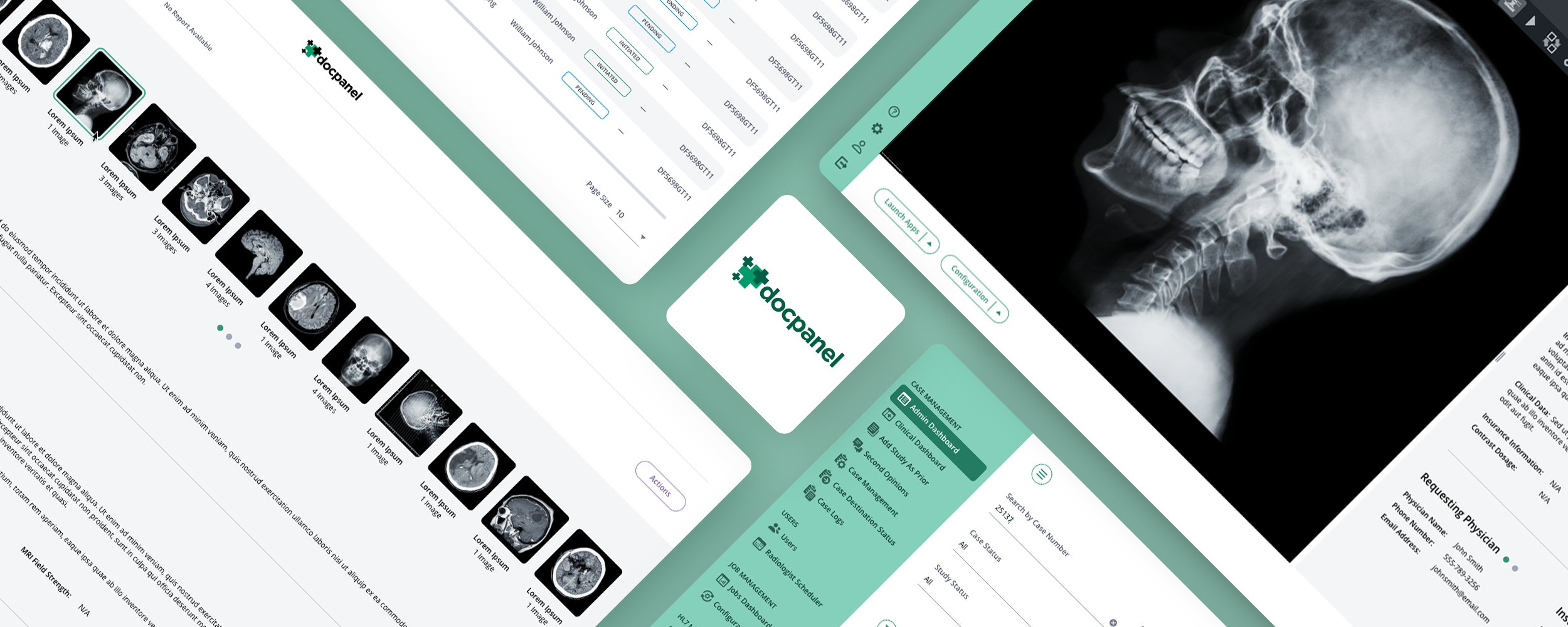
DocPanel connects imaging providers and patients with a nationwide network of academic and subspecialty radiologists. We redesigned this multi-sided healthcare marketplace across its administrative, radiologist, and client workflows, creating a more organized, legible interface for the information-heavy work happening on each side of the platform.

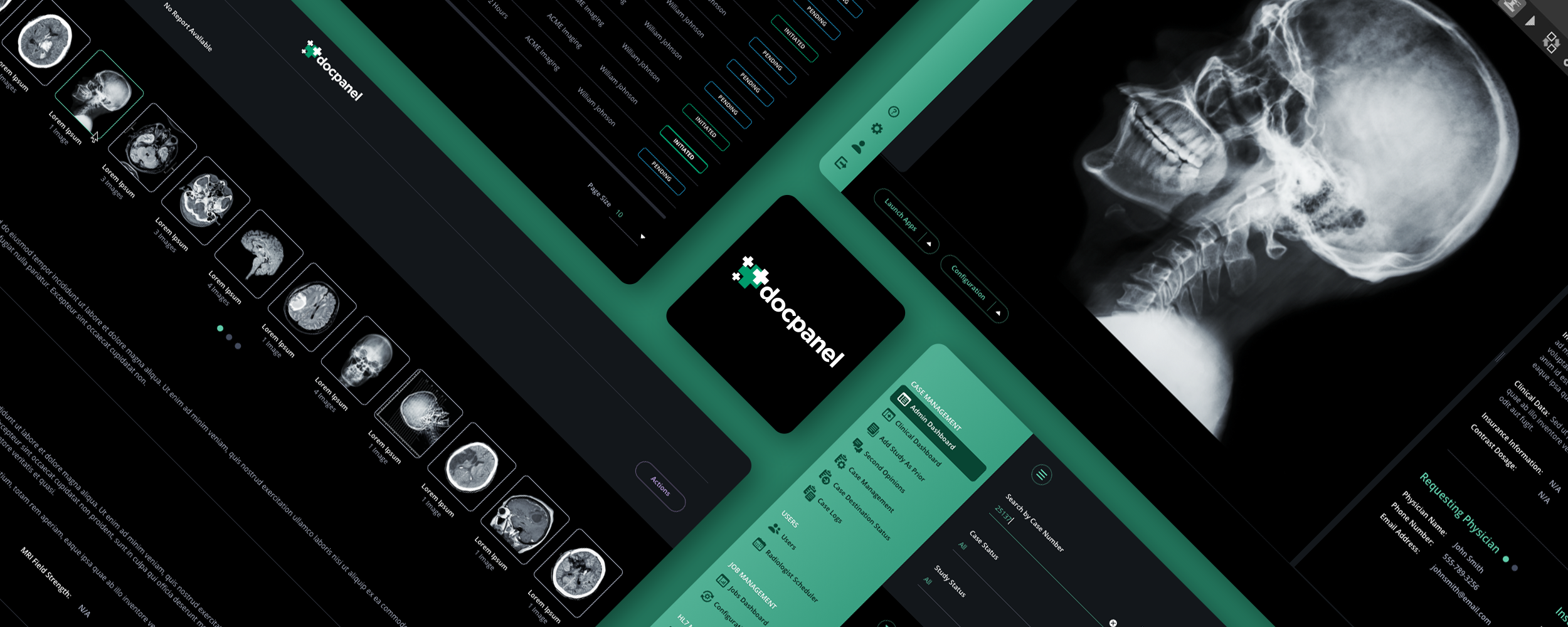
The original application had dense tables, persistent navigation, multiple filtering systems, and competing panels. We increased table spacing, made the primary navigation and filter bar collapsible, consolidated column-level filters into a slide-in panel, and brought studies and documents together in a more efficient case-detail layout. Selective color helped radiologists recognize expedited and STAT requests at a glance.

We also developed light and dark mode treatments, preserving the same information hierarchy and workflows across both visual environments. The two views below demonstrate how a complex professional healthcare application can support different display preferences without sacrificing clarity or usability.

Handoffs Are Where Multi-Sided Care Breaks

The defining moments of a health platform are handoffs: records moving from patient to specialist, findings moving back, and cases moving between professionals. Every handoff needs visible state, honest timing, and clarity about who acts next. Ambiguity becomes anxiety on one side and dropped work on the other. The platform's core promise is that information and responsibility do not disappear between parties; the interface must make that promise visible.

What This Looks Like in Practice

When The Skins Factory designed DocPanel's radiology marketplace, the product connected patients seeking expert reads and second opinions with subspecialty radiologists. Patients arrived anxious, often carrying imaging from a frightening diagnosis, and needed a flow that made uploading studies and selecting appropriate expertise feel clear and safe. Radiologists needed efficient, professional-grade case handling. The design work was to build both experiences to their own standards around a shared spine of case state, so neither audience was compromised for the other.

The Platform Must Be a Worthy Custodian

Multi-sided platforms concentrate sensitive data moving between parties: imaging, records, messages, and findings. Patients need confidence that records go only where directed; professionals need confidence that work product and access are handled correctly; everyone needs role boundaries to be clear. The privacy principles from earlier in this guide apply with a multiplier because the data is not only stored, it is visibly moving between people and organizations.

Common Question

What Makes Handoffs in a Healthcare Marketplace Reliable?

Every party needs to know where a case or record stands, who currently owns the next action, and when to expect progress. Patients and professionals should each see a view designed for their own workflows, with the same underlying case state. Verified credentials help establish initial trust, while clear access controls, visible transfers, and reliable status updates maintain it throughout the care process.

Building Consistency Into Clinical Software

17. Design Systems for Healthcare Products

Everything in this guide, calibrated language, honest states, dual-audience design, accessibility, and regulatory discipline, has to hold together across hundreds of screens and years of shipping. That coherence does not survive on good intentions. It survives through a governed design system. Healthcare products need one more than most categories because inconsistency here is not merely sloppy; it can be unsafe.

In Healthcare, Inconsistency Is a Safety Issue

When abnormal results are flagged one way in the portal and another way in a summary, when red means critical on one screen and decorative on another, or when medication doses are formatted inconsistently, the product introduces ambiguity into information where ambiguity matters. A healthcare design system's first job is semantic consistency: render the same clinical meaning the same way everywhere so users never have to relearn the product's vocabulary.

Codify the Clinical Semantics First

The heart of a healthcare design system is its meaning layer: severity and abnormality flags with fixed visual and verbal treatment; medication formats with dose, strength, and frequency conventions; status vocabulary for results, orders, referrals, and messages; data-freshness and unknown-state conventions; and parallel patient and professional language registers. Buttons and cards are commodity. Clinical semantics are the system's constitution.

From the Work

Building a Complete UI Kit and Style Guide

View Design System Project

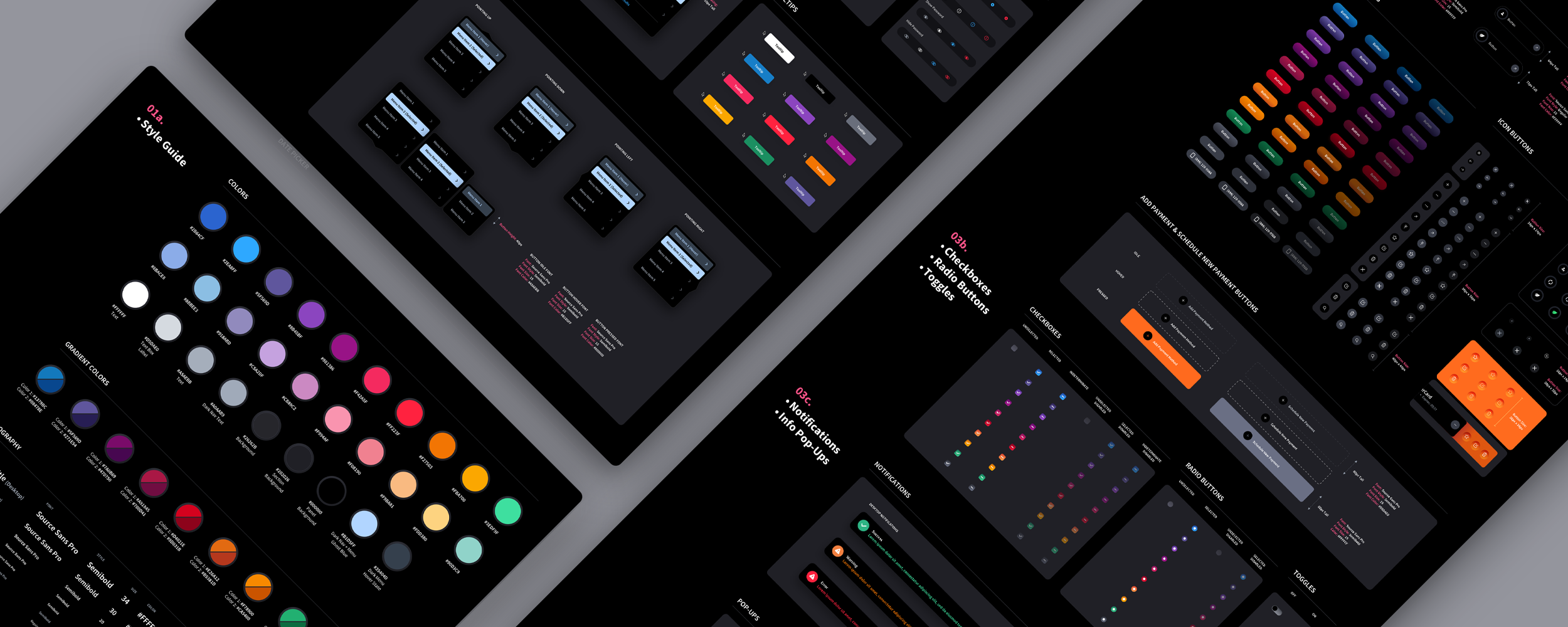
We created a comprehensive design system consisting of a detailed UI style guide and a library of reusable components for desktop browsers and mobile applications. The objective was to establish a consistent visual and interaction language that could extend across existing screens, new features, and future application development.

The system defined typography, color palettes, spacing, margins, layouts, navigation, icons, and interface hierarchy. We documented buttons, input fields, dropdowns, search controls, checkboxes, radio buttons, toggles, notifications, tooltips, tables, overlays, slide-in panels, and dialog boxes. Each component included relevant sizes, interaction states, and visual treatments so the same patterns could be reused without reinventing them for every screen.

We also developed light and dark mode versions, accounting for how typography, contrast, component states, elevation, and information hierarchy translate between both environments. This level of documentation helps designers and developers maintain consistency as an application grows. For healthcare products, the same disciplined approach can be extended to clinical status indicators, sensitive data, accessibility requirements, and the many interface states that need to remain predictable throughout the software.

Build Accessibility Into the Tokens, Not Onto the Screens

Healthcare's audience is the reason accessibility exists. The design system is where that principle becomes enforceable: contrast built into color tokens, minimum type and target sizes built into primitives, focus behavior and semantic structure built into components, and plain-language standards built into content patterns. Accessibility retrofitted screen by screen decays with every release. Accessibility inherited from the system compounds.

Cover the States, Because Health Data Is Never Complete

Health products live with partial information: results pending, records still transferring, sources disconnected, histories incomplete, and values stale. Every component should define its full state matrix, including empty, loading, partial, stale, error, and unknown. Build honest-uncertainty conventions into the system. Otherwise teams improvise under deadline, and a pending result can end up looking normal.

The System Is How Quality Survives Growth

Health products grow through new modules, care lines, integrations, and regulatory changes. Every addition either draws from the system or improvises. A mature system turns growth into an advantage: new capability inherits the product's established language, accessibility, and state completeness. Teams experience that as velocity. Users experience a product that grows without becoming a patchwork. Enterprise buyers experience an organization that is in control of its own software.

Governance Needs Clinical and Regulatory Ownership

A healthcare design system cannot be governed by design alone. Clinical, accessibility, regulatory, content, engineering, and security owners need defined authority over the patterns that carry clinical meaning. Version decisions, record why semantic changes were made, and provide a review path for exceptions. Governance is how the system remains a safety mechanism instead of becoming a component library nobody trusts.

Common Question

What Makes a Healthcare Design System Different From a General UI Kit?

A healthcare design system has to define clinical meaning, not just visual components. It establishes consistent treatments for results, severity, medication information, uncertain data, and workflow status across every screen. It also provides separate language standards for patients and professionals, accessibility requirements built into components, and governance shared by design, clinical, regulatory, and engineering teams. Consistency in healthcare can directly affect how safely people understand and use information.

Frequently Asked Questions

The questions above appear throughout the guide alongside the sections they belong to. These additional questions come up when healthcare companies are deciding how, when, and with whom to invest in product design.

What makes healthcare UX different from general product UX?

The user's condition, the consequences of confusion, and the constraints. Health products often serve people who are sick, scared, older, exhausted, or managing someone else's care. Misunderstanding can affect safety and outcomes rather than merely create support tickets. Many products must also serve clinicians whose needs differ sharply from patients, protect unusually sensitive information, and operate within regulatory boundaries. General design principles still apply, but the priorities shift: clarity over cleverness, honest context over empty reassurance, and accessibility as a foundation rather than a final check.

How do you design health software for both patients and clinicians?

Treat them as two first-class products sharing one source of truth. Patients get plain language, guidance, one clear next step, and calibrated emotional design. Clinicians get engineered density, interaction economy, workflow fit, and no condescension. The design system defines both language registers as parallel voices, while shared state keeps the views consistent. Averaging the two audiences into one compromised interface serves neither.

How should a health app handle HIPAA and privacy in its design?

First determine which privacy and security rules actually apply to the organization, product, relationships, and data. Then treat legal compliance as a baseline and felt control as the design standard. Collect the minimum, explain every request, choose protective defaults, design for public and shared-device use, and give patients a live view of what data exists, who can access it, and every active share. Users judge privacy by the product's behavior, not by its policy page.

What is the biggest UX mistake in patient portals?

Presenting medical data without meaning. Raw lab tables, clinical shorthand, and red flags without context hand interpretation to a worried person at the worst time. Results should lead with an honest answer to "is this bad?" in plain language, show trends where history exists, and attach a next step to everything, including an explicit "no action needed." The portal is standing in for part of a conversation, and it should be designed accordingly.

How do you design medication and adherence features that work?

Organize around the patient's regimen and day rather than the prescription list, make dosing information unambiguous, and address the real causes of non-adherence: friction, forgetting, side effects, and cost. Routine-aware reminders, refills offered before the lapse, visible renewal status, and easy reporting channels do the work. Shame mechanics do the opposite; a patient who feels judged is less likely to keep using the product.

Should fitness apps use streaks and gamification?

They can, if the mechanics pass the worst-week test: do they still serve the user during illness, travel, injury, and lapses? Health-tuned gamification celebrates consistency without catastrophizing gaps, designs the comeback as carefully as the streak, measures progress in more than one dimension, and avoids rewarding patterns that may indicate restriction or compulsion. Engagement-tuned gamification does the reverse. The difference may be invisible in screenshots and decisive over a year.

How should AI be integrated into healthcare products?

Use boundaries proportional to the audience and risk. Patient-facing AI should identify itself, remain informational unless appropriately regulated and supervised, and escalate when urgency or clinical judgment appears. Clinician-facing AI should show calibrated confidence and evidence, keep source data close, and make disagreement as easy as acceptance. Documentation AI should mark drafts and flag inferences. Across all of it, AI failure must never become care failure; the human path stays open.

What does telehealth UX get wrong most often?

Designing the call while neglecting the encounter. Success is decided by everything around the video: the pre-visit technology check, the waiting room that proves the patient has not been forgotten, reconnection when the call drops, clear messaging expectations, and the plain-language summary that turns the conversation into action. Products that design the whole encounter support continuity of care. Products that design only the video support only the video.

Is accessibility really that central to healthcare products?

It is one of the defining constraints of the category. Healthcare users are more likely than the average software audience to be dealing with illness, age, pain, medication effects, stress, or disability. A health product designed for a healthy, focused user therefore fails a significant share of its actual population. Cognitive accessibility, plain language, older-adult usability, language access, and assistive-technology support belong in core product quality before legal or procurement requirements are even considered.

When should a digital health company invest in UX design?

Before the interface starts costing outcomes, adoption, clinician support, or enterprise deals, which is earlier than many companies expect. The pattern repeats across the industry: clinically sound products wrapped in accumulated interfaces, patient adoption that stalls, clinician resistance that hardens, and buyers who notice. As clinical capabilities converge, the experience of care becomes what patients feel, clinicians tolerate, and buyers can evaluate directly.

Do all health apps have to comply with HIPAA?

No. HIPAA applies to covered entities, business associates, and particular uses of protected health information; many consumer health apps sit outside that framework even though other privacy, security, consumer-protection, state, contractual, or international rules may apply. The product team should map applicability with qualified counsel rather than assume every health app is covered or that avoiding HIPAA removes the obligation to protect sensitive data.

How much does healthcare UI/UX design cost?

It depends on the number of audiences, workflows, platforms, integrations, regulatory constraints, and the amount of research and validation required. A focused patient flow may be a contained engagement; a clinician platform, pharmacy system, or multi-sided marketplace can involve hundreds of states and deep coordination with clinical and engineering teams. The useful estimate comes after the critical journeys and risk are defined, not from a per-screen price.

Can healthcare software be redesigned without disrupting clinical workflows?

Yes, but the redesign has to begin with observed workflow and a migration plan. Preserve the high-frequency paths clinicians rely on, test changes with realistic data and interruptions, communicate what moved and why, and phase structural changes when muscle memory is involved. A healthcare redesign should reduce operational risk while improving the experience, not ask clinicians to absorb both at once.

What should a company look for in a healthcare UI/UX design partner?

Look for evidence of work across the actual audience and risk profile: patient-facing communication, clinician density, sensitive-data controls, accessibility, regulated workflows, and complex integration states. The partner should be comfortable working with product, engineering, clinical, security, and regulatory stakeholders, and should be able to show real shipped healthcare work rather than only consumer wellness concepts.

Glossary of Healthcare UX Terms

Short, working definitions of the terms used in this guide, written for product, clinical, design, and engineering leaders.

HIPAA
A United States federal framework that applies to covered entities, business associates, and certain uses and disclosures of protected health information. It does not govern every consumer health app, so applicability must be mapped rather than assumed.
PHI (Protected Health Information)
Individually identifiable health information protected under HIPAA when created, received, maintained, or transmitted by covered entities or business associates in covered contexts.
EHR / EMR (Electronic Health Record / Electronic Medical Record)
Systems of record for clinical care. They are also the operating environment many clinician-facing products must integrate with rather than pretend does not exist.
Patient Portal
The patient-facing window into records, results, messaging, scheduling, billing, and care coordination. It is often where laypeople encounter medical information without a clinician beside them.
HL7 / FHIR
Standards used to exchange health information between systems. They provide the plumbing for interoperability; the interface still has to explain source, freshness, completeness, and conflict.
Interoperability
The ability of health systems to exchange and use information. Patients experience it as a simple question: do I have to carry my own history between providers?
Telehealth
Care delivered remotely, typically by video. As a design problem, the entire encounter around the call: preparation, waiting, failure recovery, and follow-through.
SaMD (Software as a Medical Device)
Software intended for a medical purpose that performs that purpose without being part of a hardware medical device. Regulatory treatment depends on intended use, function, jurisdiction, and risk.
Informed Consent
Agreement given with genuine understanding of what is being agreed to. In design terms, layered plain-language consent flows rather than walls of legal text with a checkbox.
Health Literacy
A person's capacity to obtain, understand, and act on health information. Highly variable across the population, and the reason plain language is a clinical feature rather than a style choice.
Reference Range
The band of values considered typical for a lab result. The context that turns a raw number into meaning, and the minimum a patient-facing result display owes its reader.
Critical Value
A result requiring urgent clinical attention. In interface terms, the tier of information that needs a designed escalation path, not just a louder notification.
Adherence
The degree to which patients follow their treatment regimens. Driven far more by friction, cost, and side effects than by willpower, which is why adherence UX targets logistics rather than shame.
Formulary
The list of medications covered by an insurance plan. A frequent source of prescription surprise, and a data point that saves patients real money when surfaced at the right moment.
Prior Authorization
A payer approval process required before certain care, services, or medications are covered. One of healthcare's most opaque waits, and a process whose status visibility can materially improve the experience.
340B
The federal program through which qualifying providers purchase discounted medications. Operationally, a compliance-heavy inventory and reconciliation discipline whose software demands audit-grade accuracy.
Care Team
The set of professionals involved in a patient's care. In product terms, the humans an interface should keep reachable, especially at the moments the product delivers hard information.
Caregiver Access
Designed, role-appropriate access for family members managing another person's care. The feature whose absence patients work around with shared passwords.
RPM (Remote Patient Monitoring)
Clinical monitoring through connected devices outside the care setting. The UX challenge is to make device state, data freshness, thresholds, and escalation clear without manufacturing continuous anxiety.
Clinical Decision Support
Software that offers clinicians recommendations and alerts at the point of care. Valuable exactly in proportion to its relevance, and the origin of healthcare's alert fatigue problem.
Automation Bias
The human tendency to over-trust automated output. A documented risk in clinical settings, and a design problem addressed by making independent judgment easier, not more awkward.
PACS / DICOM
The systems and standard format through which medical imaging is stored and shared. The infrastructure behind radiology workflows and imaging marketplaces.

Working With a Healthcare UX Specialist

Healthcare UX is a distinct discipline at the intersection of vulnerable users, time-starved professionals, sensitive information, fragmented data, and regulation that can reach into the interface. Experience presenting health information to patients, organizing work for clinicians, and designing within real privacy and compliance boundaries creates judgment that general product experience does not automatically provide.

The Skins Factory has spent 25+ years designing trust-critical software, including a radiology marketplace for DocPanel, a blockchain-based patient-data application for Patientory, pharmacy analytics platforms, and a 340B pharmacy inventory-management system, alongside enterprise work for clients including Microsoft and Bank of America. The principles in this guide come from that work, not from observing healthcare from the outside.

If you are building or rebuilding a digital health product, patient platform, clinician tool, telehealth service, pharmacy system, fitness app, remote-monitoring experience, or health marketplace, and want the interface to feel clear, humane, and trustworthy to the people who depend on it, we would be glad to talk. Reach out at hello@theskinsfactory.com or +1 954.821.2966.

The Really, Really Short Form

Have a healthcare project in mind? Let's talk.

Thank you for reaching out.

We will be in touch within one business day.