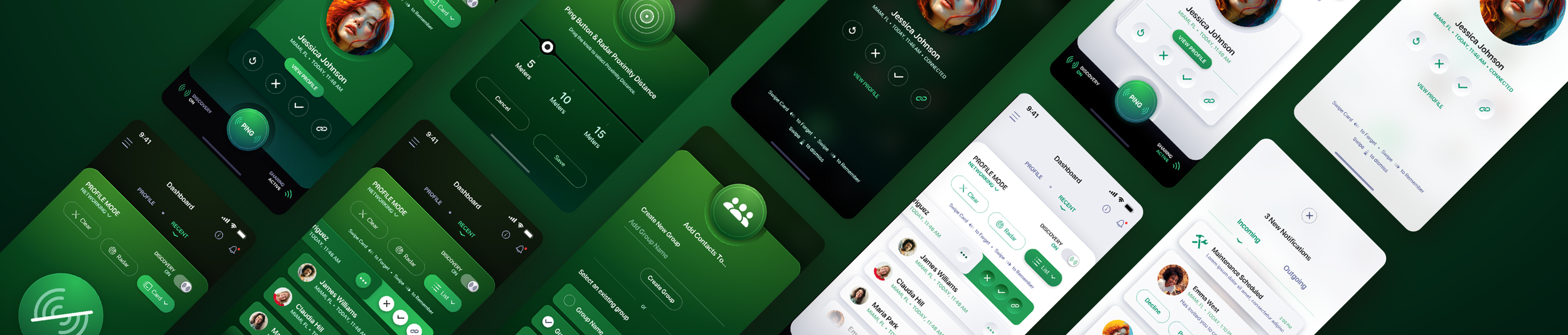
More UI/UX Design Work Portfolio Case Studies - Page 2
A second collection of UI/UX and product design work from The Skins Factory, spanning complex software, mobile applications, enterprise platforms, digital products, and branded experiences. These projects continue more than 25 years of solving interface problems across industries, platforms, and product types. Looking for the primary collection? View our main UI/UX Design Portfolio and Case Studies.
Get in touch
More UI/UX Design Projects
This second collection of UI/UX design work expands on our main UI/UX design portfolio with another group of products created across mobile, desktop, web, touchscreen, enterprise, and connected-hardware experiences. The projects are different, but the challenge is usually the same: understand what the product needs to do, understand the people who need to use it, and design an interface that makes both sides work together.
The work here includes enterprise platforms, white-label SaaS products, mobile applications, point-of-sale systems, specialized healthcare experiences, connected hardware, and software designed for highly specific working environments. Projects such as Thyssenkrupp Elevator Americas, Heartland Payment Systems' Mosaic, FK Irons, Broward Health, Runzheimer, Infor, and others required us to solve very different problems, from maintaining consistency across large product families to designing interfaces that have to work quickly and clearly in the real world.
Good UI/UX design is not about forcing every product into the same visual formula. It is about creating the right experience for the product, platform, users, and environment in front of you. That range has been part of The Skins Factory's work for more than 25 years. Continue through the projects below, and if you are looking for a design team that can take on something complex, unusual, or difficult to simplify, say hello.






FK IRONS
Tattoo Machine Controller Mobile App UI/UX Design
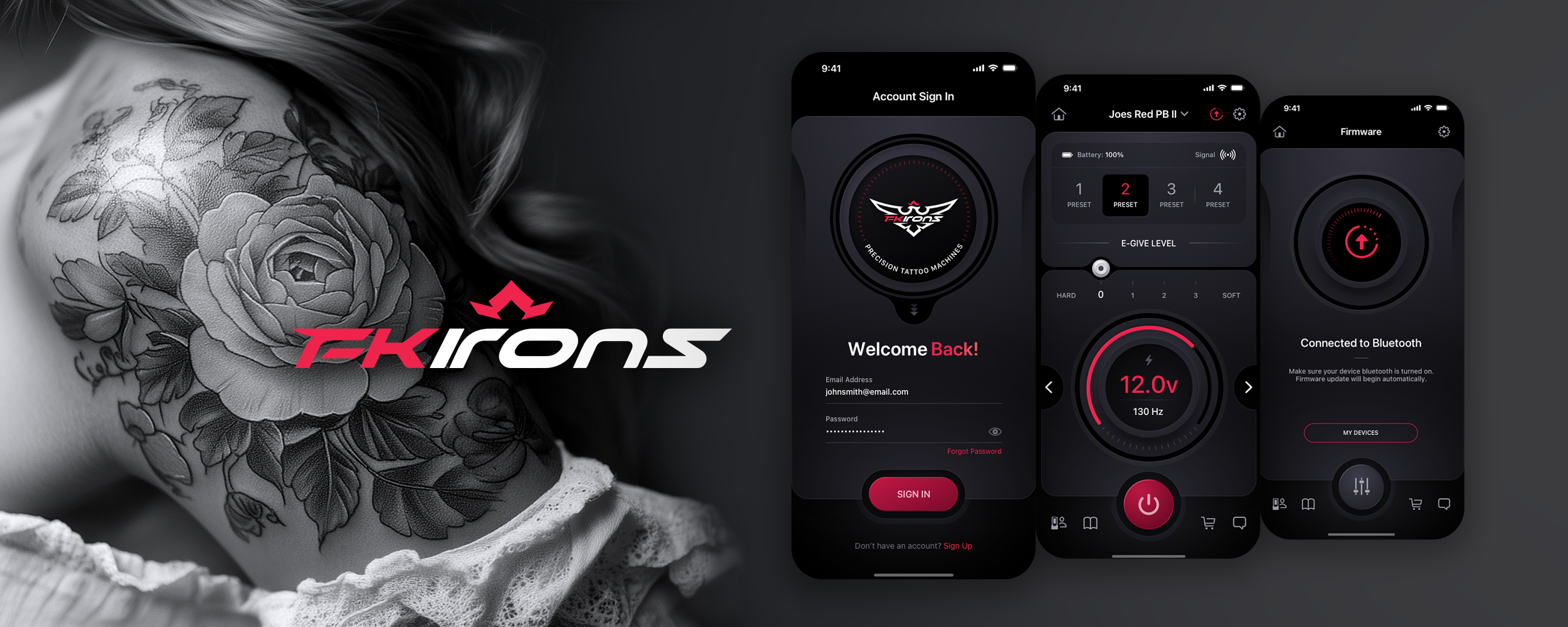
FK Irons, a leader in precision tattoo machines, contracted The Skins Factory to design their revolutionary tattoo mobile app. Artists will discover unparalleled freedom with the FK Irons mobile app, harnessing Bluetooth technology to empower tattoo artists like never before. From toggling their device's power and fine-tuning voltage to unlocking eGive and updating firmware, the new FK Irons application manages it all effortlessly, wirelessly, and in one place.
RUNZHEIMER MILEAGE TRACKING
Automotive Mobile Application UI/UX Design
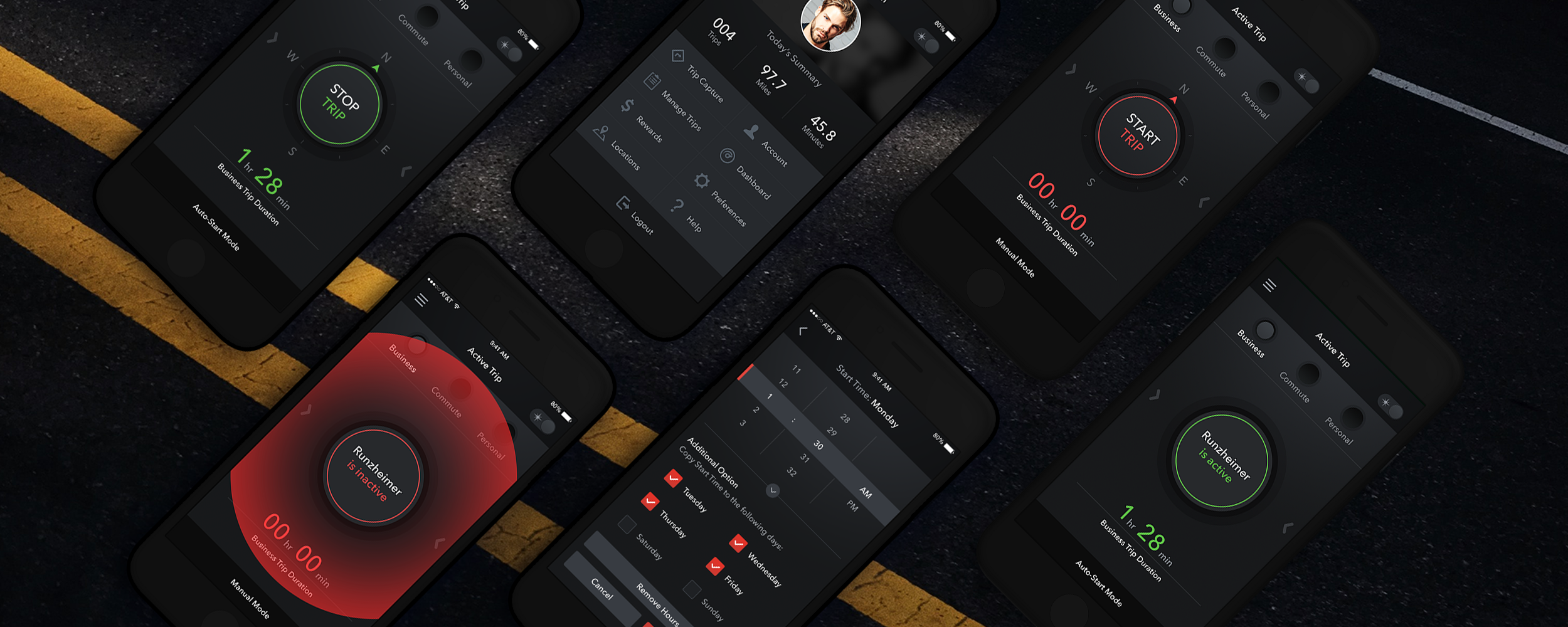
The Skins Factory designed everything from the manual and automatic trip capture screens to the dashboard, scheduling, navigation, trip manager, scanner, report submissions, locations, logins, and more. Our team came up with the idea to include a version for day and night use, and even implemented a version for those users who are color blind. Pulse effects were deployed as a visual cue so drivers could focus more on the road and less on the app while driving.
PLAYLIST MUSIC PLAYER
Audio Software Mobile App UI/UX Design, Brand Identity
Introducing the ridiculously easy-to-use, incredibly stylish music player app for iOS that will change the way you manage and play back your iPhone and iPod Touch's music library. Choose from two unique themes, create new playlists by adding individual songs, or add entire albums or artists' catalogs with a single tap. In-house project.

DIGITAL BLUE
Education Desktop Client App UI/UX Design
Digital Blue contracted The Skins Factory to create the user interface for their astronomy software client that works in tandem with their real-world telescope. Because the telescope was geared more toward young children, we developed a fun UI with large, generous buttons, a playful toy-like appearance, and easy-to-understand iconography.
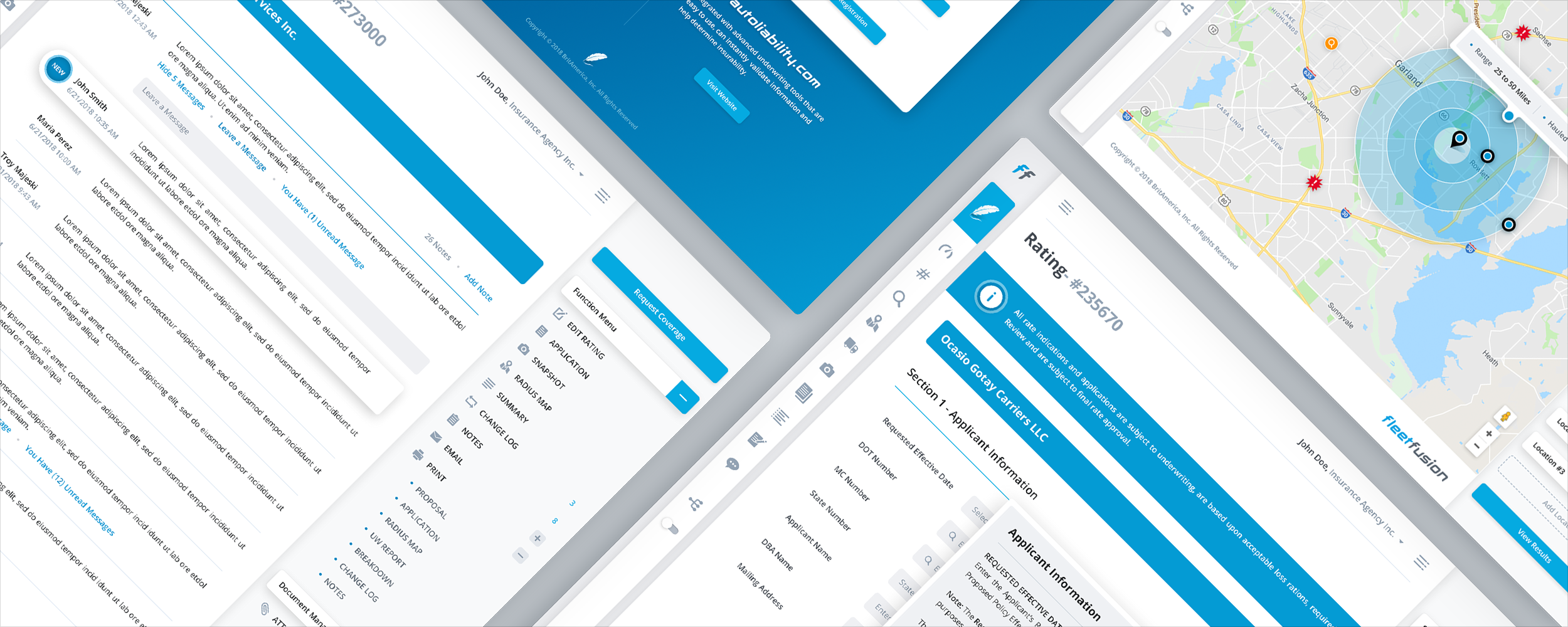
FLEETFUSION
Insurance SaaS Web App UI/UX Design
When BritAmerica needed to reimagine their software application design for underwriting professionals, they relied on the expertise of The Skins Factory. From the start, the designers at The Skins Factory created an intuitive, modern UI that will drive BritAmerica far into the future.
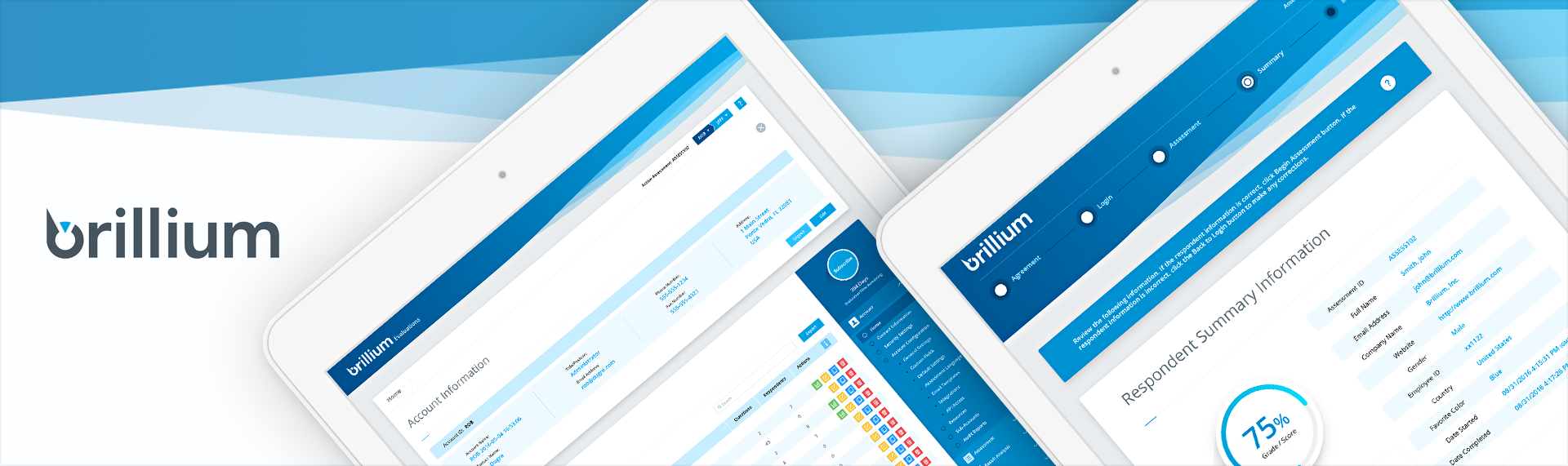
BRILLIUM
Enterprise SaaS Web Application UI/UX Design
Brillium, the world-class enterprise assessment platform that empowers the authoring, delivery, and data analysis of tests, quizzes, certification exams, surveys, and more, contracted The Skins Factory to execute a complete UX/UI redesign. This responsive browser application underwent an extensive redesign and features 5 colorways (with 2 sub-sets) that allow for the white labeling of their software.

PHARMANEX SCANNER
HealthTech iPad App UI/UX Design
Nu Skin's Pharmanex division approached The Skins Factory's design team to create an iPad Mini exclusive iOS application for their biophotonic scanner. Taking design cues from the hardware's black display screen, our team designed an easy-to-use, touchscreen interface, utilizing a palette of vibrant, primary colors on top of a matte and glossy black application stage.

BROWARD HEALTH PHYSICIAN DIRECTORY
Healthcare Mobile App UI/UX Design
Broward Health, one of the 10 largest healthcare networks in the United States, contracted The Skins Factory (via AAJ Technologies) to redesign their mobile physician's directory iPhone app. Using a crisp, sleek visual design based on the brand identity's color scheme, the app is not only super intuitive to use, but designed for speed, so that busy physicians can redirect their patients to other doctors in the BH network.

EXO UI PLATFORM - Version 2.0
Education Touchscreen Platform UI/UX Design
The Skins Factory was brought in to completely redesign the UI and user experience of this mobile application platform. The design team used a number of eye-catching embellishments to present an environment that's both exciting and elegant, designed with a deft use of light and shadow, a sleek symposium of reflective and matte surfaces, and striking bursts of vibrant color.

MOSAIC - POINT OF SALE
Point of Sale (POS) + Education Web Application UI/UX Design
Heartland School Solutions, a leading provider of innovative child nutrition management, contracted The Skins Factory to redesign the UI/UX for three of their world-class products. One of the applications was their Mosaic Point of Sale touchscreen system. The Skins Factory delivered an engaging and intuitive interface that will surely delight all who interact with Mosaic POS.

MOSAIC - BACK-OF-HOUSE
Enterprise SaaS Web App UI/UX Design, Design System
Heartland School Solutions, a leading provider of innovative child nutrition management, contracted The Skins Factory to redesign the UI/UX for three of their world-class products offered in their Mosaic Cloud solution. One of the applications was their Mosaic Back-of-House browser application software. The project included a custom design system.

MOSAIC - CLOUD
Enterprise SaaS Web App UI/UX Design, Design System
Heartland School Solutions, a leading provider of innovative child nutrition management, contracted The Skins Factory to redesign the UI/UX for three of their world-class products offered in their Mosaic Cloud solution. One of the applications was their Mosaic Back-of-House browser application software. The project included a custom design system.
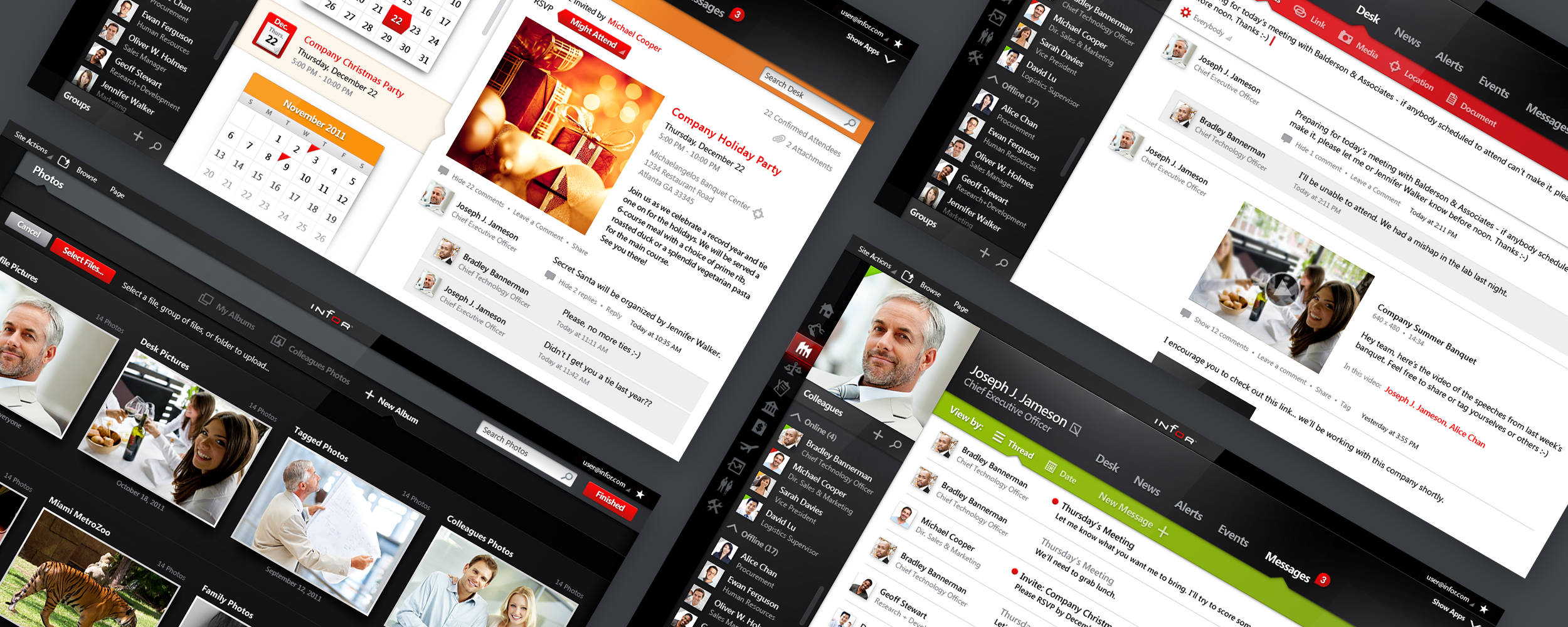
INFOR10 WORKSPACE
Enterprise SaaS Social Media Web Application UI/UX Design
The Skins Factory developed the comprehensive UI/UX for Infor's enterprise-based social application, which includes profiles, messaging, photo management and library, events, alerts, news feeds, and more. Developed to work on both desktop clients and touchscreen devices, the look and feel has a hybrid aesthetic, with its flat visual design fused with tactile design elements throughout the UI. 1 of 6 projects.

INFOR10
Enterprise SaaS Windows Desktop Client App UI/UX Design
The Skins Factory developed the comprehensive UI/UX for Infor's enterprise-based social application which includes: Profiles, Messaging, Photo Management & Library, Events, Alerts, news feeds & more. This gallery represents a portion of the screens designed. Designed to work on both desktop clients and touchscreen devices, the look and feel has a hybrid aesthetic - with its flat, visual design fused with The Skins Factory's trademark style of adding tactile, design elements throughout the UI.

SCREENCAST-O-MATIC PRO (NOW CALLED SCREENPAL)
Screen Recorder Windows Desktop Client App UI/UX Design
Screencast-O-Matic, the original free and easy way to create a video recording of your screen, contracted The Skins Factory to redesign the interaction design and user interface visual design of the Screencast-O-Matic application. The team redesigned everything from the main UI elements to the editing tools and video library window.

TKE MESSENGER
Communications Desktop Client + Mobile App UI/UX Design
The Skins Factory designed TKE's Windows desktop and Apple iOS iPhone Messenger applications to deliver unparalleled ease of use, packaged in a flat 2D, modern user interface design language. Utilizing a collapsible sidebar to reclaim workspace, the app allows for instant communications in a single or group messaging environment, email, or telephone. Dispatchers can find field service agents using custom location pins via the map.

TKE INSTALLSITE
Enterprise Mobile Application UI/UX Design
A mobile, field agent application for one of our favorite clients. The Skins Factory designed the entire UX and UI design, working in tandem with the TKE team. The screens shown represent a small sampling of the almost 100 screens we designed.

MEME
Media Desktop Client App UI/UX Design + Logo Design
The Skins Factory developed both the design and graphics for the MeMe cube and the brand identity for both MeMe and MeMedia, Inc. We delivered an animated and dynamic interaction design with MeMe 1.51. The cube tumbles forward, backward, and side to side, while a touch of motion blur sells its photorealistic actions. Intense consideration was paid to all iconography.
Have a Project in Mind? Let's talk.
Thank you for reaching out.
We will be in touch within one business day.More UI/UX Design Portfolio FAQs
More answers about the kinds of products, platforms, users, and design challenges represented in this second collection of The Skins Factory's UI/UX design work.
01Can you design applications that connect to physical hardware?
Yes. Designing software around physical hardware requires understanding both sides of the experience, because the interface is often controlling, configuring, or responding to something happening in the real world. Our work includes the FK Irons Bluetooth tattoo-machine controller, Digital Blue astronomy software designed to work with a telescope, and a Pharmanex iPad application created for use with a biophotonic scanner. In each case, the software and hardware had to feel like one product.
02Do you design for mobile, desktop, web, and touchscreen applications?
Yes. This portfolio includes native mobile applications, Windows desktop software, browser-based enterprise SaaS, iPad applications, point-of-sale interfaces, and touchscreen platforms. We do not treat one platform as a resized version of another. Each environment has different interaction patterns, screen constraints, input methods, and user expectations, so the interface should be designed around how and where the product will actually be used.
03How do you design software for specialized users and real-world environments?
Start with the environment the user is working in, not with a generic interface pattern. A driver using a mileage application needs different visual cues and interaction behavior than a physician searching for another doctor or a cafeteria employee operating a touchscreen point-of-sale system. Our Runzheimer, Broward Health, and Mosaic projects were designed around those kinds of real-world conditions, where speed, clarity, accessibility, and context matter as much as visual design.
04Can you design white-label and configurable enterprise software?
Yes. White-label products have to support customization without allowing the interface to become inconsistent every time the branding changes. Our redesign of the Brillium enterprise assessment platform included multiple colorways and white-label configurations while maintaining a consistent underlying user experience. The key is creating a visual and component system flexible enough to accommodate different brands without changing the interaction logic users depend on.
05Do you design both consumer products and enterprise software?
Yes. Our work has always crossed both sides of product design. Consumer projects such as Playlist and MeMe required personality, immediacy, and highly approachable interaction design, while products such as FleetFusion, Brillium, Mosaic, Infor, and TKE had to support more complex workflows, data, roles, and operational requirements. The visual language may change dramatically, but the goal is the same: make the product feel clear and intentional to the person using it.
06How do you keep complex products consistent across multiple modules and platforms?
Consistency comes from defining reusable patterns before every screen becomes its own design problem. Navigation, controls, tables, forms, states, spacing, hierarchy, and interaction behavior should follow a shared system while still adapting to the needs of each module or platform. Our work for Mosaic, Infor, and TKE included related applications and experiences that needed to feel like parts of the same product family rather than disconnected interfaces created one screen at a time.