
Recognize Me
Light Mode Version
SOCIAL DISCOVERY MOBILE APP UI / UX / IXD / UCD DESIGN
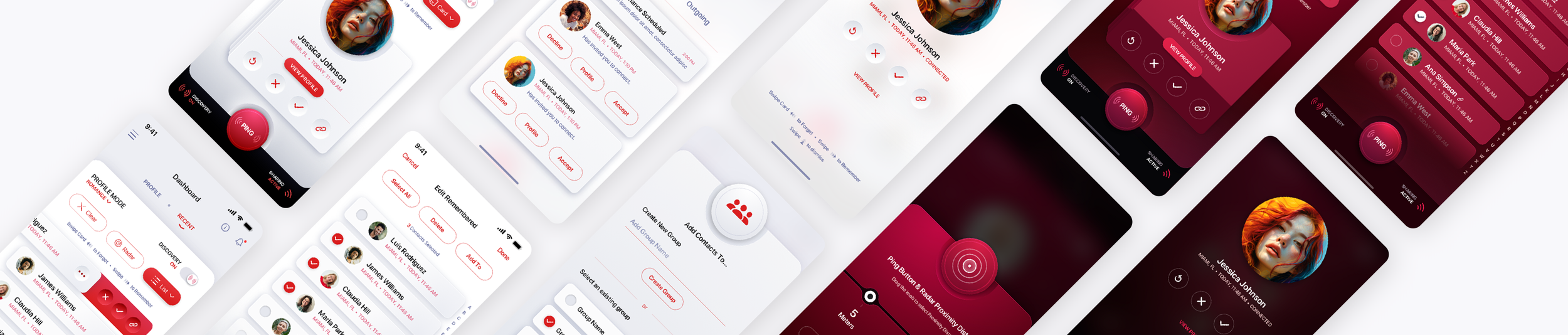
Recognize Me is a social discovery mobile app designed to make meeting and connecting with people feel more natural. We created a clean, highly visual user experience that makes discovering people, exploring profiles, and making new connections simple and intuitive.
We outlined the core feature set, mapped the user flows, worked through low-fidelity wireframes, and then designed the high-fidelity comps. Along the way we expanded the original idea to give people a reason to open the app more than once. Three profile connection modes, Social, Networking and Romance, let the same product work at a conference, a wedding or a night out, and discovery is limited to a short physical radius so you are only seeing the people actually in the room with you.
The finished design covers light and dark mode, two default color themes and five colorways, over 600 screens in total.
Designing a Comprehensive Mobile App from the Ground Up.
"I want to be able to put a name to a face" the client told us. This sparked a mobile app design project that took almost six months to complete. The Skins Factory was able to transform a simple concept into a fully designed application, meeting the challenge head-on. From outlining core feature sets & creating user flow maps, to low-fidelity and then high-fidelity wireframes, our team of user experience designers rose to the challenge. But we didn't stop there. We expanded the initial concept to increase adoption and retention.
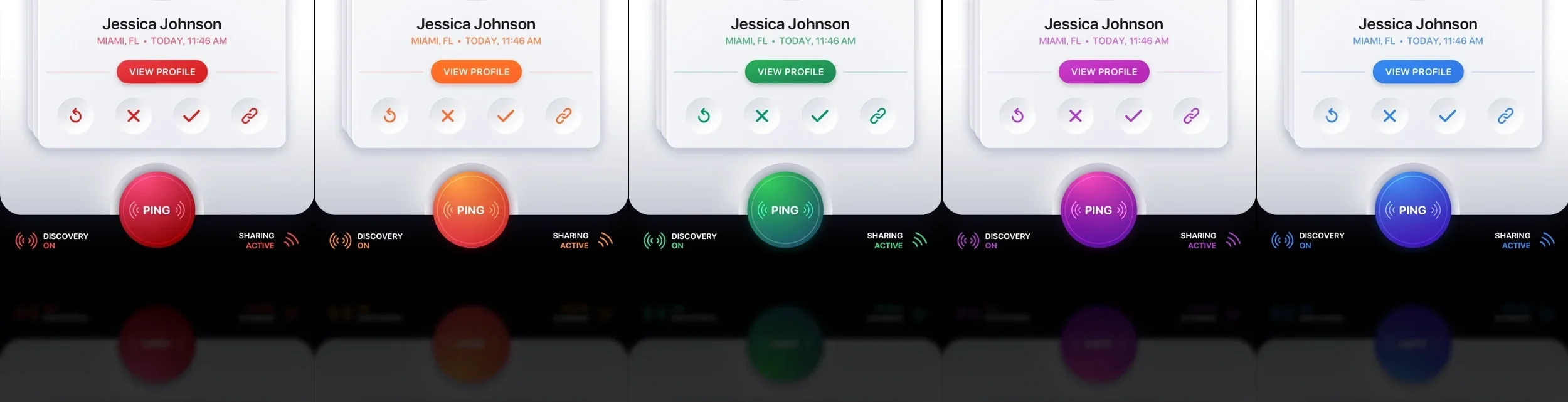
The Application was designed in both light and dark mode, included 2 default color themes (cobalt blue & magenta) and 3 profile connection modes - Social, Networking & Romance. All told over 600 screens were designed across the 5 colors and 2 versions. View the companion blog post titled: Designing a Mobile App from the Ground Up, to see the entire application design process from the concept to high-fidelity wireframes. To view the Dark Mode Version go here.
The working title of the application is Recognize Me, though internally we called it nām, which you'll see on some of the application screens as a placeholder.
Default Profile: Cobalt Blue
The initial design of the application user interface was done in the cobalt blue you see below. While blue is the world's most popular color we felt it would be better to offer an alternative color choice. Besides, you can never have too many colors to choose from. So we designed a magenta colored "skin" as an alternate option. Click or Tap images below to view them larger.
Dashboard Screens
The user interface (UI) has been crafted to reflect a sleek and contemporary aesthetic, incorporating neumorphic design elements while prioritizing usability and enhanced user experience (UX). Our design approach revolves around seamless navigation through innovative features and discoveries, with an emphasis on intuitive gestures such as swiping and pull-downs. These interactions provide a smoother and more efficient way for users to engage with the platform, establishing a natural flow of interaction.
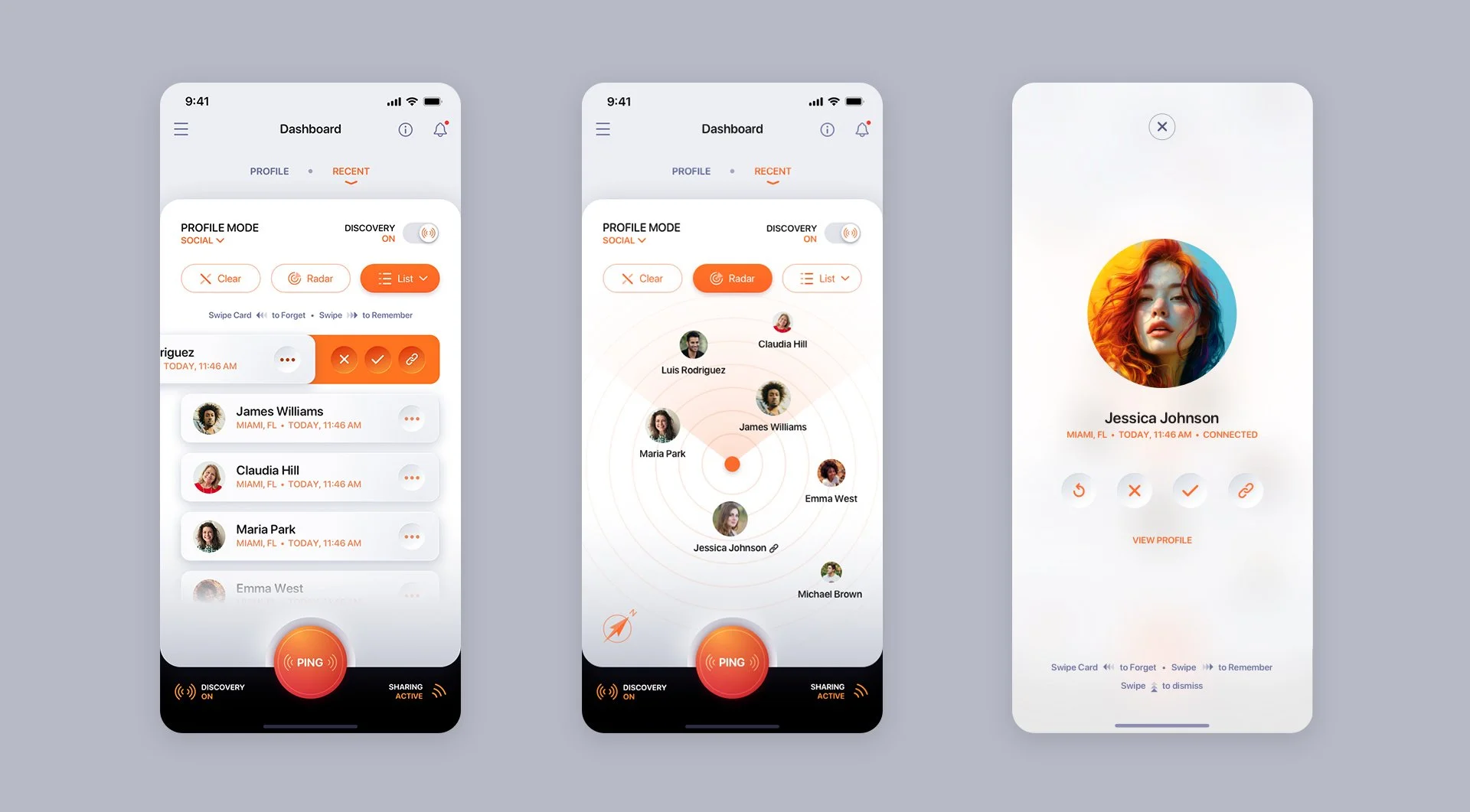
Dashboard mode allows you to easily access and manage your profile information, as well as view recent Discoveries in both card and list formats. The app's main purpose is to connect users within a specified proximity, ranging from 5 to 15 meters. Whether you're at a convention or conference, wedding or any social gathering, you can discover other app users by either sending out a one-time pulse through the Ping button or continuously searching for new connections with the Discovery switch. Once you've found potential connections, you have the option to remember or delete them. To accommodate large gatherings, we've included a Clear button that clears the list of recent discoveries with just one tap.
In order to enhance user experience and provide clear information, we have implemented persistent status notifications on the app's footer. These notifications display whether the user has Discovery toggled on or off, as well as indicate whether they are Sharing their profile for discovery. We engaged in extensive internal discussions regarding the option for users to discover without sharing. It was crucial for us to strike a balance between privacy and usability. Even if users choose to turn off sharing, their name and profile photo will always be discoverable while other personal information remains protected. This approach safeguards the core purpose of the app while respecting user privacy preferences.


Discovered + Remembered List Screens


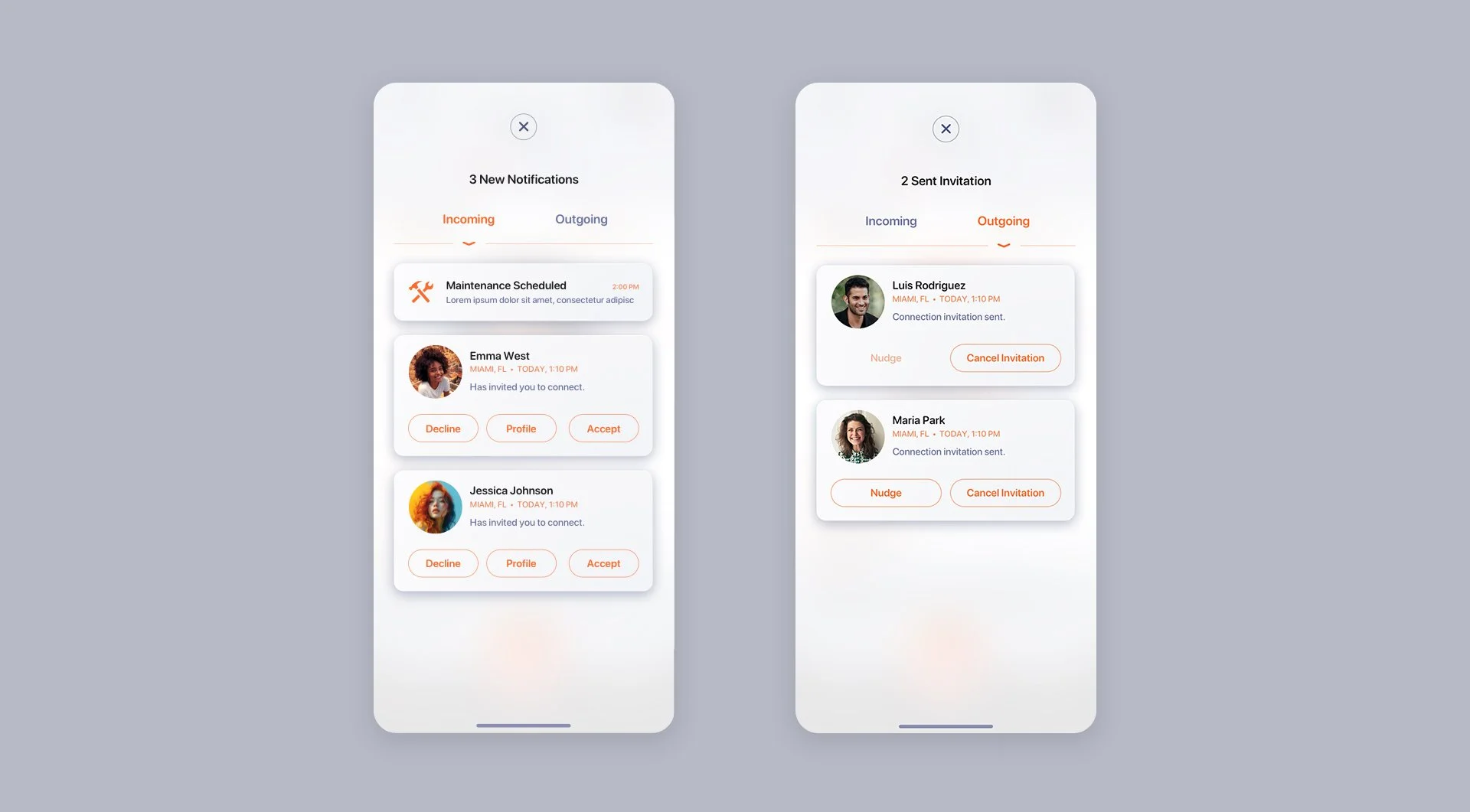
Notifications, Navigation Menu + Onboarding Panels


Profile + Edit Profile Screens


App Settings + User Account Screens
Users have the choice to either deactivate their account temporarily or permanently delete it. This allows users who need a break to retain their information without losing it. Once the account is deleted, all information will be removed.


Default Profile: Magenta
A look at the alternative default “skin” for the Recognize Me mobile application.
Dashboard Screens


Discovered + Remembered List Screens


Notifications, Navigation Menu + Onboarding Panels


Profile + Edit Profile Screens


App Settings + User Account Screens


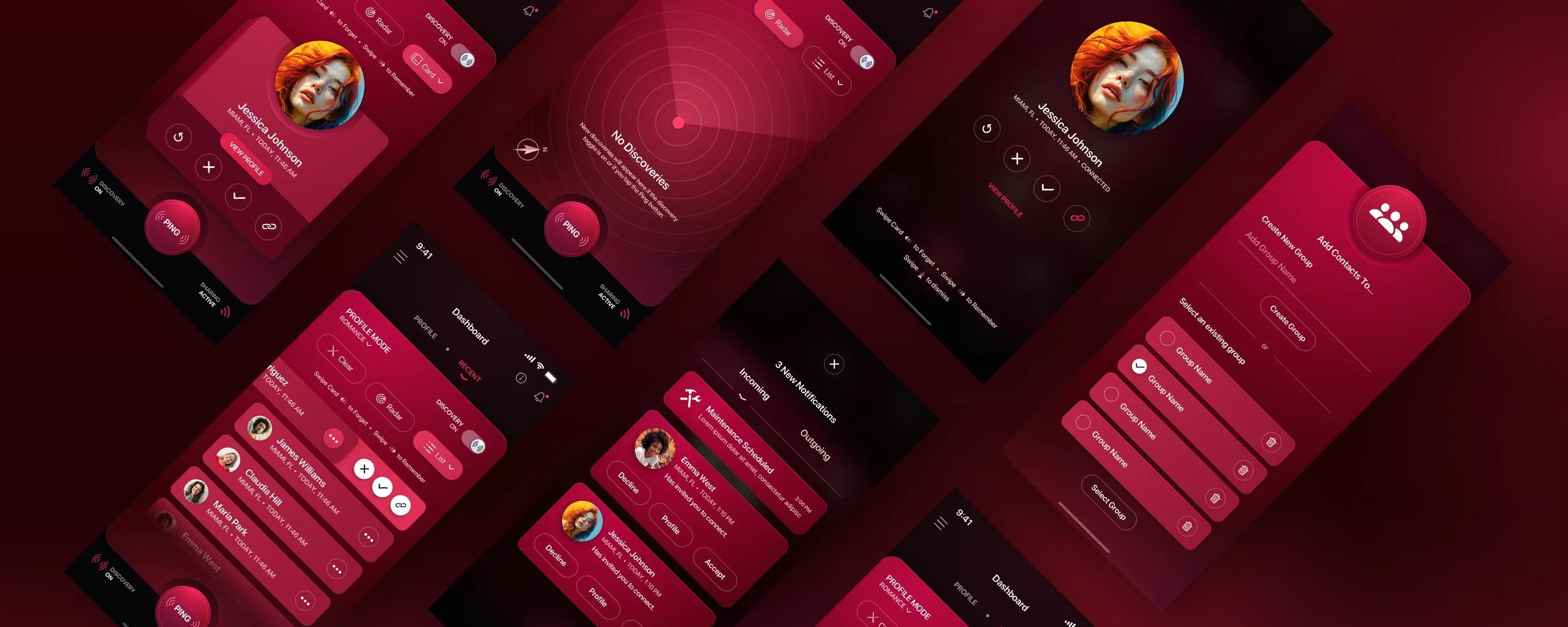
Romance Profile Mode: Crimson
Individuals have the option to choose from three distinct Profile Connection Modes as a substitute for the Default Profile Mode. The Romance Profile Mode is specifically tailored for those in pursuit of romantic connections, similar to popular dating applications. This mode encompasses additional personalized features that allow users to specify their desired type of romantic connection.
Dashboard Screens


Discovered + Remembered List Screens


Notifications, Navigation Menu + Onboarding Panels


Profile + Edit Profile Screens


App Settings + User Account Screens


Social Profile Mode: Tangerine
Users have the flexibility to select from three unique Profile Connection Modes as an alternative to the Default Profile Mode. The Social Profile Mode is specifically designed for individuals looking to establish connections and forge friendships, akin to popular social networking applications. This mode incorporates additional personalized functionalities that enable users to share their social media links, Instagram photos, and much more.
Dashboard Screens


Discovered + Remembered List Screens


Notifications, Navigation Menu + Onboarding Panels

Profile + Edit Profile Screens


App Settings + User Account Screens


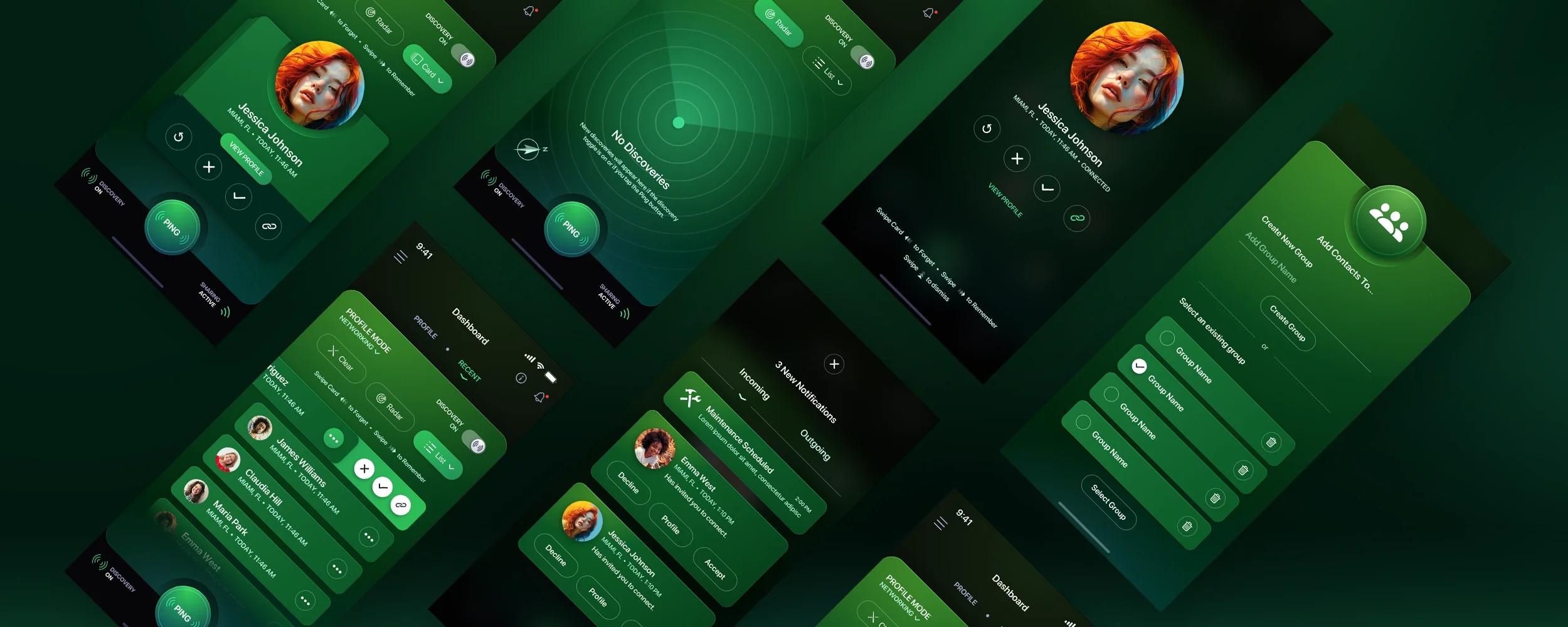
Networking Profile Mode: Emerald
Users are provided with the option to choose from three distinct Profile Connection Modes instead of the Default Profile Mode. The Networking Profile Mode is specifically tailored for individuals seeking to foster business connections and establish partnerships, akin to popular networking platforms like LinkedIn. It proves invaluable during work conferences, trade shows, and conventions by offering additional personalized features that allow users to share their vcards, contact information (such as phone number and email), as well as links to their business media profiles, websites, and more.
Dashboard Screens


Discovered + Remembered List Screens


Notifications, Navigation Menu + Onboarding Panels


Profile + Edit Profile Screens


App Settings + User Account Screens


Click or Tap the Image Below to View the Light Mode Version of the Application.



Have a project in mind? Let's talk.
Thank you for reaching out.
We will be in touch within one business day.