InnovaCare Health
Healthcare Application WEB APP UI/UX Design + Design System
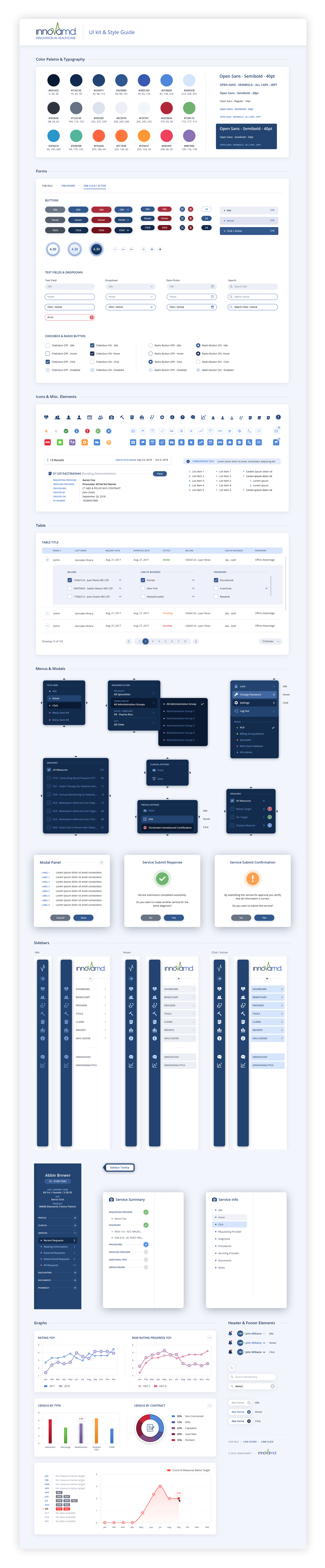
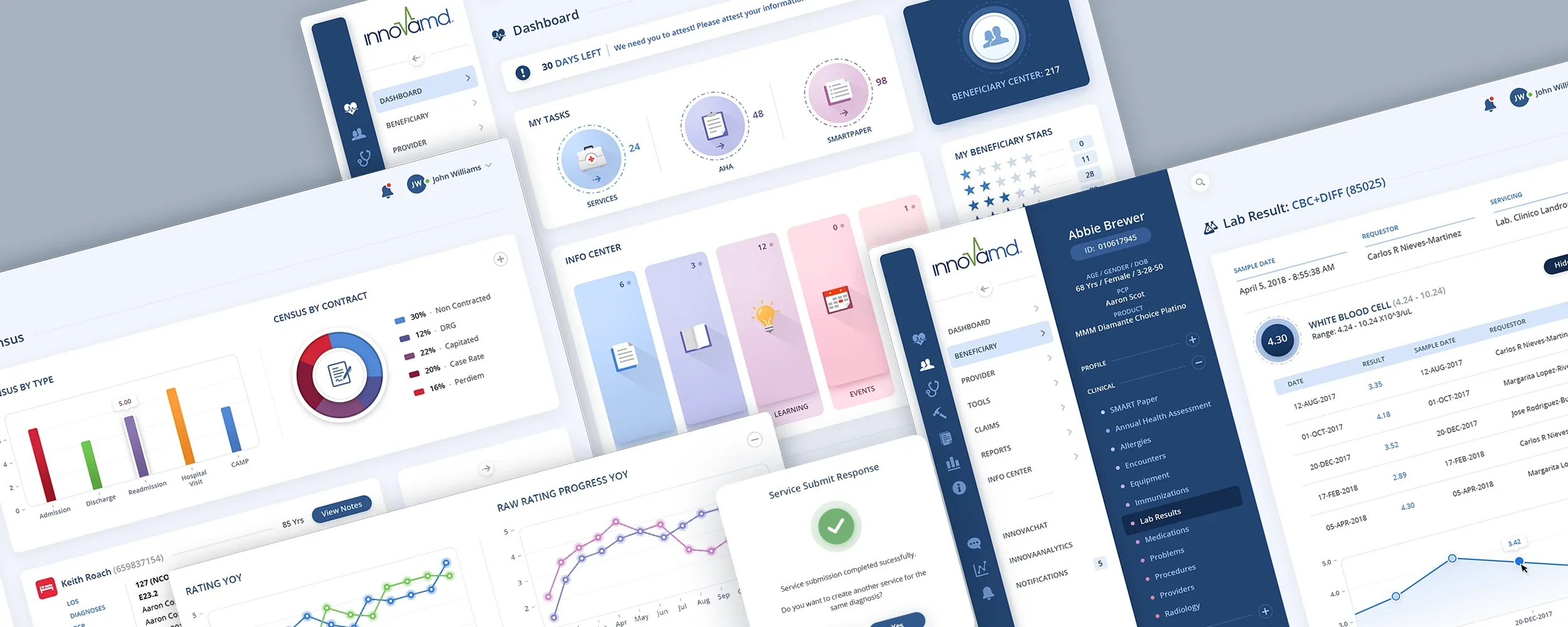
InnovaCare Health improves the lives of members and physicians through innovative solutions for value-based healthcare. The Skins Factory was brought in to redesign the user experience and visual design of the InnovaMD healthcare browser application. Taking color cues from their brand identity, we added additional colors to boost the palette while staying true to the brand. One of the last components we designed was a Style Guide and UI Kit for their developers to create subsequent screens using our defined design language.
Disclaimer: all patient names and non-patient names appearing in these works are fictitious. Any resemblance to real persons, living or dead, is purely coincidental.
The Dashboard
We separated the icons in the sidebar navigation from their textual counterparts. This allows a clean design language when the sidebar is collapsed. Shown below from Left to Right: All Idle, Hover & Click states turned on.
Idle States
Hover States - All Turned On For Presentation Purposes
Click States - All Turned On For Presentation Purposes
Below: Sidebar Collapsed/Expanded + Navigation Menu Template
Below: Search + Search Results
Beneficiary Details
Beneficiary Details: Clinical Lab Results
Elevating the user experience on Beneficiary screens, our user experience designers incorporated a robust secondary sidebar. Given the need for an additional navigation layer and the display of crucial user details, opting for a vertical sidebar maximizes the screen space efficiently. This sleek sidebar seamlessly integrates with the brand identity color palette, employing subtle yet visually engaging chromatic bullets for sub-navigation entries.


Beneficiary Details: Services
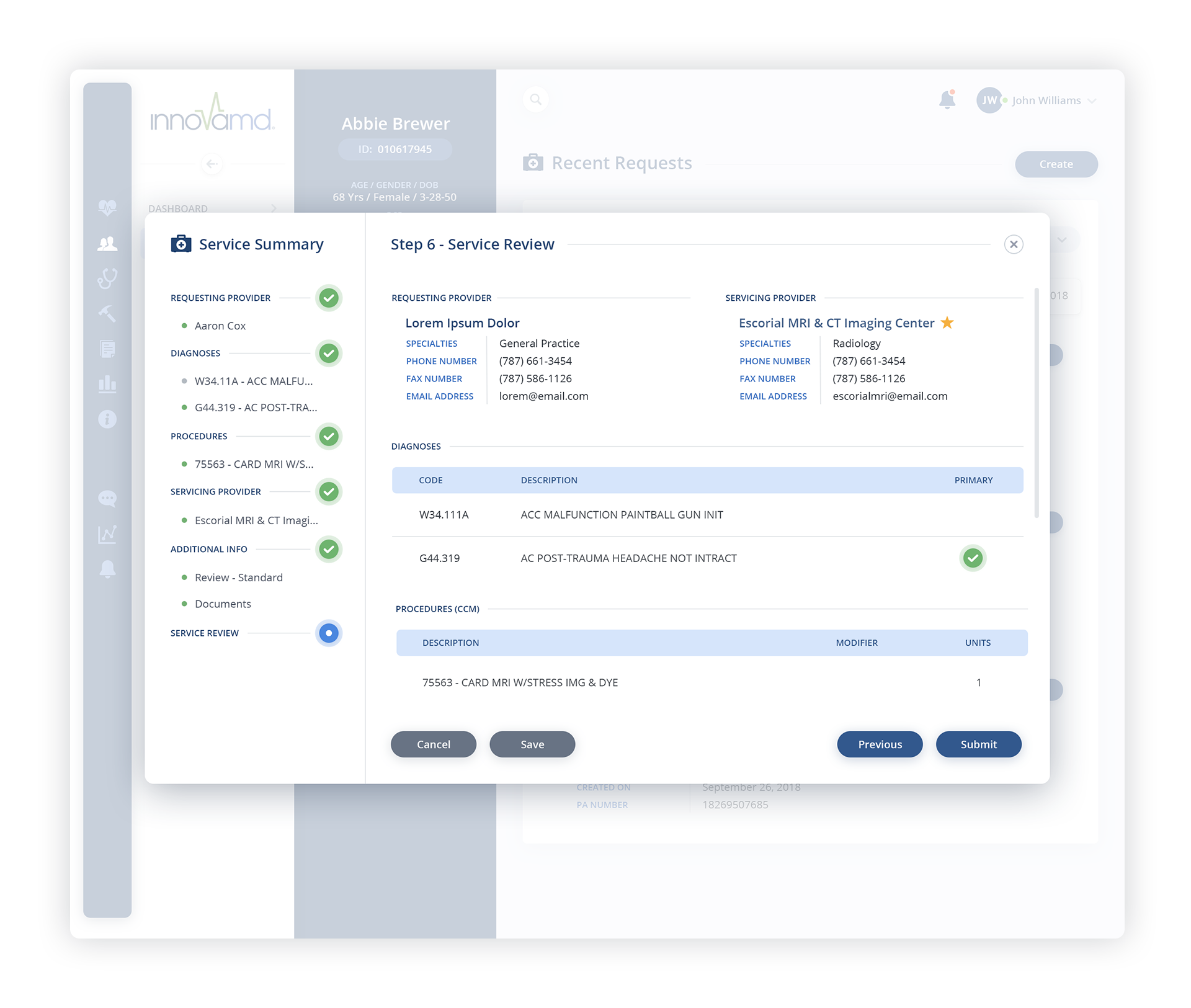
The Main Beneficiary screen and the subsequent Service Summary Modals
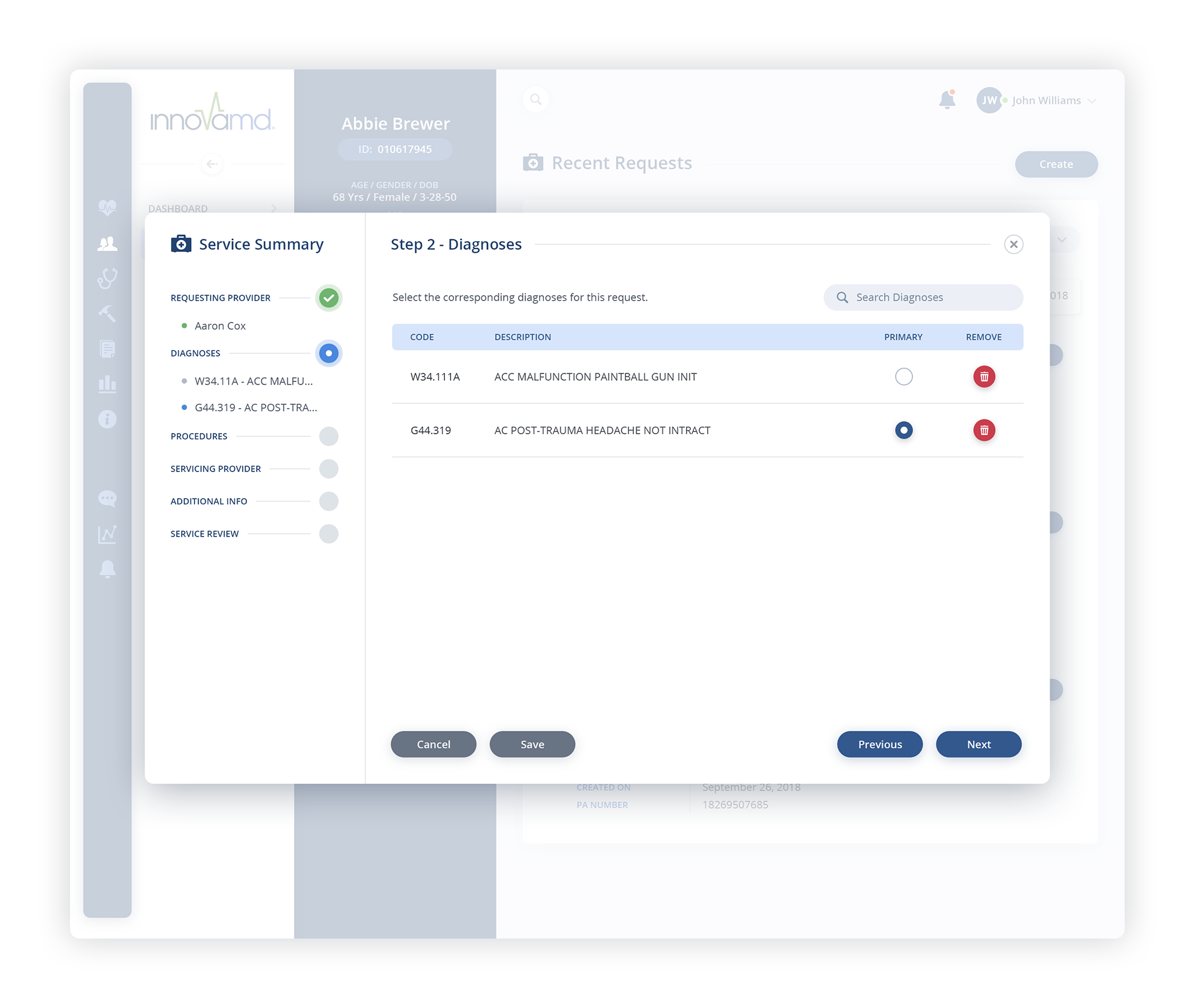
Below: To enhance the Service Summary modal's user experience, we introduced a user-friendly sidebar, serving as a vertical progress bar. As users navigate through the step-by-step process, a dynamic visual system unfolds. A green checkmark materializes upon task completion, while a blue-filled indicator highlights the current task. Simultaneously, light grey circles intuitively mark tasks yet to be initiated, creating an visually engaging journey.




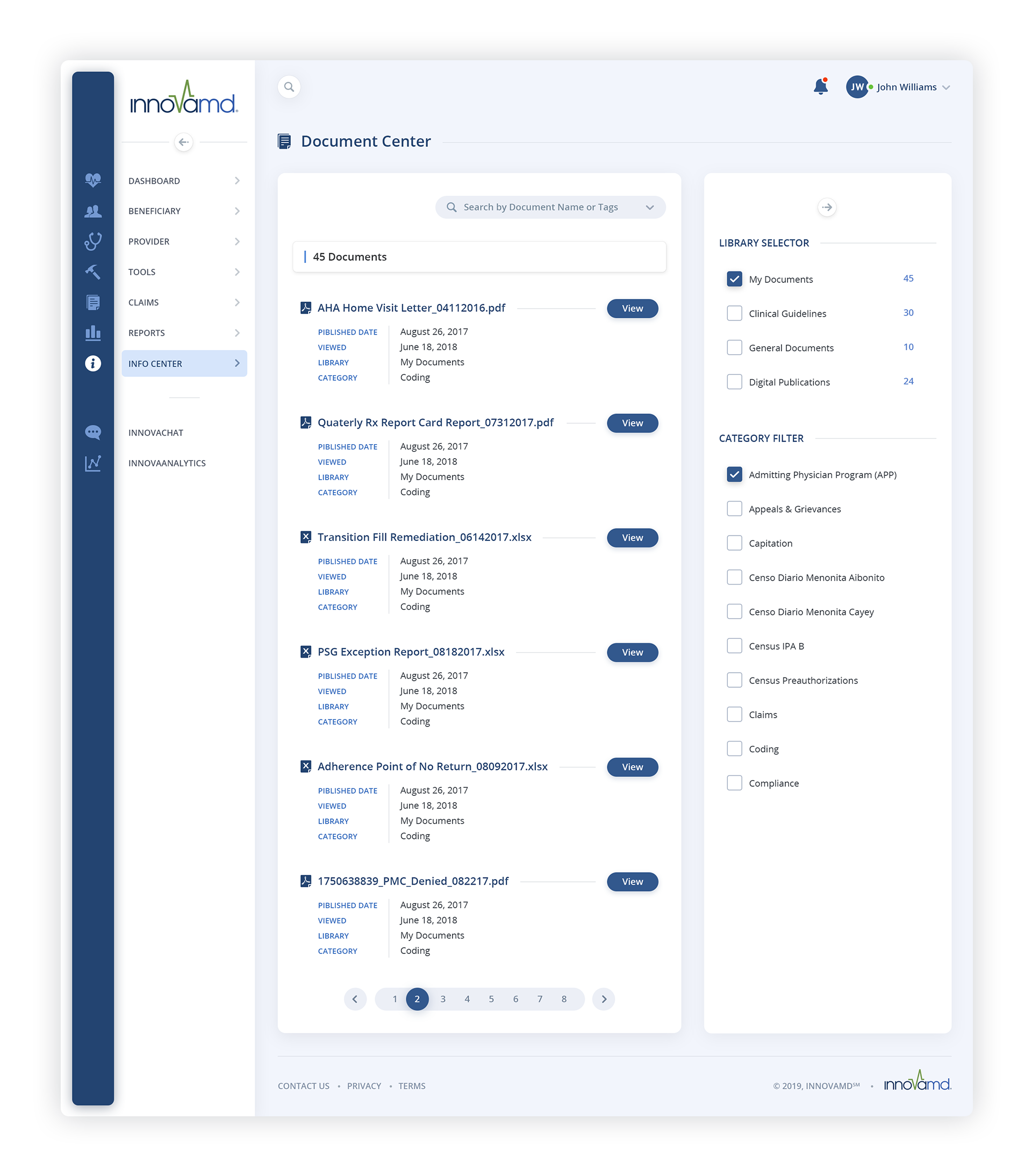
Beneficiary Details: Documents + Documents Center


Beneficiary Details: Clinical SMART Paper + Census
Beneficiary Center
In the Beneficiary Center, a sophisticated filtering system resided discreetly within a right sidebar, seamlessly expanding when prompted by the filter button. As a space-saving measure, engaging the filter button intuitively collapsed the main navigation sidebar, ensuring a streamlined and efficient user experience. Confronted with a cascade of icons we custom designed, neatly aligned in rows, we introduced a gradient inspired by the vibrant hues of the Dashboard. We then sampled points along this gradient, which allowed us to derive distinct color variations for each icon in the row, enhancing visual coherence and aesthetic appeal.