Holt Financial Crypto Marketplace
Fintech UI/UX Design Responsive Cryptocurrency Trading Platform
Phase 2 of The Skins Factory’s Holt Financial engagement was originally planned as a complete responsive cryptocurrency exchange and marketplace application. When the back-end solution selected for the product became no longer viable, the phase was canceled. Before the project was stopped, we completed a dark-mode trading dashboard that established the experience for market search, candlestick analysis, the Order Book, trading activity, navigation, and customizable dashboard modules.
The Challenge
Giving high-priority trading data enough room to remain usable
The primary exchange dashboard needed to accommodate a large candlestick chart, the Order Book, market information, search, navigation, and supporting trading modules within one responsive workspace. Persistent full-width navigation would reduce the area available for the information traders needed to monitor, while unfamiliar icons could make destinations harder to recognize and remember.
Our Approach
Prioritizing trading space while keeping navigation recognizable
We collapsed the sidebar by default to preserve maximum space for the candlestick graph and Order Book, then allowed users to expand it through the sidebar control. As in the completed digital banking wallet, abbreviated two-letter navigation labels avoided relying on nonstandard icons that users would have to learn. Search-as-you-type delivered market results quickly, while movable dashboard modules allowed users to reposition elements such as the Order Book around the way they preferred to trade.
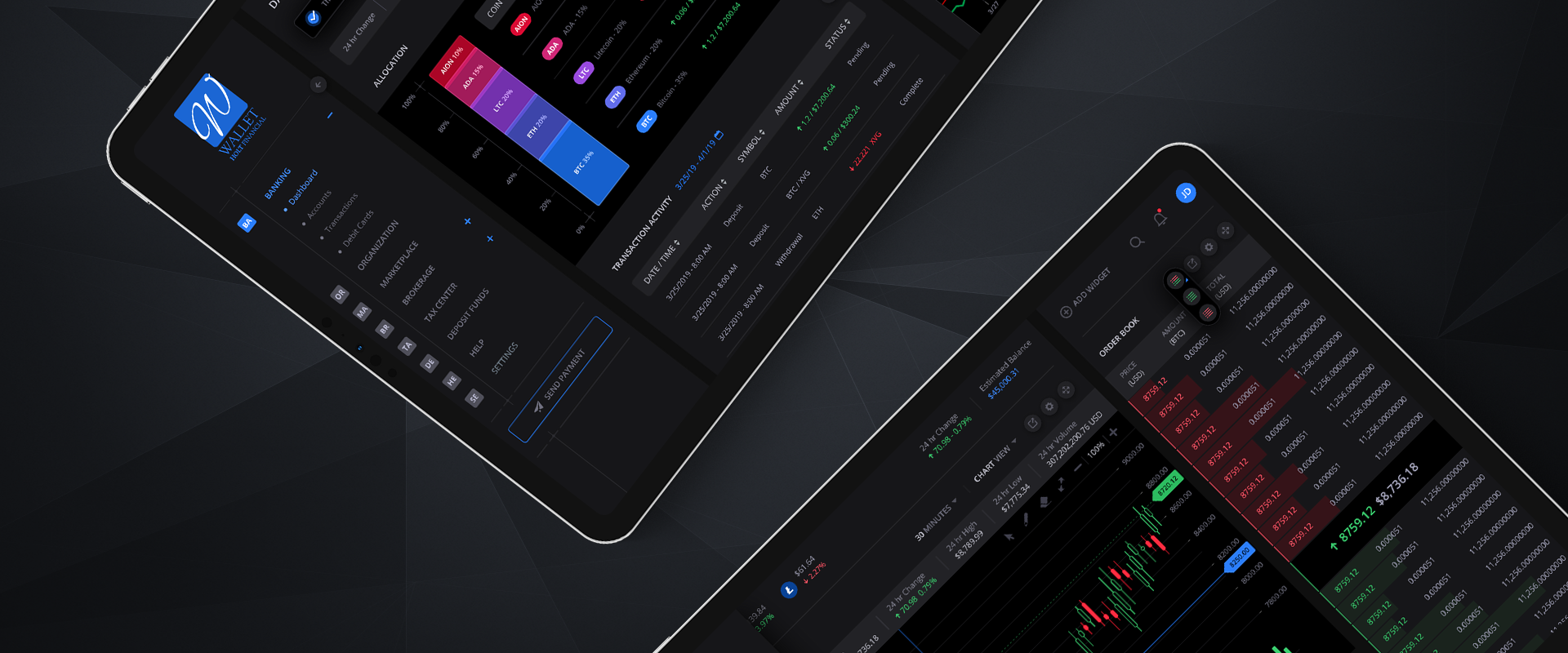
Digital Banking Wallet: Dark Mode Version
See default version here

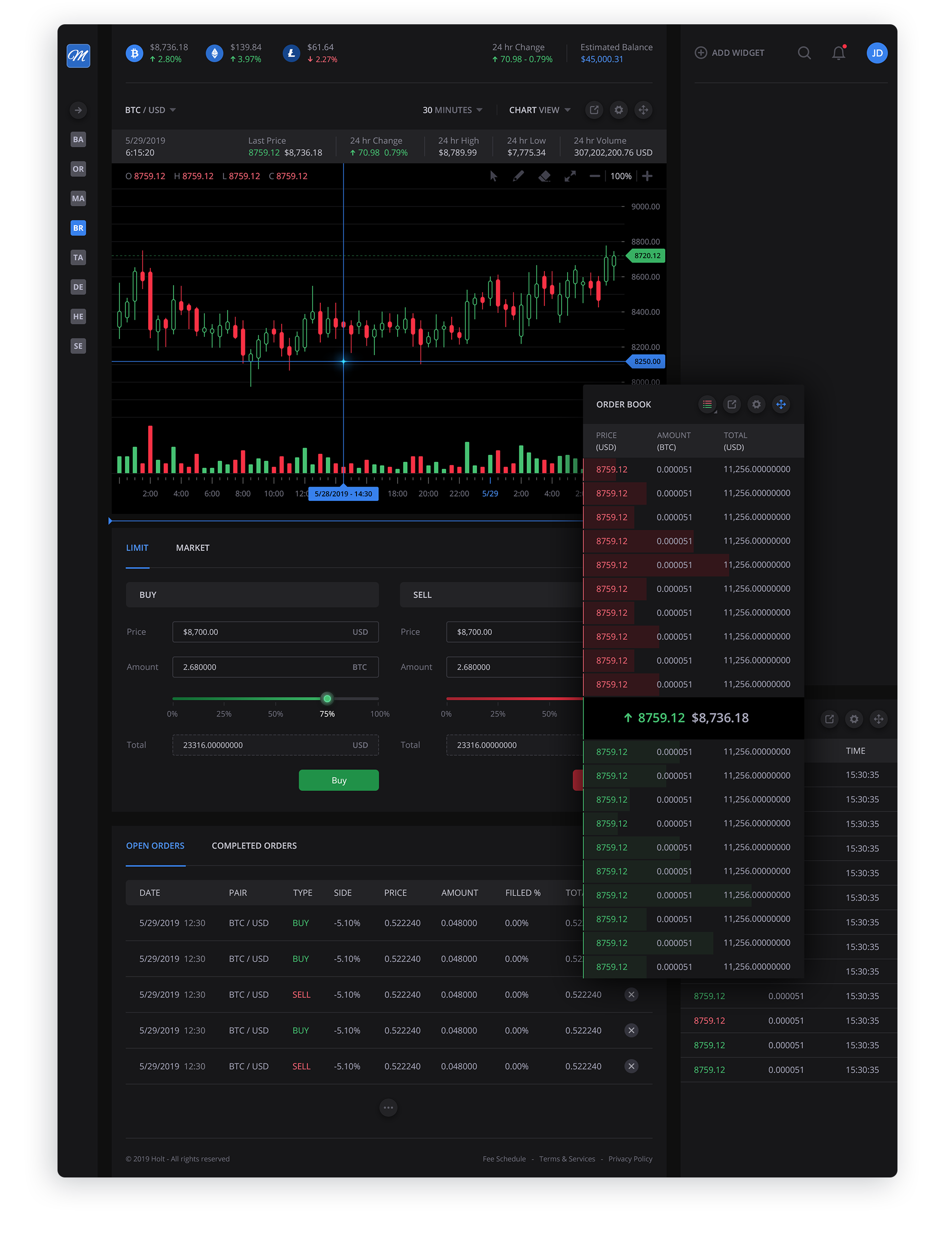
Main Cryptocurrency Exchange Dashboard
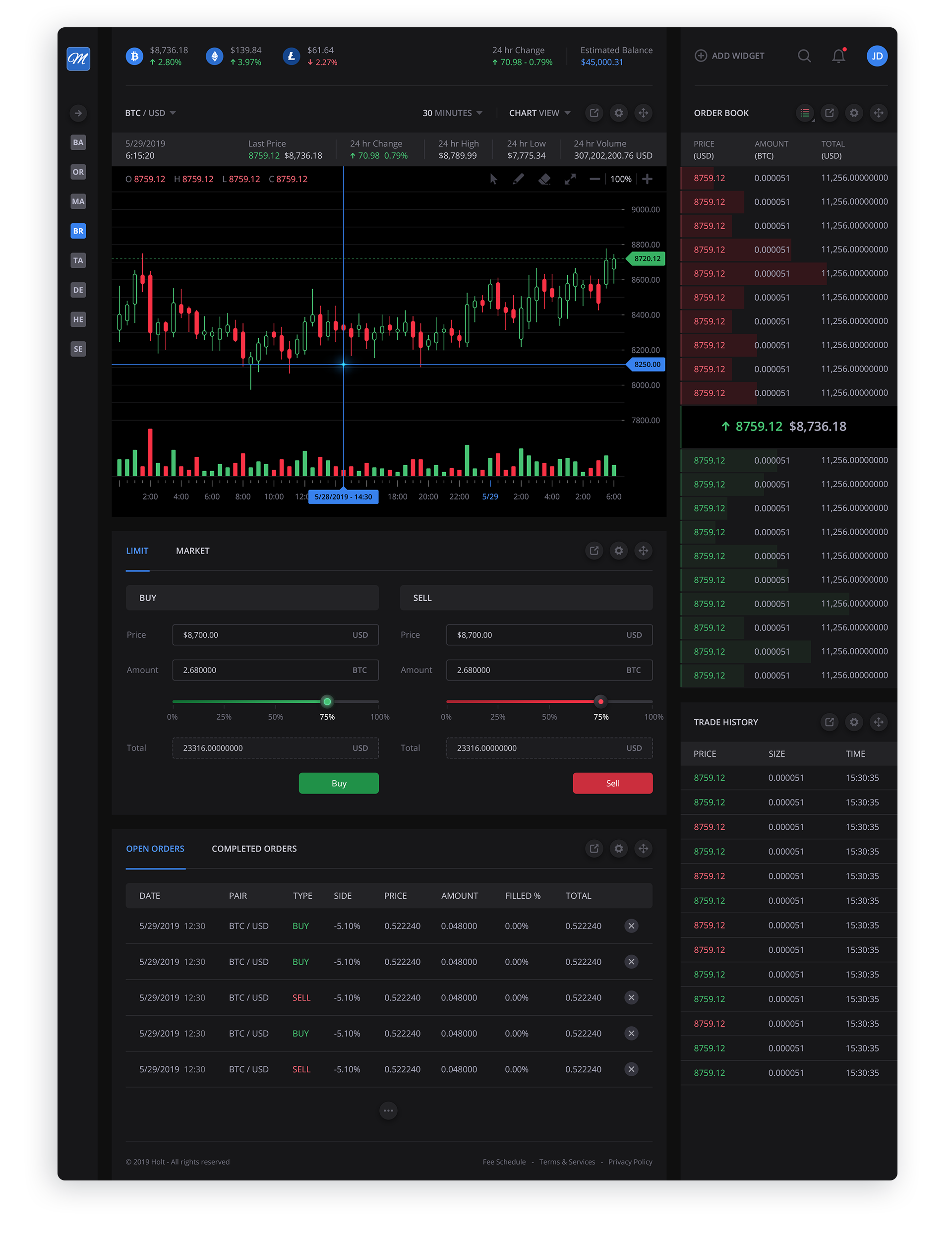
Due to the "real estate" requirements for the candlestick graph and the Order Book, we opted for a collapsed sidebar by default.
This sidebar carries over from the main fintech app we designed, where we used the first 2 letters of a navigation section title instead of an icon. We feel icons that are not ubiquitous are harder to correlate with their textual counterparts, therefore harder to remember. We did design a series of icons for the navigation for our client to deploy at a later time.
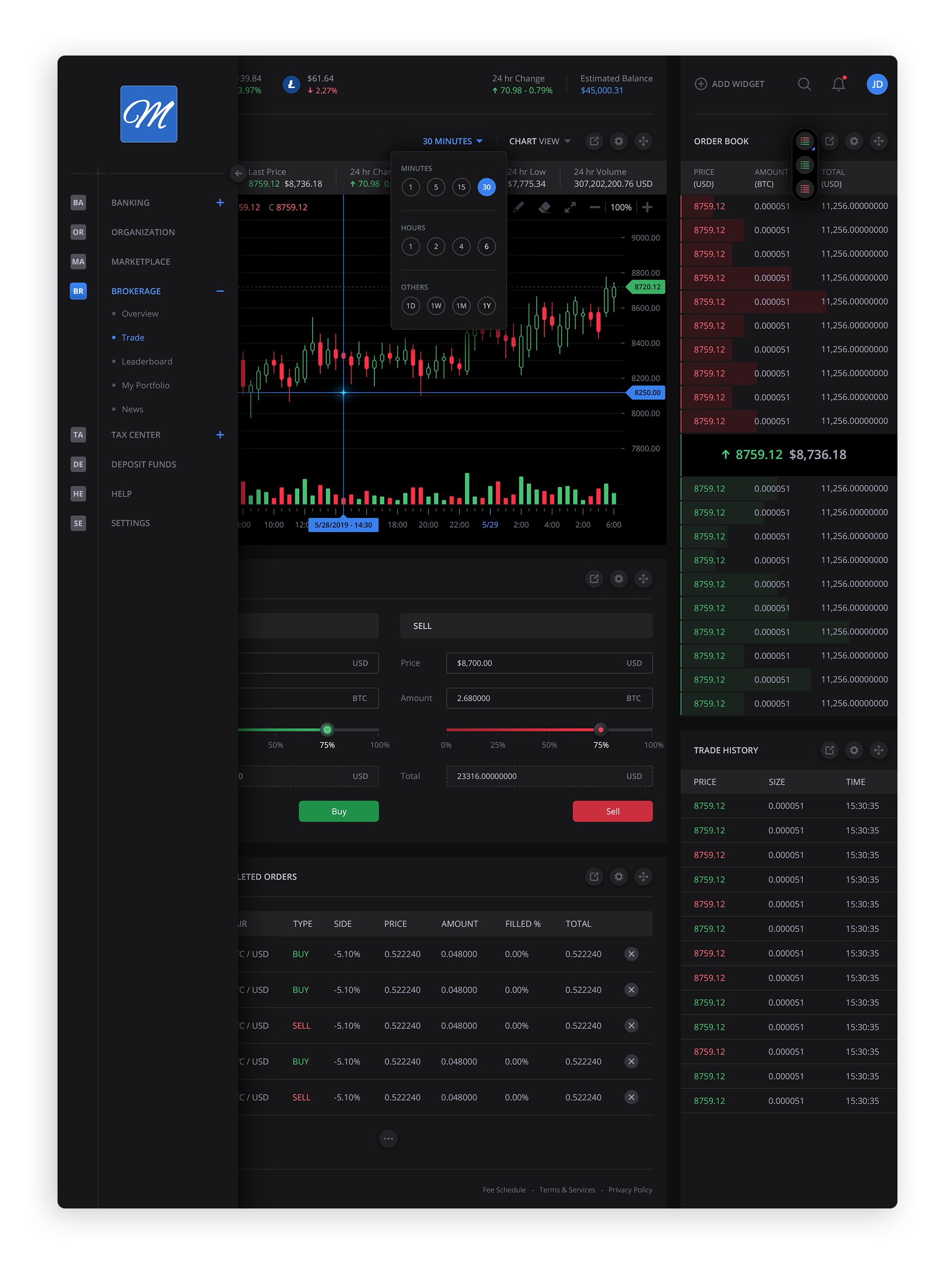
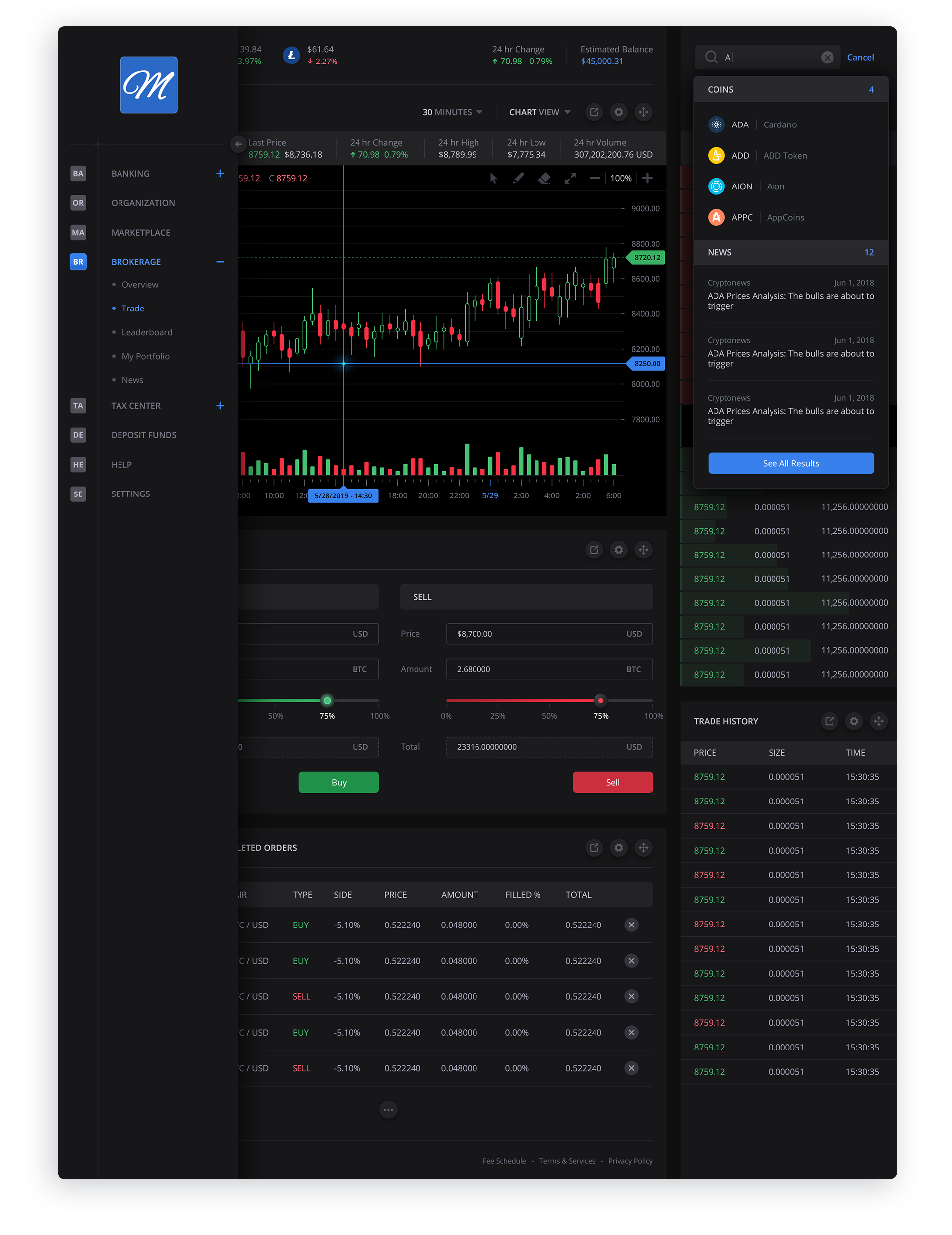
Dashboard w/ Expanded Sidebar + Advanced Search
Hovering or clicking the sidebar's arrow icon expands the sidebar to it's full capacity. The search field yields results in a "search as you type" functionality, delivering results expeditiously.
Moving Modules
The ability to customize the placement of dashboard modules is always an important factor for a user to make the dashboard their own. This image shows the Order Book being placed under the candlestick graph.